Students in a class
- Do it on
- Computer (Dashboard)
- Time needed
- 3 minutes
- Before you start
- Administrator, Coordinator, or lead catechist of that class
- When you finish
- The class list is complete and correct
Open the student list
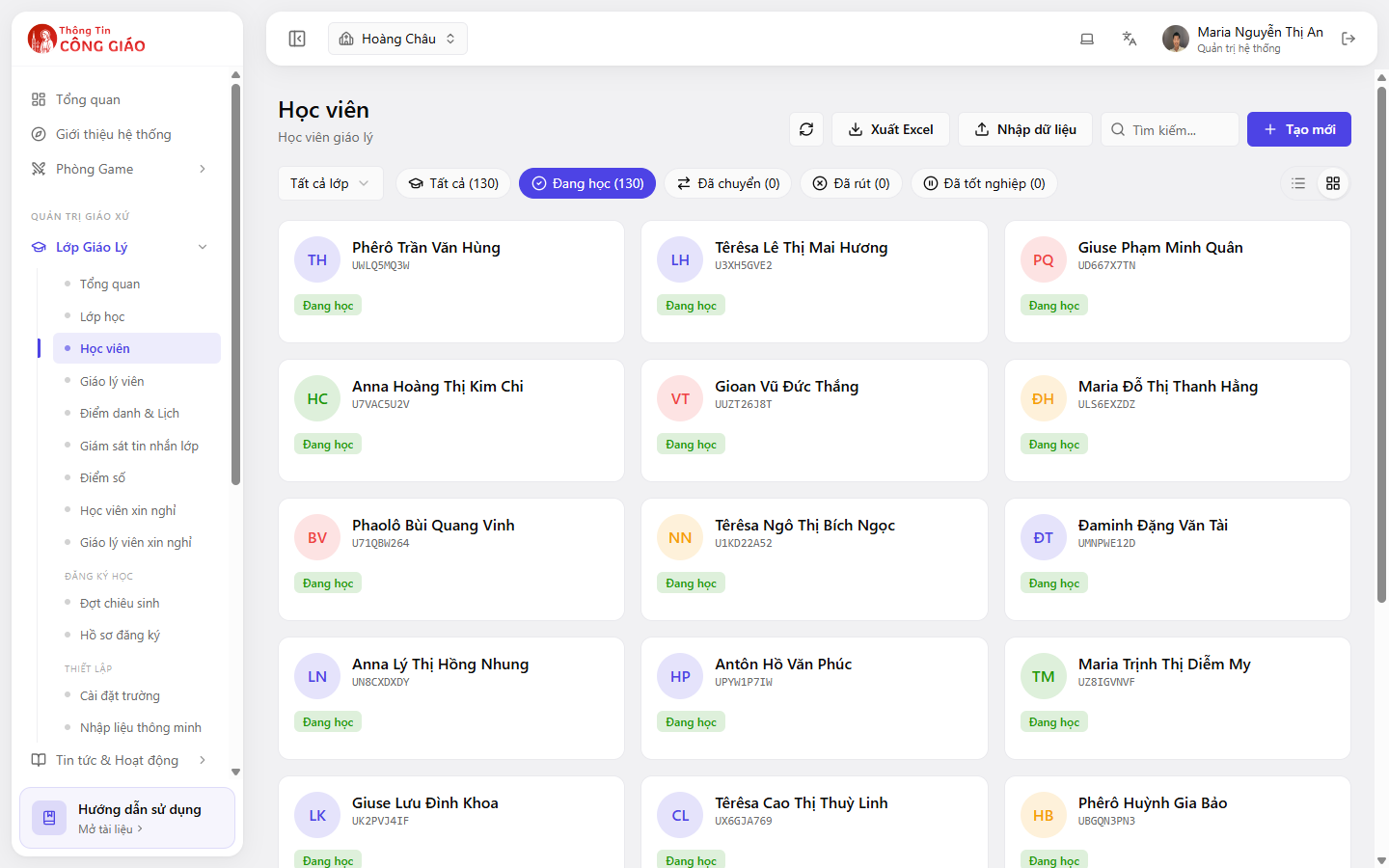
Go to Lớp Giáo Lý → Học viên (Catechism Classes → Students). You can filter by class in the All classes box, and by status: Enrolled, Transferred, Withdrawn, Graduated.
I am stuck on this step
Empty list? Check the School Year picker and clear every status filter.
Still not working? Message the support team and attach a screenshot of what you see.
Add a student
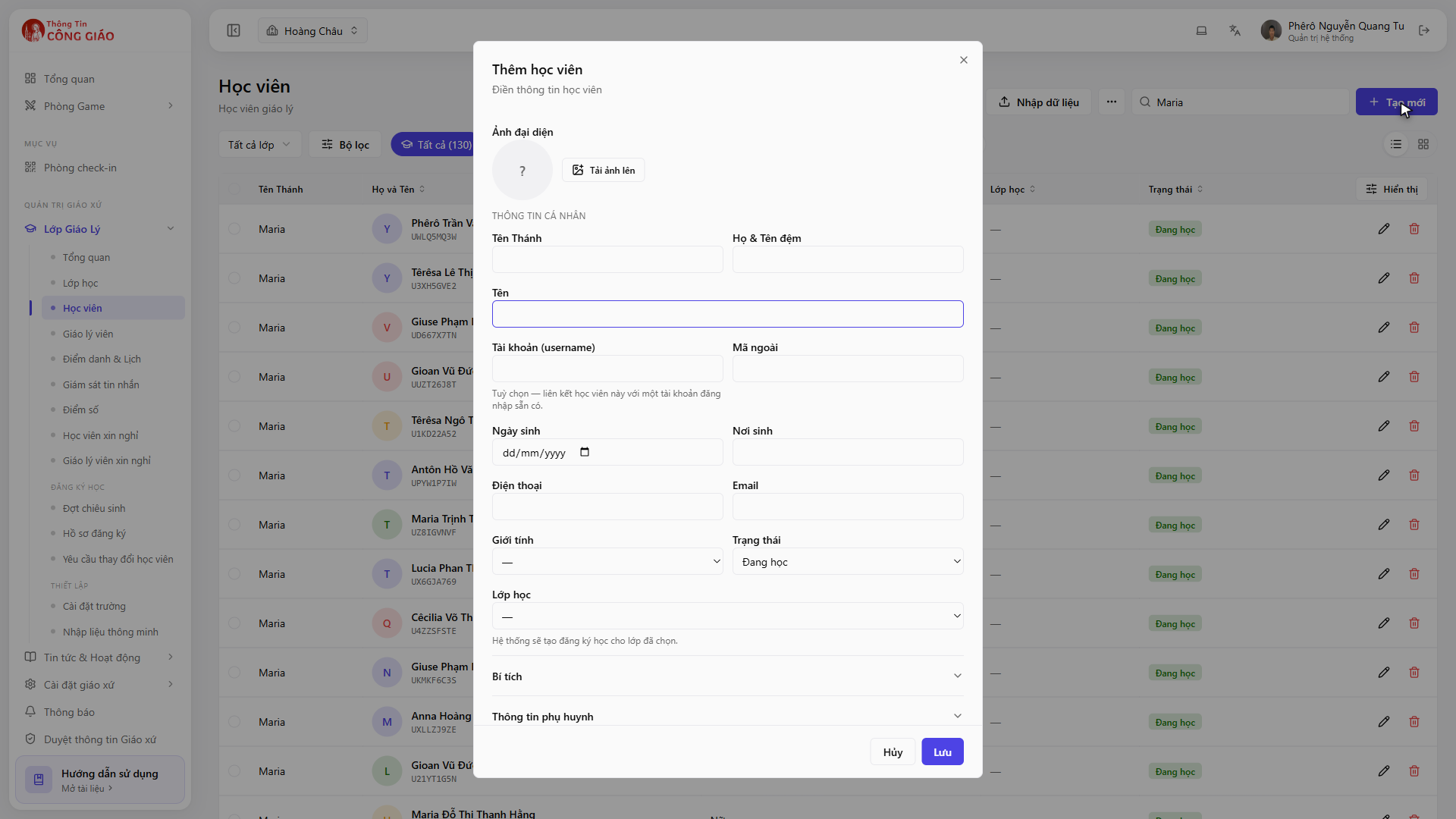
Adding many students at once? Use Smart import — far quicker than typing them in one by one.Click + Tạo mới (Create) to add one student. If the student already has a record, search by name and assign them to the class instead of creating a second record.
I am stuck on this step
No Create button — many parishes only let Administrators and Coordinators add people. Send your list to the catechism board.
Still not working? Message the support team and attach a screenshot of what you see.
Transfer them, or mark them as withdrawn
Open the student's record and change the class or the status. The system records Transferred or Withdrawn — it does not erase past attendance data.
Taking a student out of a class leaves their record in the parish. Read the confirmation dialog carefully — deleting the record loses their attendance and grade history too.
Finding one student quickly
- The Search box at the top of the list: type a name or student code
- Filter by class first if the parish has hundreds of students
- Switch between list view and card view with the two icons on the right
You are done when
- The student count on the class card matches the actual list
- A transferred student shows in the new class and no longer in the old one
Something went wrong?
I added students but the class still says it is short
The counter on the class card only counts Enrolled students. Check the status of the student you just added.
There are two records for the same child
This happens when a manual entry duplicates existing data. Keep the record that has attendance history, set the other to Withdrawn, then ask an Administrator to merge or delete it.
I am a catechist and cannot add students
Many parishes only let Administrators and Coordinators add people. Send your list to the catechism board.