Create a new catechism class
- Do it on
- Computer (Dashboard)
- Time needed
- 3 minutes
- Before you start
- Administrator or Coordinator rights
- When you finish
- The class appears in the school year's list
Catechists usually do not see the Tạo mới (Create) button. If you need a new class, ask the catechism board to create it.
Check the school year, then click Create
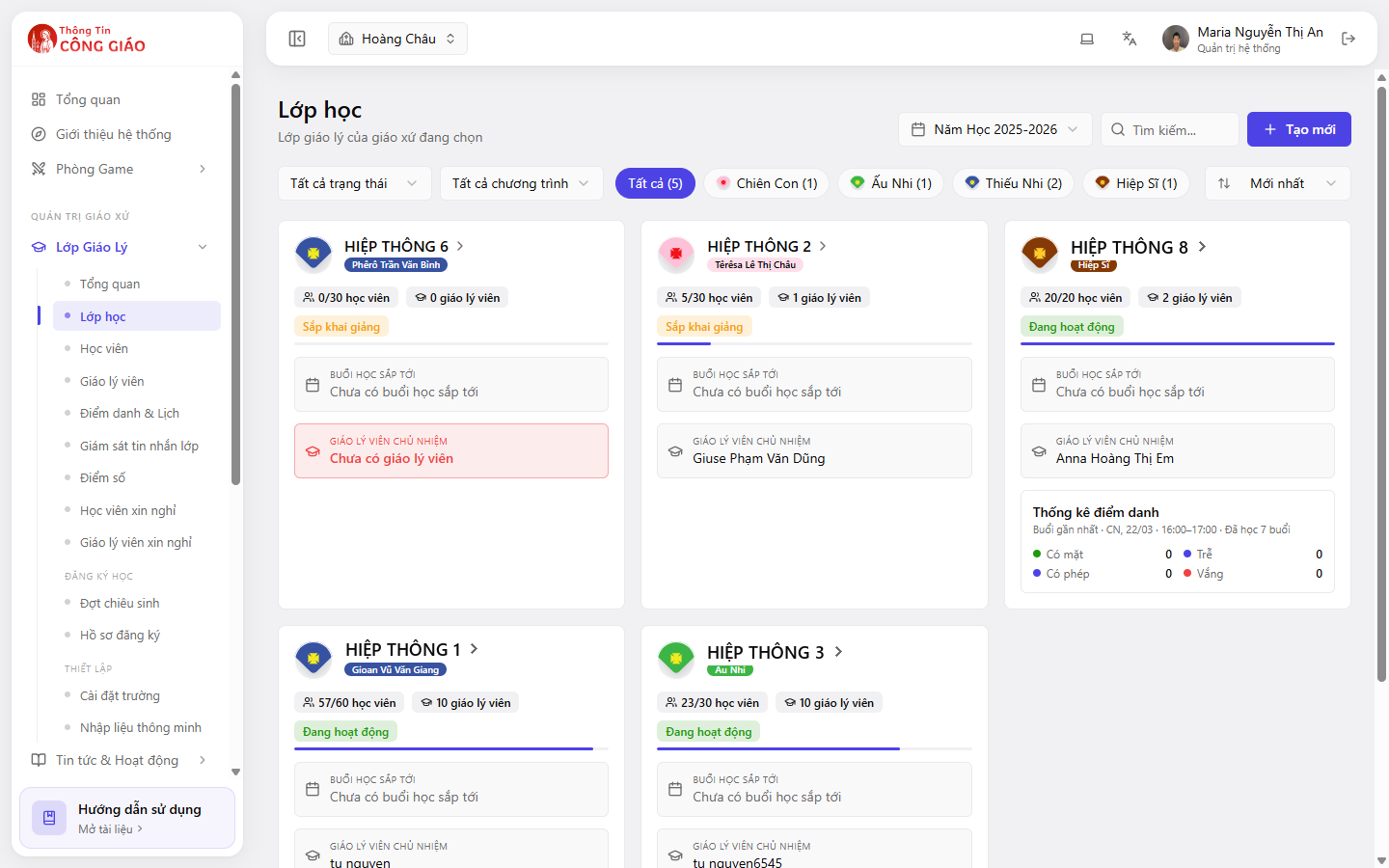
The class belongs to whatever year the School Year picker shows. Get that right before you create.Go to Lớp Giáo Lý → Lớp học (Catechism Classes → Classes) and click + Tạo mới (Create) top right.
I am stuck on this step
No Create button means your role cannot create classes. Ask an Administrator or Coordinator.
Still not working? Message the support team and attach a screenshot of what you see.
Fill in the class details
What you normally need:
- Class name — follow your parish convention, e.g. Rước Lễ 1A, Thêm Sức 2B
- Programme / level — Chiên Con, Ấu Nhi, Thiếu Nhi, Hiệp Sĩ and so on
- Capacity — the maximum number of students, which is what makes “20/30 students”
- Status — Starting soon before it begins, Active once it is running
Save
Click Lưu (Save). The new class appears in the list straight away, labelled Starting soon.
Assign a lead catechist
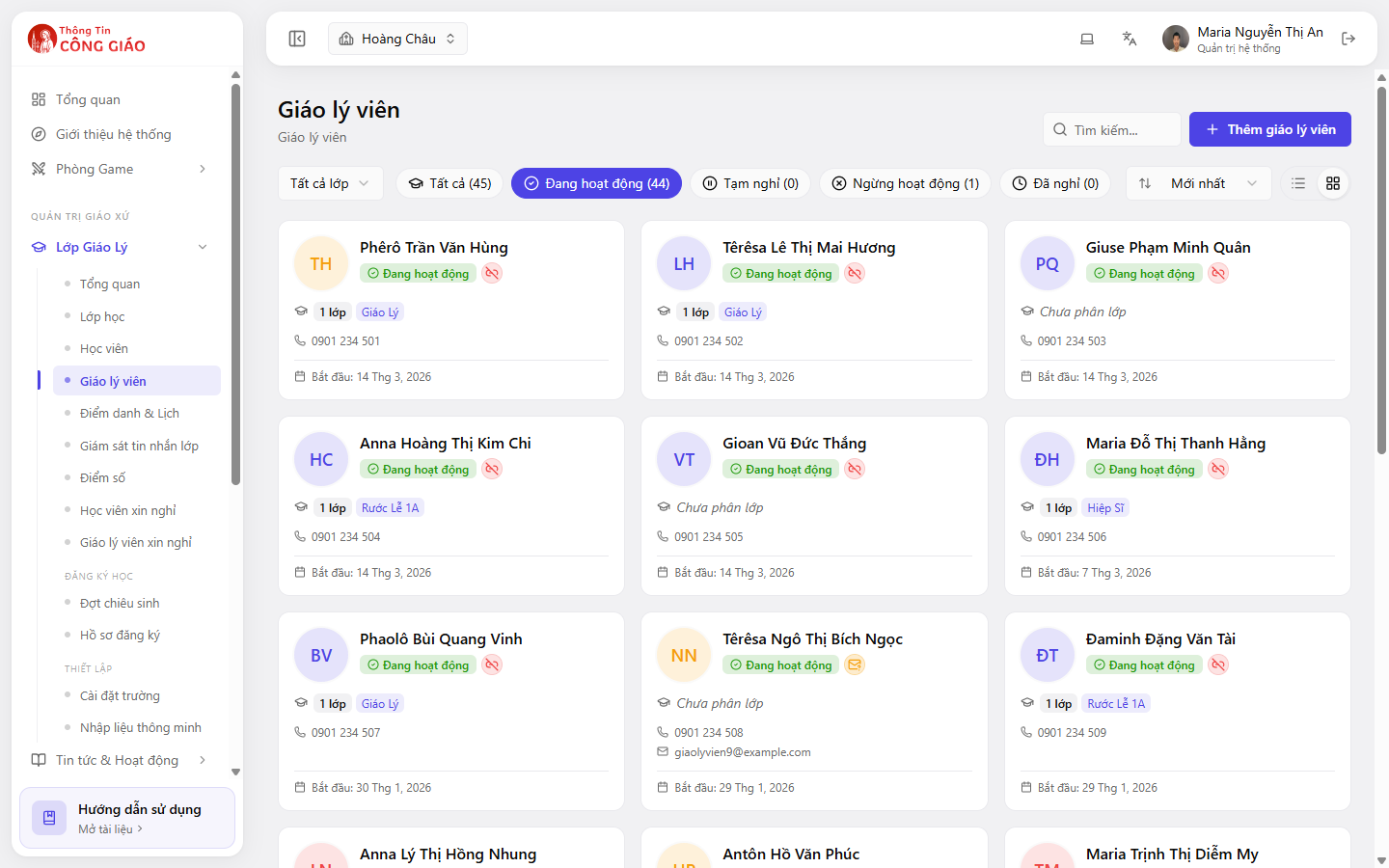
Open the class you just made and add the catechist in charge. A class with nobody assigned is flagged red as No catechist on its card.
I am stuck on this step
An empty list means you have to add catechists to the parish first, under Catechism Classes → Catechists.
Still not working? Message the support team and attach a screenshot of what you see.
Naming classes so they are easy to find
- Agree one convention for the whole parish, e.g. Level - Number - Letter: “Rước Lễ 1A”
- Avoid special characters — they make the search box awkward
- Do not put the school year in the name; the system already separates by year
You are done when
- The new class shows in the list with the right programme and capacity
- The class card shows the lead catechist's name and is no longer flagged red
Something went wrong?
I cannot see the Create button
Your role is not allowed to create classes. Ask an Administrator or Coordinator at the parish.
I created it but the class is not in the list
- The status filter is hiding Starting soon classes — set it back to All statuses
- You switched to a different school year after creating it
What if I created a duplicate class
Rename one so they differ, then move the students into a single class. Only delete a class when you are sure it has no students and no sessions.