Catechists in a class
- Do it on
- Computer (Dashboard)
- Time needed
- 3 minutes
- Before you start
- Administrator or Coordinator rights
- When you finish
- Every class has someone clearly in charge
Whoever is assigned to a class is the person who takes attendance, enters grades and handles that class's leave requests.
Open the catechist list
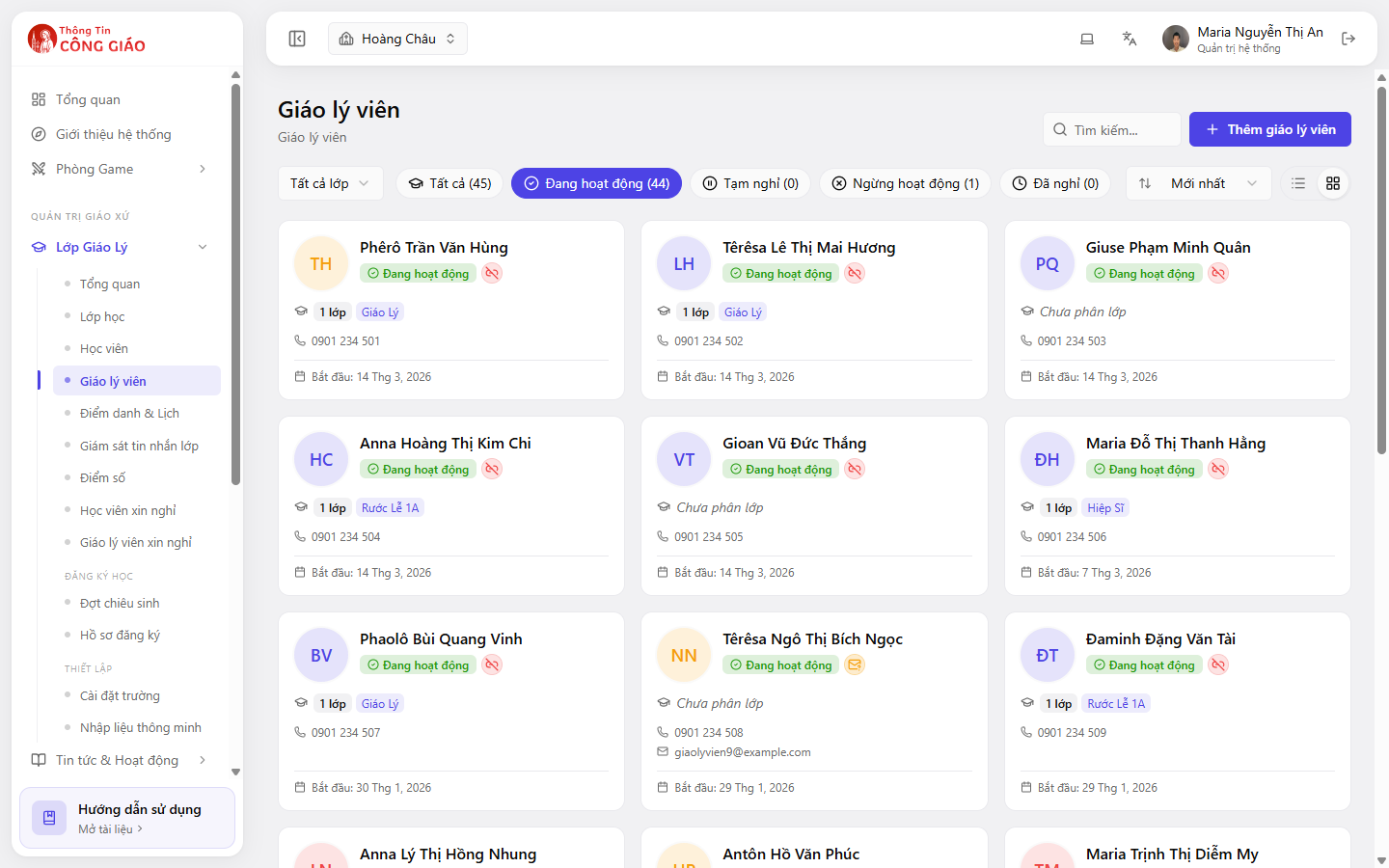
Go to Lớp Giáo Lý → Giáo lý viên (Catechism Classes → Catechists). Filter by class, or by status: Active, On break, Inactive, Left.
Add a catechist
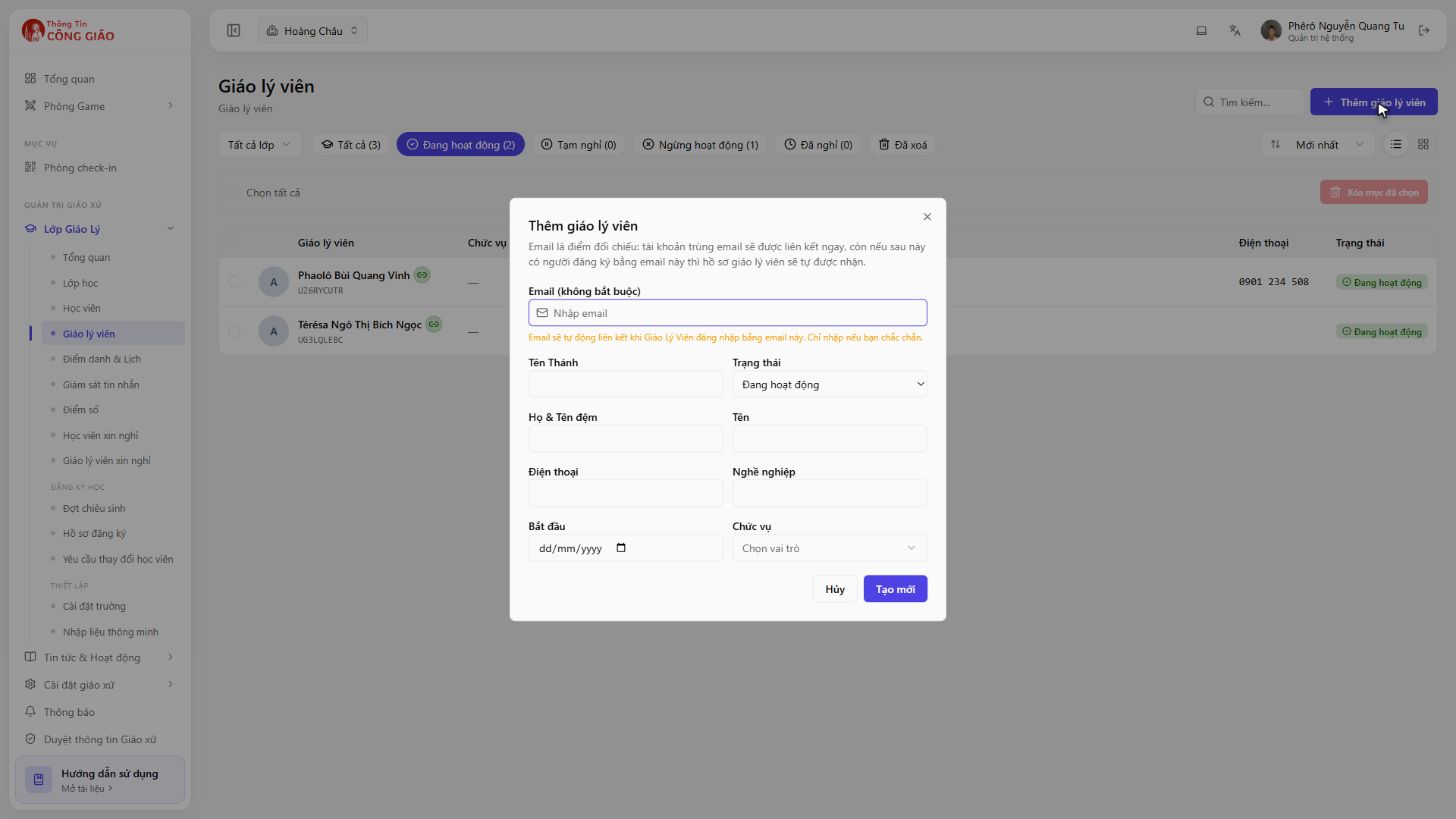
A card marked “No linked account” means that person cannot sign in yet to take attendance themselves.Click + Thêm giáo lý viên (Add catechist), fill in the name and phone number, then assign them to the class they teach. The card reads Not assigned while they have no class.
I am stuck on this step
Adding here only creates a name on the list. For them to sign in and take attendance, an Administrator has to grant rights under Parish settings → Staff.
Still not working? Message the support team and attach a screenshot of what you see.
Grant sign-in rights if needed
For a catechist to open the Dashboard and take attendance themselves, an Administrator has to add them under Cài đặt giáo xứ → Nhân sự (Parish settings → Staff) with the Catechist role. See Roles and permissions.
How many people per class
- Each class should have one lead who carries the responsibility
- Add a second person to cover attendance when the lead is away
- When a catechist is away for a long time, set them to On break rather than deleting them, so the history stays
You are done when
- The class card shows the lead catechist's name
- That person can sign in and see their own class
Something went wrong?
The catechist signs in but cannot see their class
Two different things: assigning them to a class (the Catechists section) and granting sign-in rights (the Staff section). Both are needed.
The card says No linked account
They are on the list by name but not tied to any login account yet. Ask them to sign in to the app or the Dashboard once, then link the record.
If I change the lead mid-year, is the old data lost
No. Sessions and attendance already recorded keep the name of whoever took them at the time.