Roles and permissions
- Do it on
- Computer (Dashboard)
- Time needed
- 2 minutes
- Before you start
- Parish Administrator rights (to grant roles to others)
- When you finish
- You know who can do what
The three usual roles
| Role | What they can do |
|---|---|
| Parish Administrator | Everything: create classes, add people, edit School settings, import data, grant roles |
| Coordinator / Secretary | Almost all day-to-day work: classes, students, attendance, reviewing requests |
| Catechist | Their own class only: view students, create sessions, take attendance, grade, request leave |
Usually Administrator-only
- Editing Cài đặt trường (School settings) — operating mode, school year, terms, subjects
- Nhập liệu thông minh (Smart import) — importing lists from a file
- Granting and removing roles under Nhân sự (Staff)
- Deleting classes and records
Granting someone a role
Go to Parish settings → Staff
Nhân sự (Staff) lists everyone who currently has rights at the parish, with each person's role.
I am stuck on this step
If you cannot open this section you are not a parish Administrator. Only Administrators can grant roles.
Still not working? Message the support team and attach a screenshot of what you see.
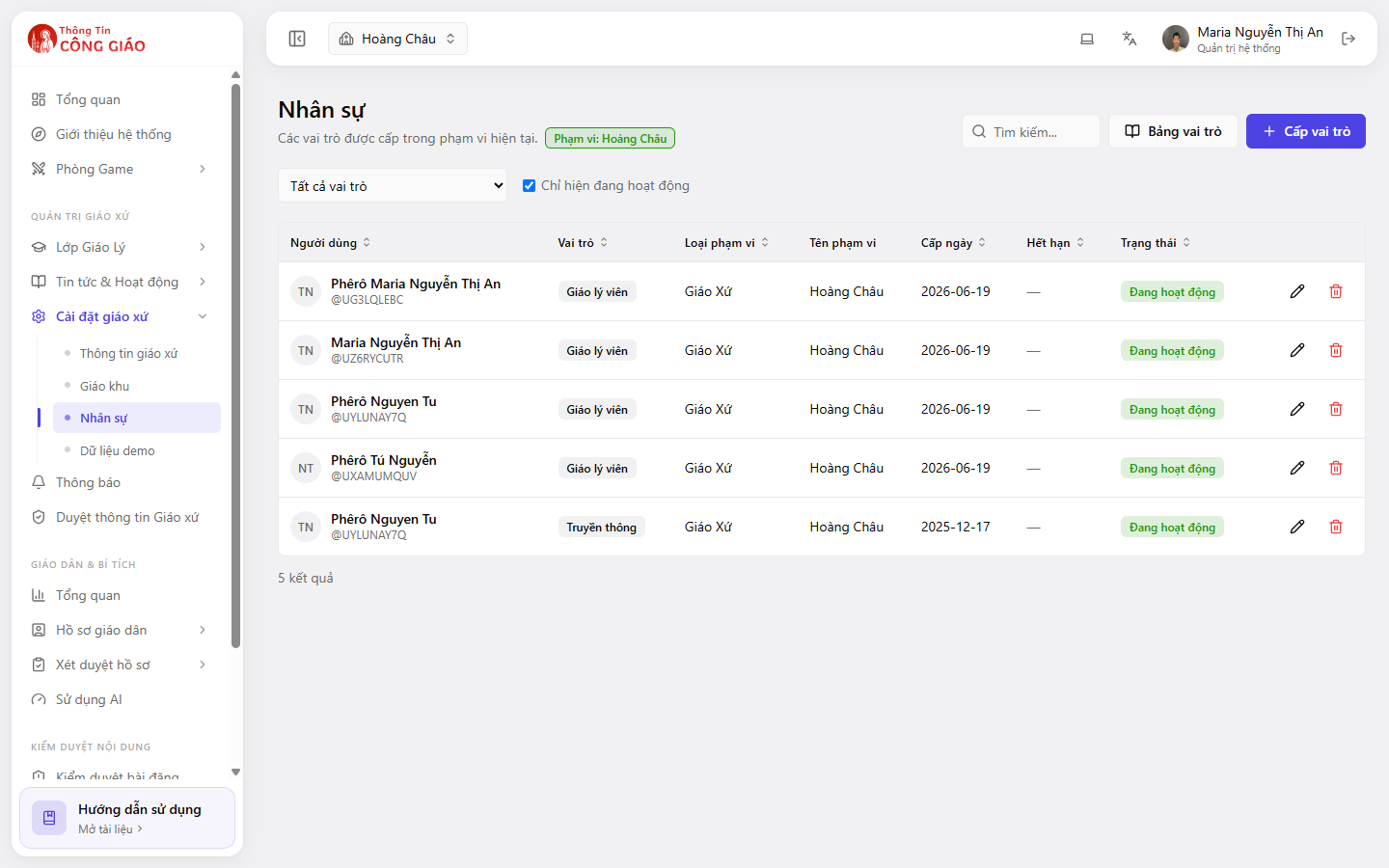
Add the person and pick a role
The person must already have an account — signed in to the app or the Dashboard at least once.Add them by email or existing account, then pick the role that matches the work they do.
I am stuck on this step
Cannot find the person? They have no account yet. Ask them to sign in to the app or Dashboard once, then add them again.
Still not working? Message the support team and attach a screenshot of what you see.
You are done when
- They appear in the Nhân sự list with the right role
- They sign out, sign back in, and can see the matching menu
Something went wrong?
I granted the role but they still cannot see the menu
Ask them to sign out and sign back in. New rights only apply to a new session.
The create button is greyed out or missing
Your role is not allowed to create. Ask the parish administrator to raise your role, or to create it for you.
A catechist cannot see their class
Catechists only see classes they are assigned to. Open the class detail and check they are in the class's catechist list.