Pick the parish and school year
- Do it on
- Computer (Dashboard)
- Time needed
- 2 minutes
- Before you start
- You can already open the Catechism Classes menu
- When you finish
- The class list shows the right school year
Every piece of catechism data — classes, students, sessions, grades — belongs to one parish and one school year. Get either wrong and the list comes up empty, or shows another year's data.
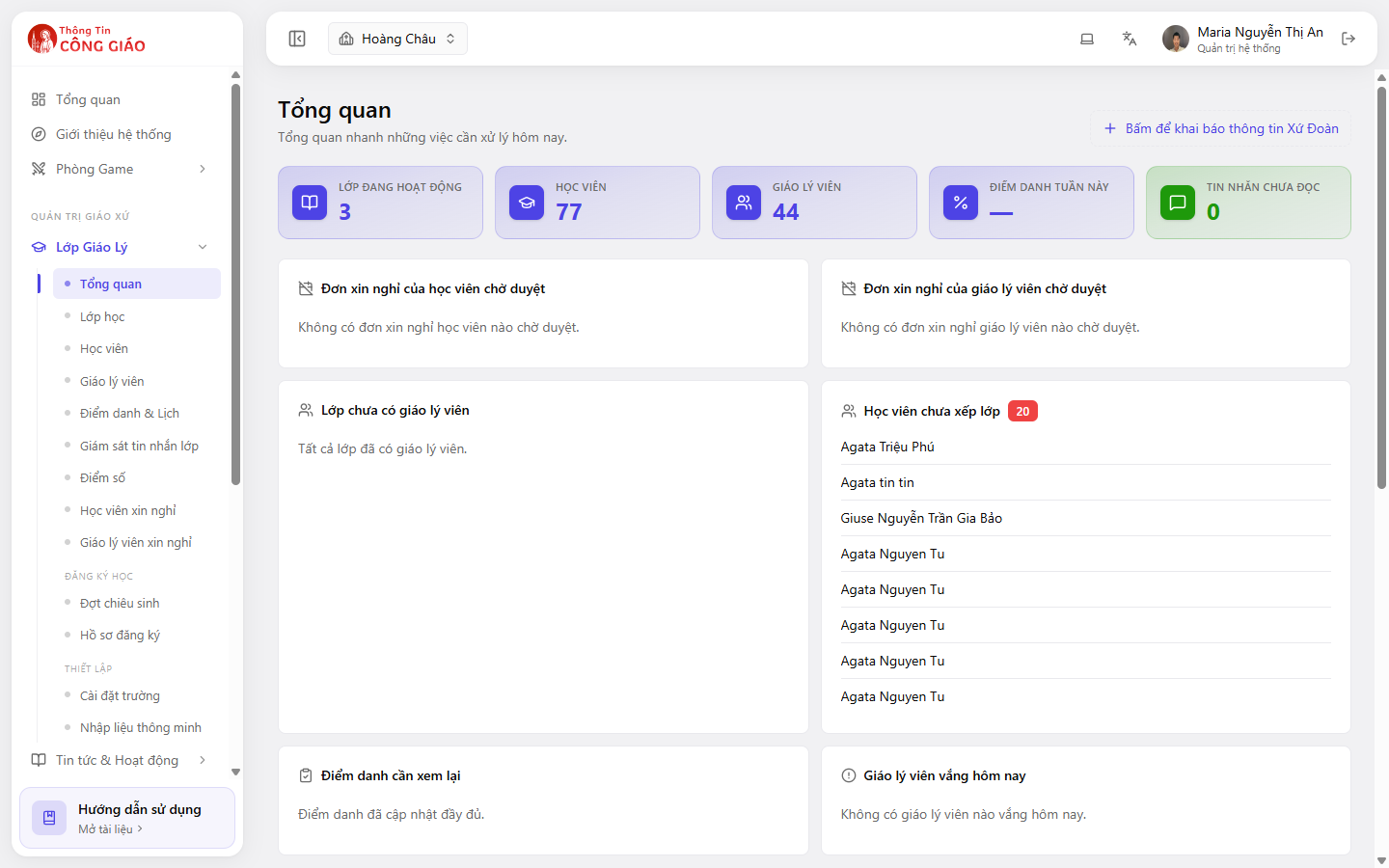
Check which parish you are working in
The parish name is in the top bar, next to the house icon. Click it to choose a different parish.
I am stuck on this step
Working in the wrong parish is the most common mistake. Read the parish name in the top bar before you create or change anything.
Still not working? Message the support team and attach a screenshot of what you see.
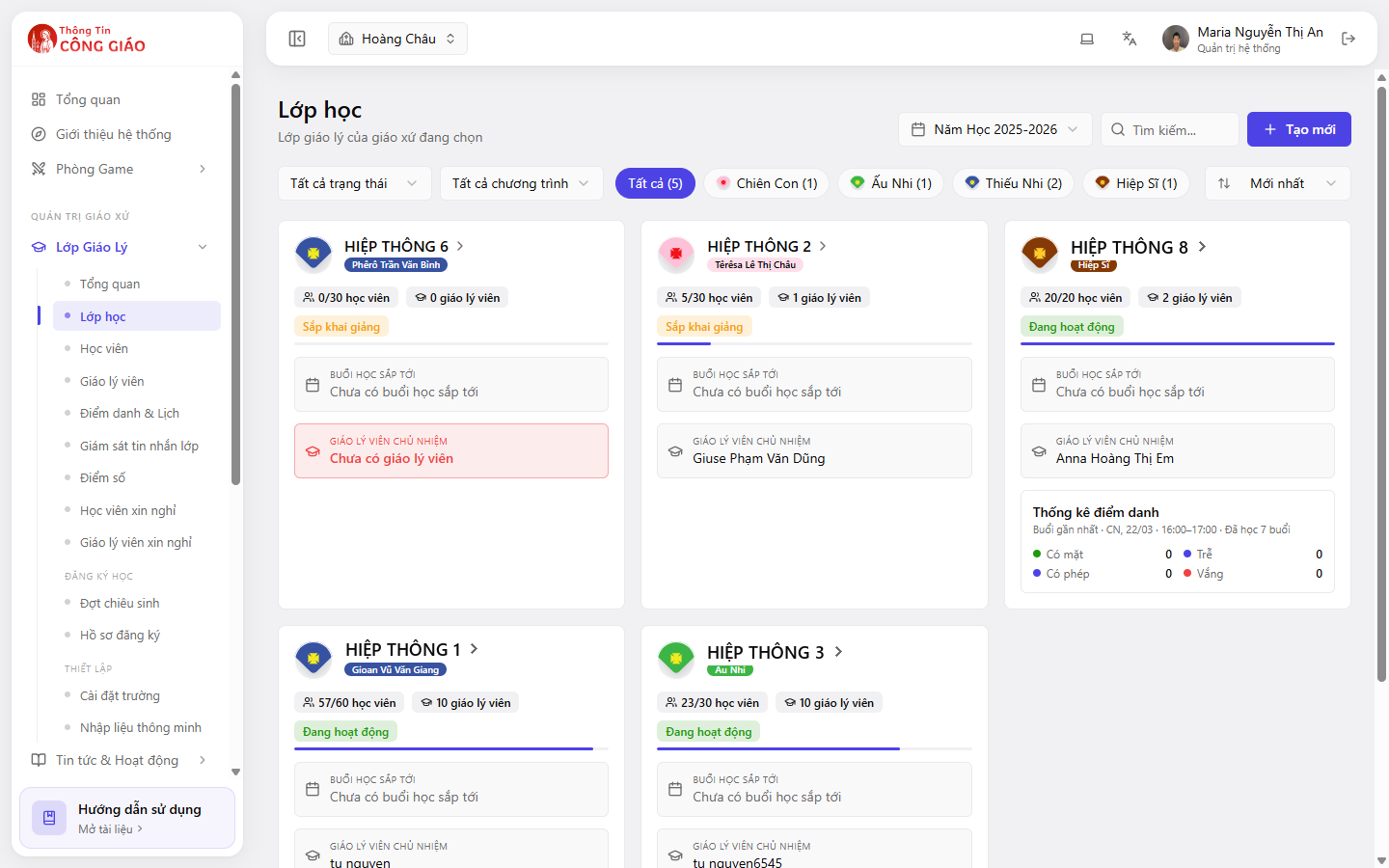
Pick the school year on the Classes screen
Change the school year and the classes, students and sessions change with it — that is how you look back at an earlier year.Go to Lớp Giáo Lý → Lớp học (Catechism Classes → Classes). Top right there is a Năm Học (School Year) picker, e.g. 2025-2026. The system preselects the current year.
I am stuck on this step
An empty School Year picker means the parish has no school year yet — do the next step first.
Still not working? Message the support team and attach a screenshot of what you see.
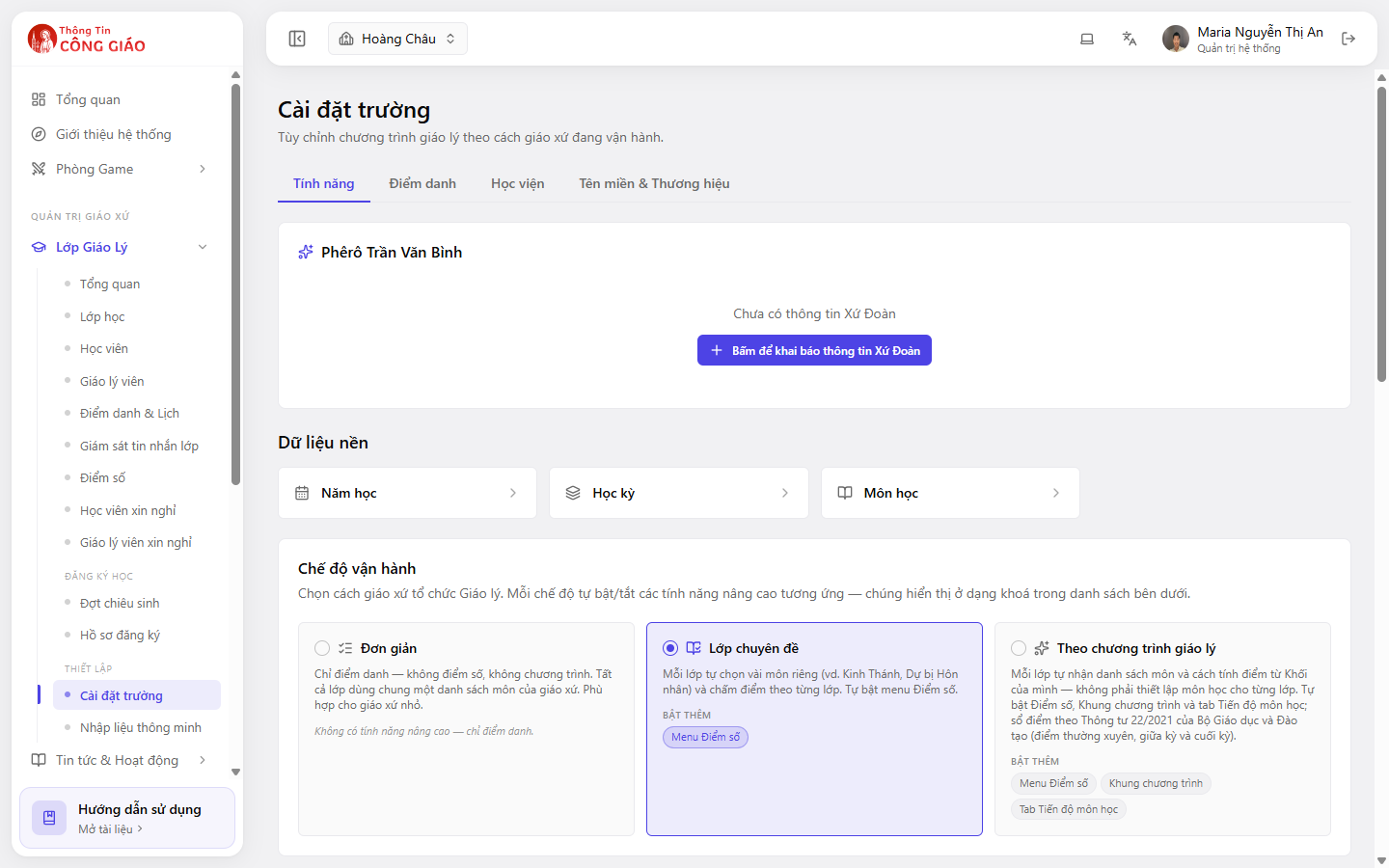
No school year yet? Create one first
Go to Cài đặt trường → Dữ liệu nền → Năm học (School settings → Reference data → School year). See how to create a school year.
You are done when
- The top bar shows the right parish
- The Năm Học picker shows the year you mean to work in
- The class list appears (if the parish already has classes)
Something went wrong?
The class list is empty although the parish has classes
- Check the Năm Học picker — your classes may belong to another year
- Check the filters above the list: status, programme
- Check the parish name in the top bar
I need to see last year's data
Switch the Năm Học picker to the earlier year. Old data is not deleted, it is only hidden while you are in a different year.