Browse Church news and information
- Do it on
- Phone
- Time needed
- 3 minutes
- Before you start
- The app installed
- When you finish
- You can find news and details for any parish
Reading the news
Open News
On the home screen, tap Tin Tức (News).
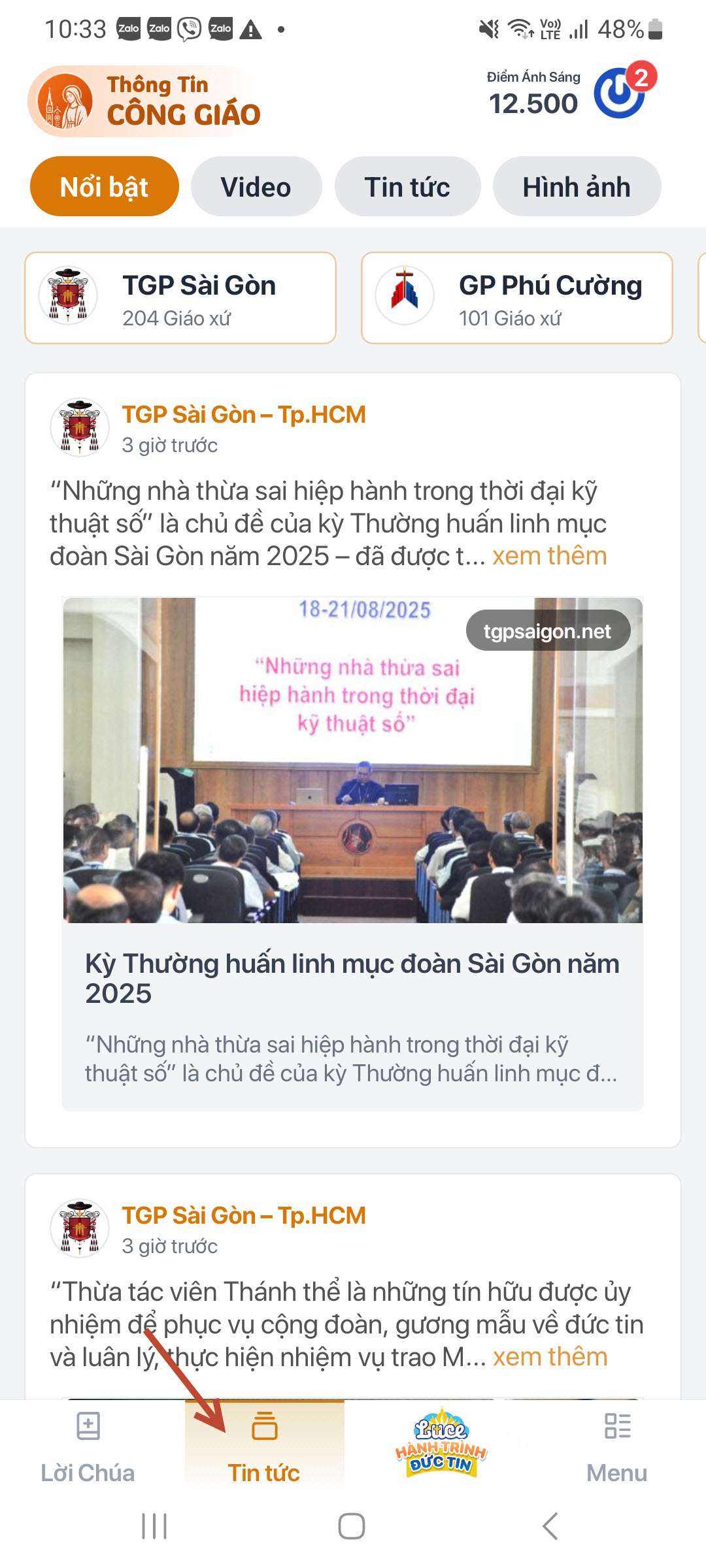
News section · Tap the image to see it larger Look at featured and latest news
Stories are gathered from dioceses across the country, ordered by date and by how prominent they are.
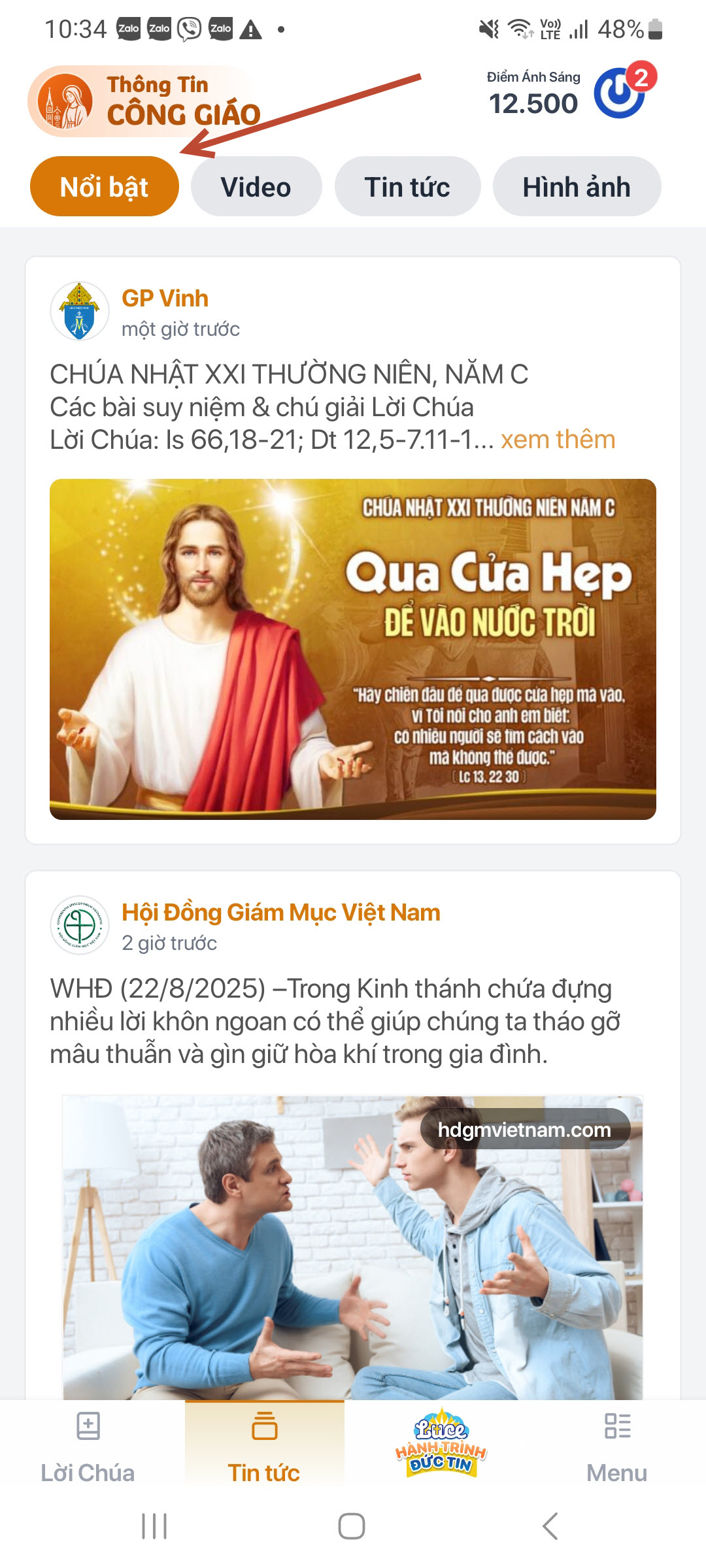
Featured news · Tap the image to see it larger
Looking up a diocese, deanery or parish
Pick a diocese
Every diocese has three parts:
- Bảng tin (Noticeboard) — announcements, events and activities
- Giáo xứ (Parishes) — the deaneries and parishes that belong to it
- Giới thiệu (About) — the history and character of the diocese
I am stuck on this step
Cannot find the diocese? Scroll down — the list is grouped by region, not alphabetical.
Still not working? Message the support team and attach a screenshot of what you see.
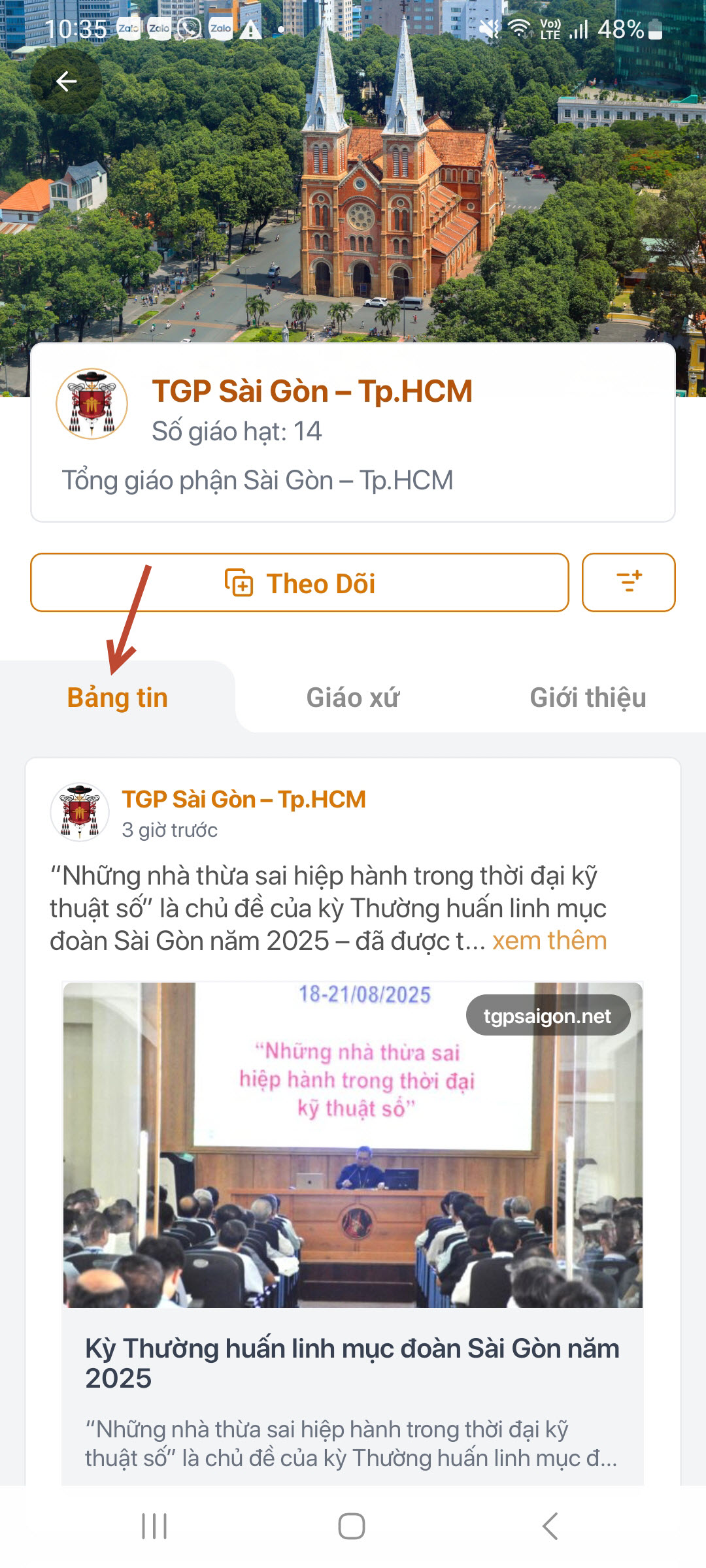
Diocese page · Tap the image to see it larger Look at the list of deaneries
Each deanery shows where it is and how many parishes belong to it.
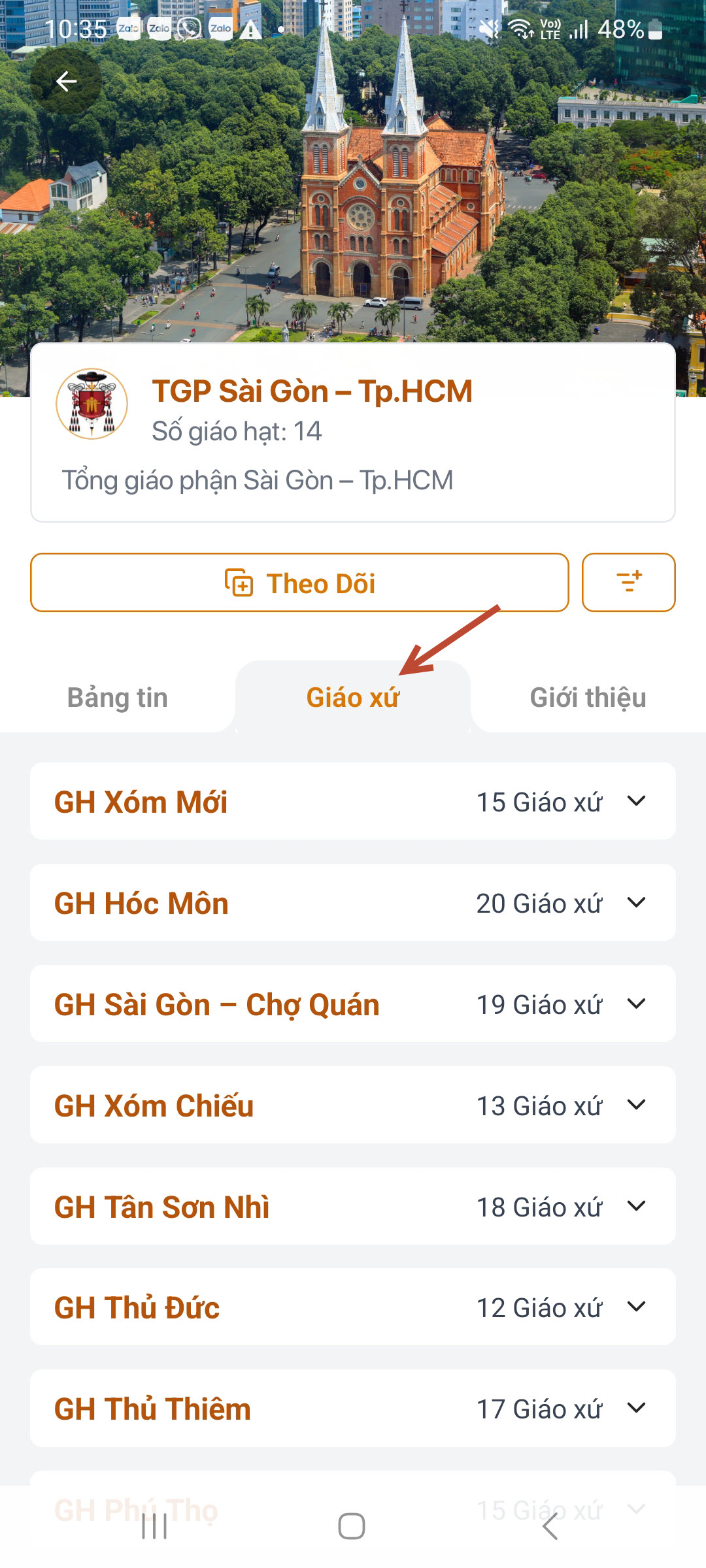
Deanery list · Tap the image to see it larger Open a specific parish
Found your own parish? Tap Follow, and next time the app puts its mass times and news first.Tap a parish to see its address, mass times and news.
I am stuck on this step
Cannot find your parish? Check you are in the right deanery and type the name without accents. Still missing means it is not in the system yet — email the support team.
Still not working? Message the support team and attach a screenshot of what you see.
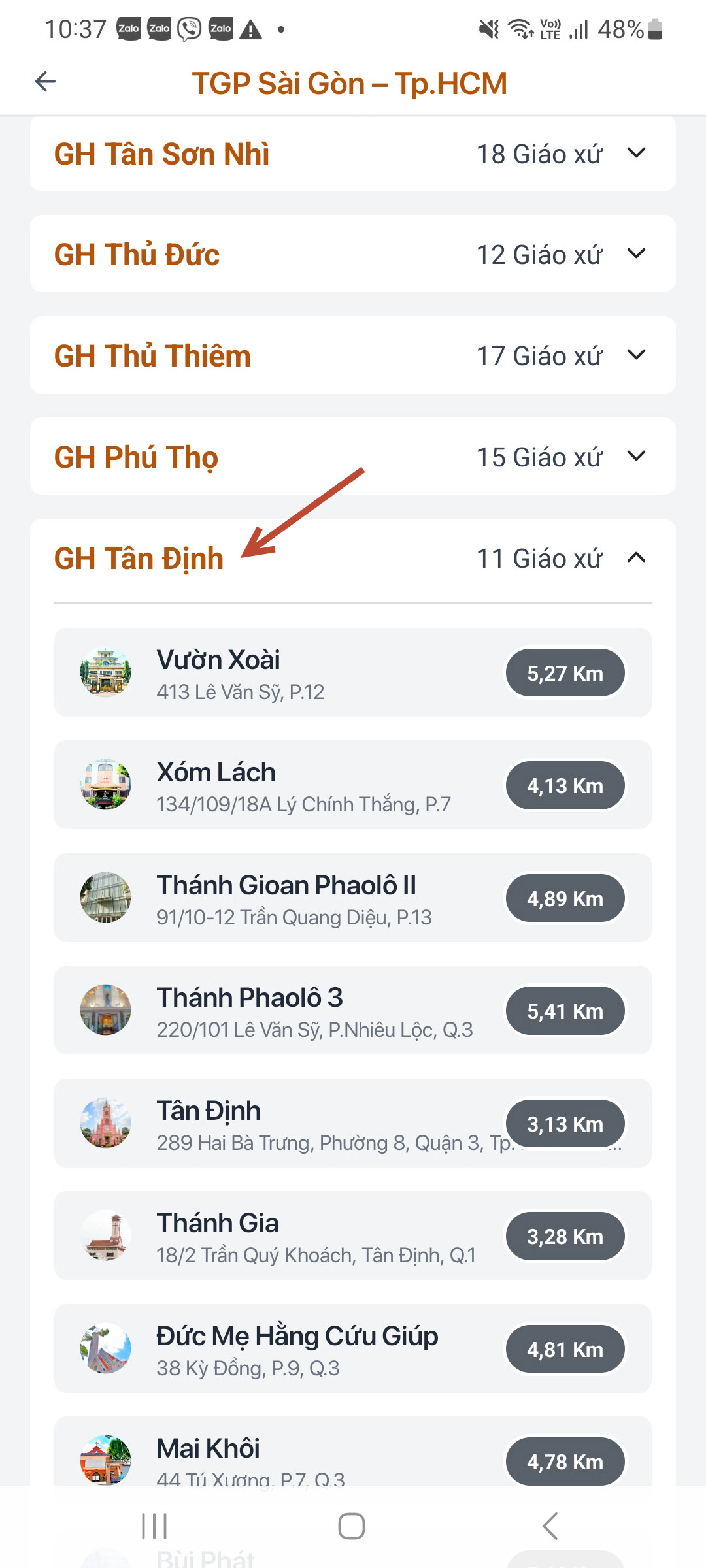
Parishes by deanery · Tap the image to see it larger Read the diocese history
The Giới thiệu (About) part tells how the diocese came to be and its milestones.
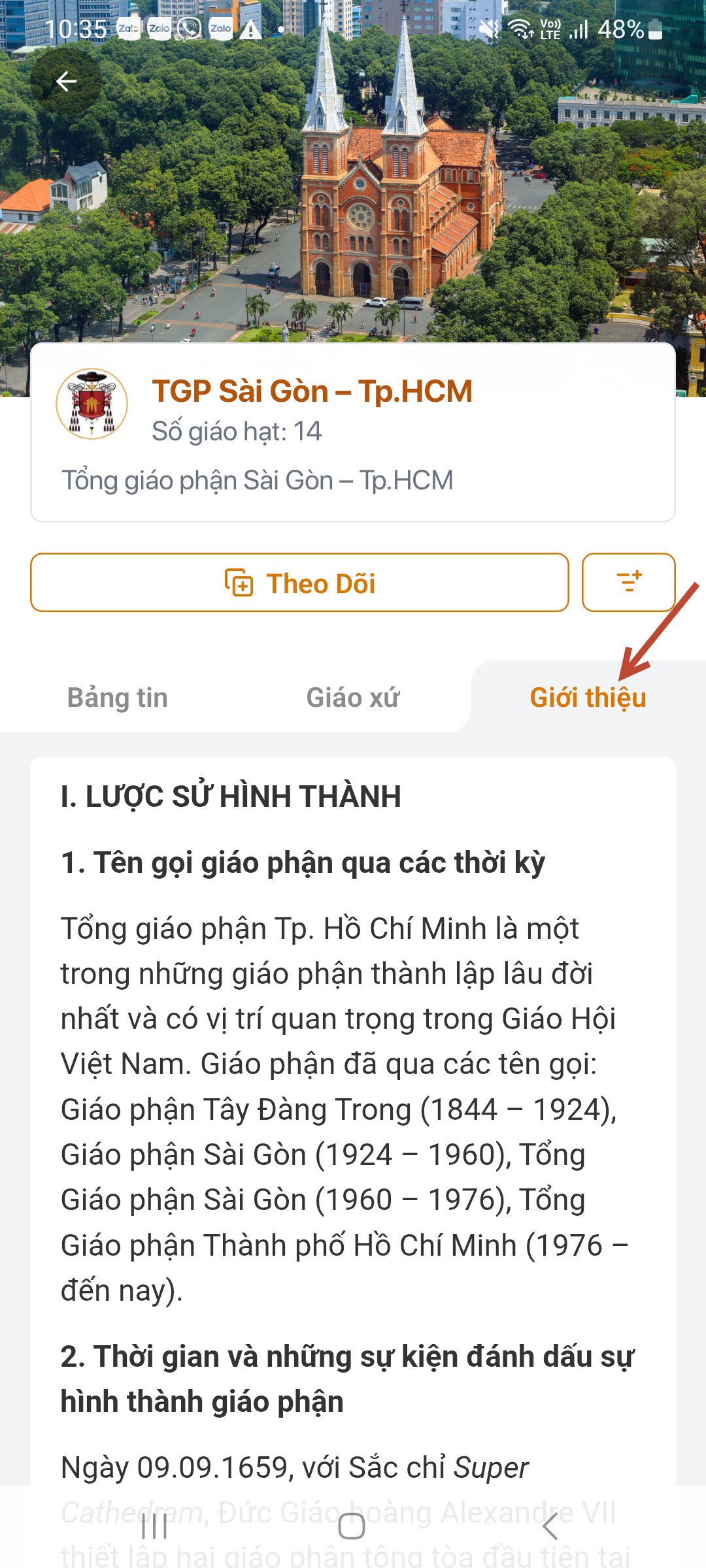
Diocese history · Tap the image to see it larger
Videos and photos
Watch videos
Videos from the Church's official media channels, played right inside the app.
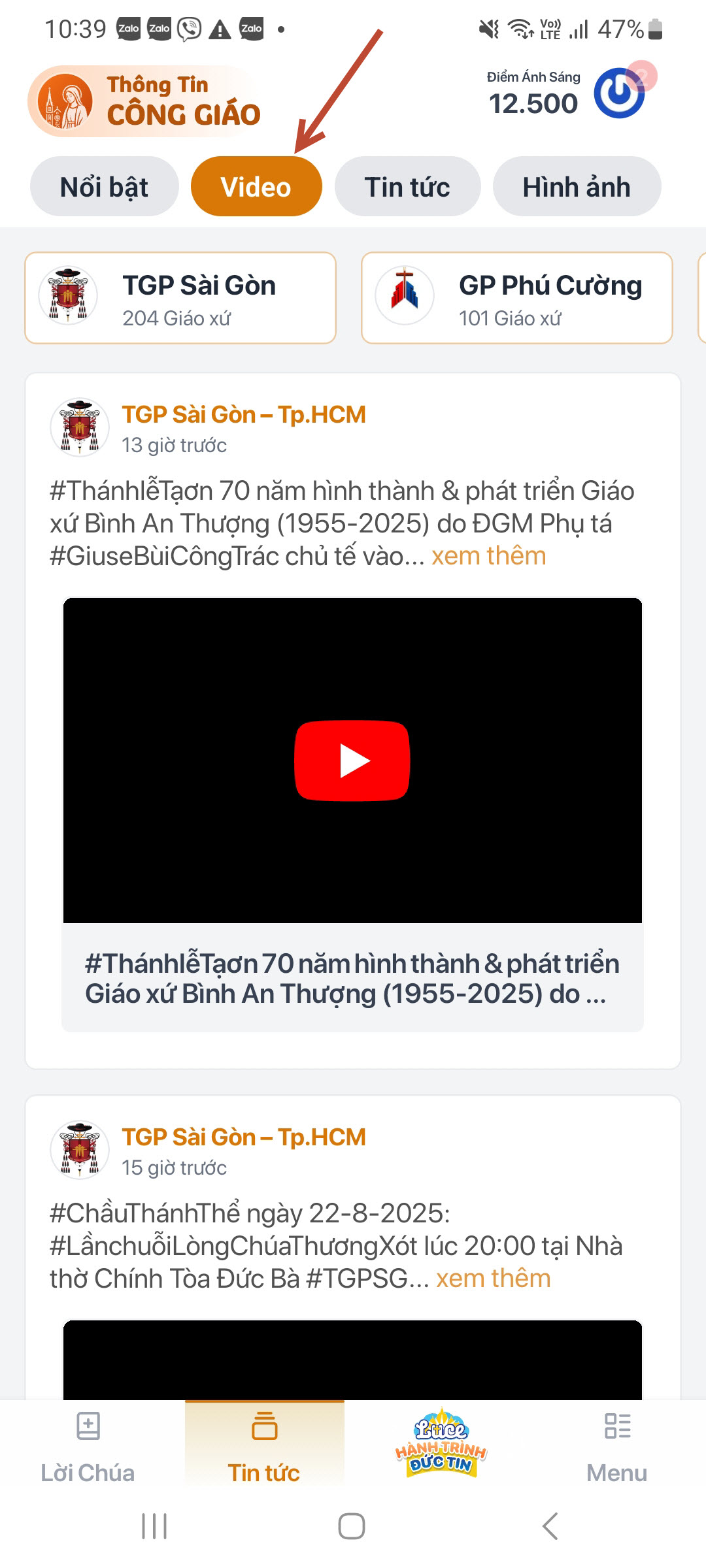
Video · Tap the image to see it larger Browse photo sets
Photos of masses, events and activities from parishes and dioceses.
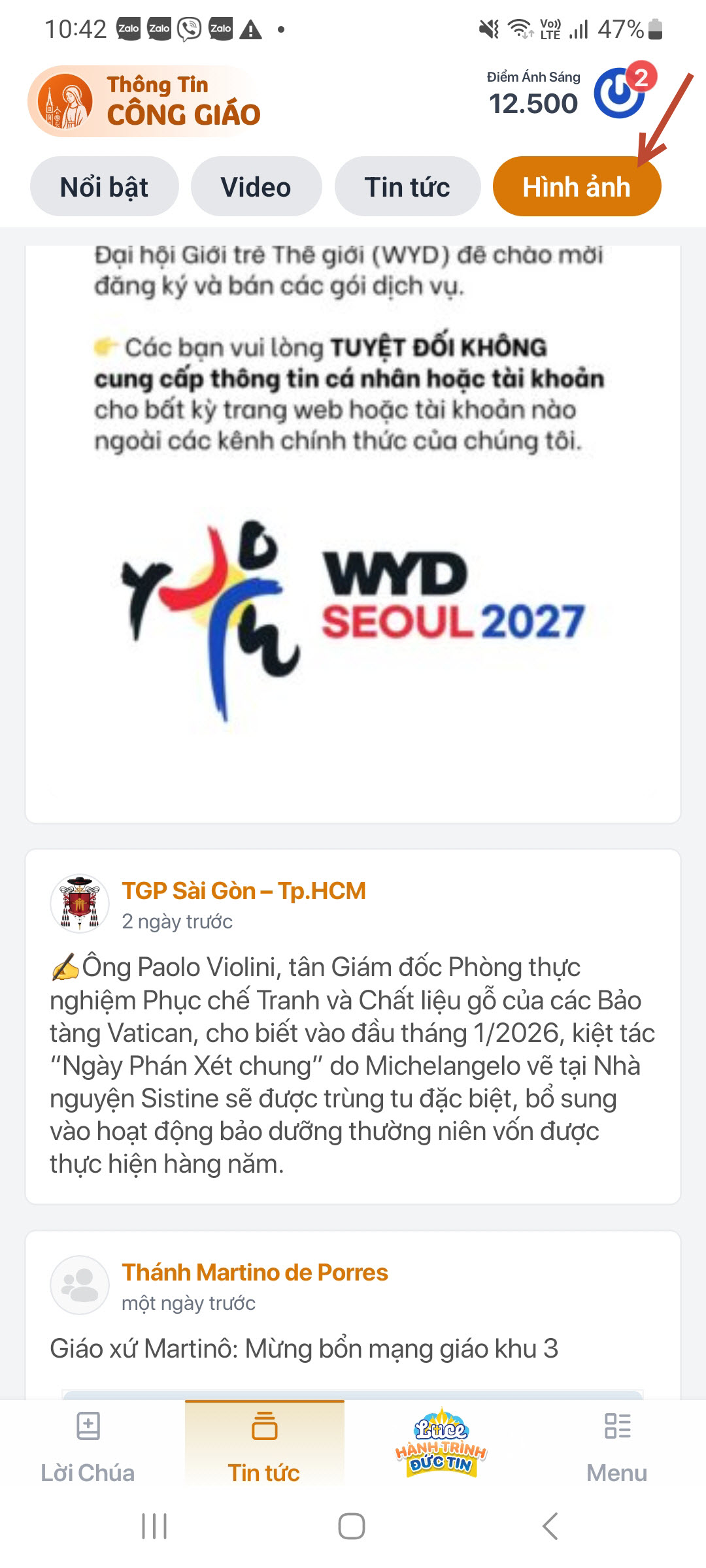
Photos · Tap the image to see it larger
You are done when
- You found and opened your own parish page
- You tapped Theo dõi (Follow) on it
Video guide
The video will be added later.
Something went wrong?
I cannot find my parish
- Check you are in the right diocese and deanery
- Type a short name without accents
- If the parish is not in the system yet, email the support team to have it added
The mass times shown for a parish are wrong
That information is maintained by that parish's own administrator. Tell your parish council, or email the support team with the parish name. See Contact & Support.
A video will not play
Check your connection. Longer videos need Wi-Fi to play smoothly.