Create a session
- Do it on
- Computer (Dashboard)
- Time needed
- 3 minutes
- Before you start
- A class that already has students
- When you finish
- A session ready for attendance
No session means no attendance. Every time the class meets is one session.
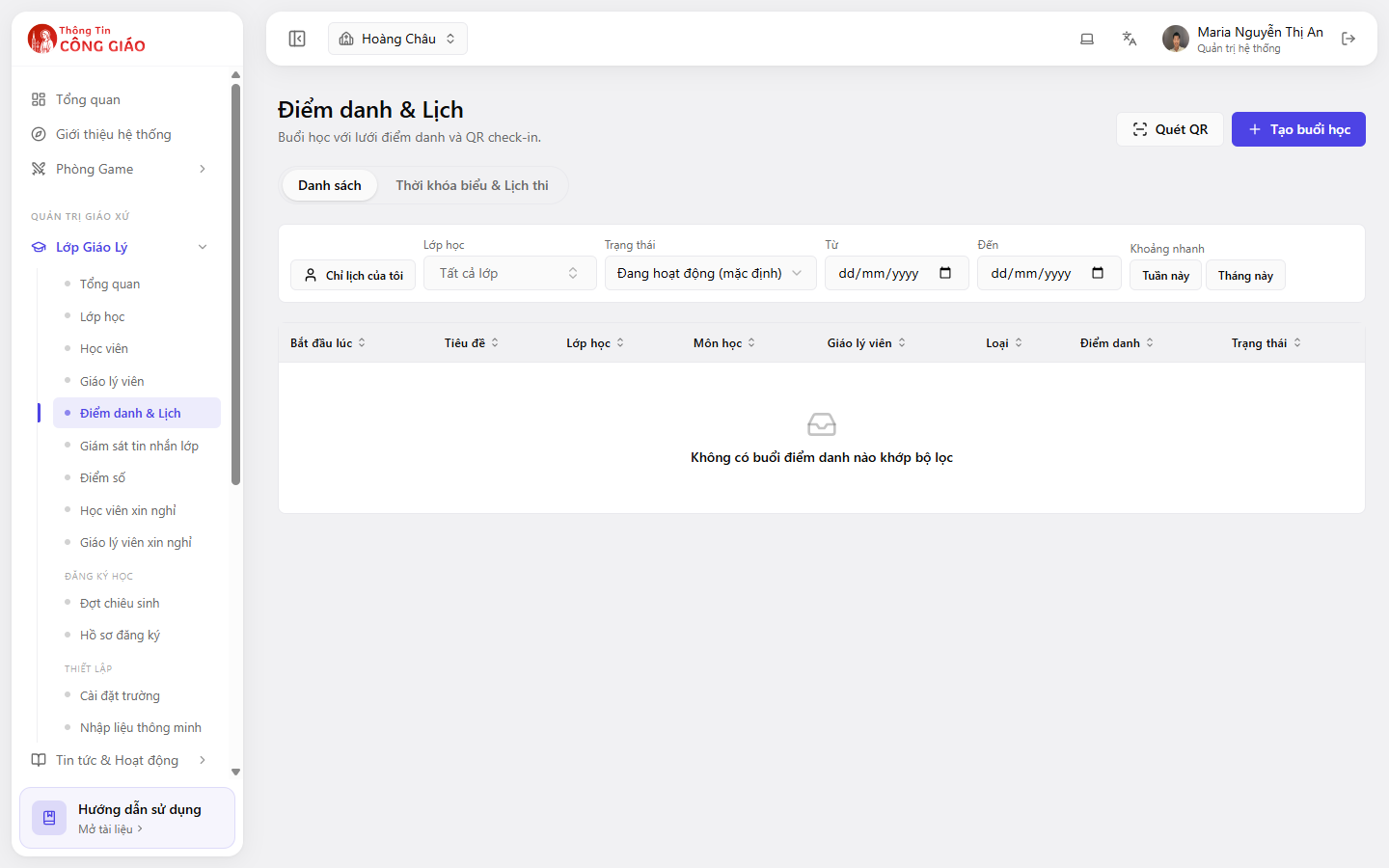
Open Attendance & Schedule
Go to Lớp Giáo Lý → Điểm danh & Lịch (Catechism Classes → Attendance & Schedule). The Danh sách (List) tab shows the sessions you have created; the Thời khóa biểu & Lịch thi (Timetable & Exams) tab shows the week.
Click Create session
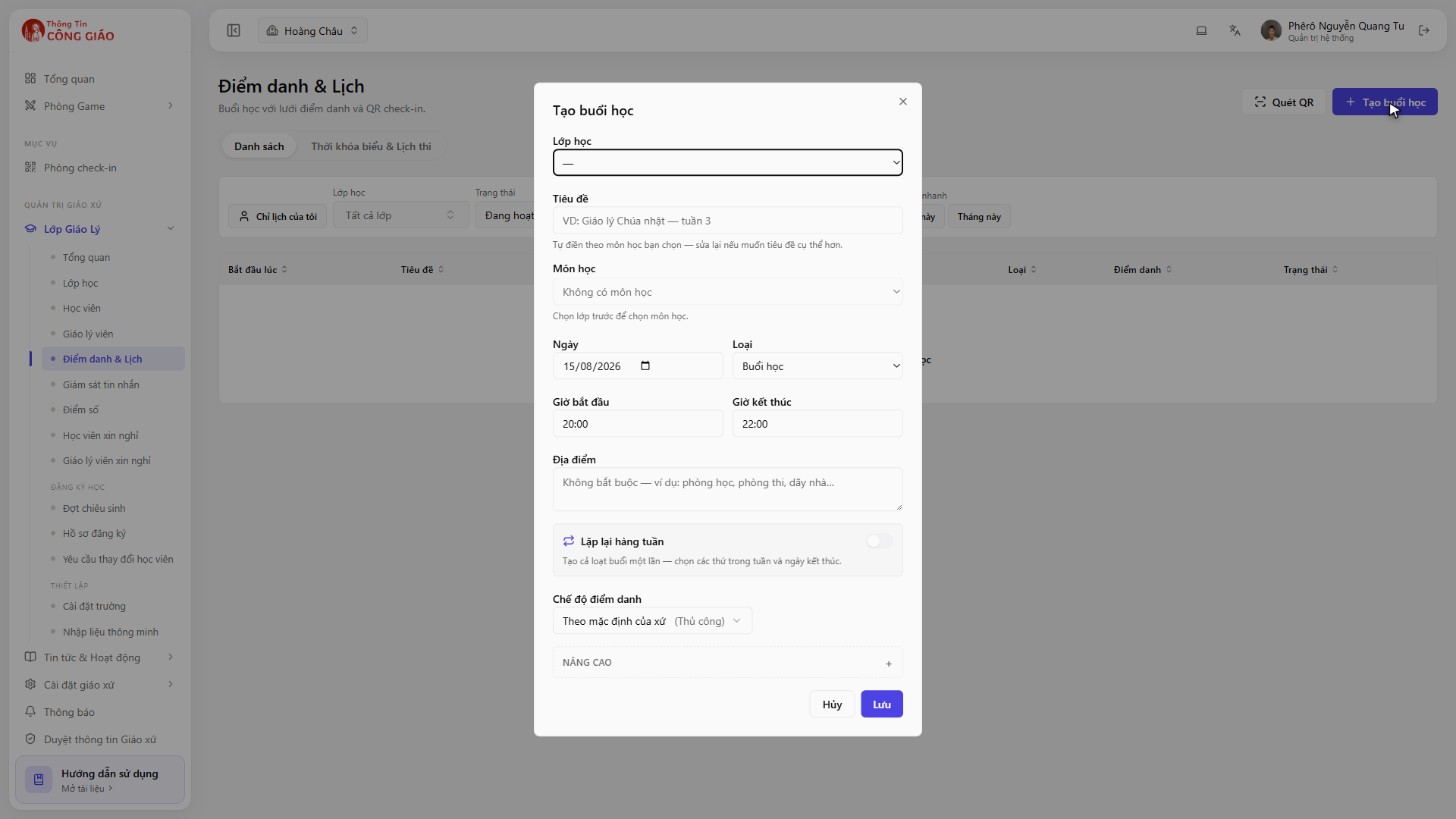
The Scan QR button sits right next to it — use that once a session exists.Click + Tạo buổi học (Create session) top right, then pick the class, the date, the start time and a title for the session.
I am stuck on this step
No class to choose means the parish has no class for this school year yet. Create a class first.
Still not working? Message the support team and attach a screenshot of what you see.
Check the session you just created
The new session appears in the table with these columns: Starts at, Title, Class, Subject, Catechist, Type, Attendance, Status.
Finding a session in the table
The filters above the table:
- Only my schedule — just the sessions you run
- Class — pick one class
- Status — defaults to Active
- From … To … — a date range
- This week / This month — quick picks
The table filters by date range and status. Click This month, or clear the date range, to see everything.
You are done when
- The session shows in the table on the right date and time
- The Attendance column opens the attendance grid for that session
Something went wrong?
No attendance session matches the filters
That is the message when the filters find nothing, not an error. Widen the date range, untick Only my schedule, or set Status to all.
I created the session against the wrong class
Edit the session (open it and change the class) as long as attendance has not been taken. If it has, create a fresh session for the right class and delete the wrong one so the reports stay accurate.
Do I have to create a session for every week
Yes. Each meeting is its own record, because attendance belongs to a session. Use the Thời khóa biểu & Lịch thi tab to see the whole week at once.