Grades
- Do it on
- Computer (Dashboard)
- Time needed
- 5 minutes
- Before you start
- An operating mode with Grades switched on
- When you finish
- The class's grades are recorded per term
It only appears when the parish has chosen the Topic classes or Catechism programme mode in School settings. Simple mode has attendance only, no grades. See School settings.
Open Grades
Go to Lớp Giáo Lý → Điểm số (Catechism Classes → Grades), then pick the class and the term you want to grade.
I am stuck on this step
No Grades menu means the parish is running Simple mode. Change the mode in School settings.
Still not working? Message the support team and attach a screenshot of what you see.
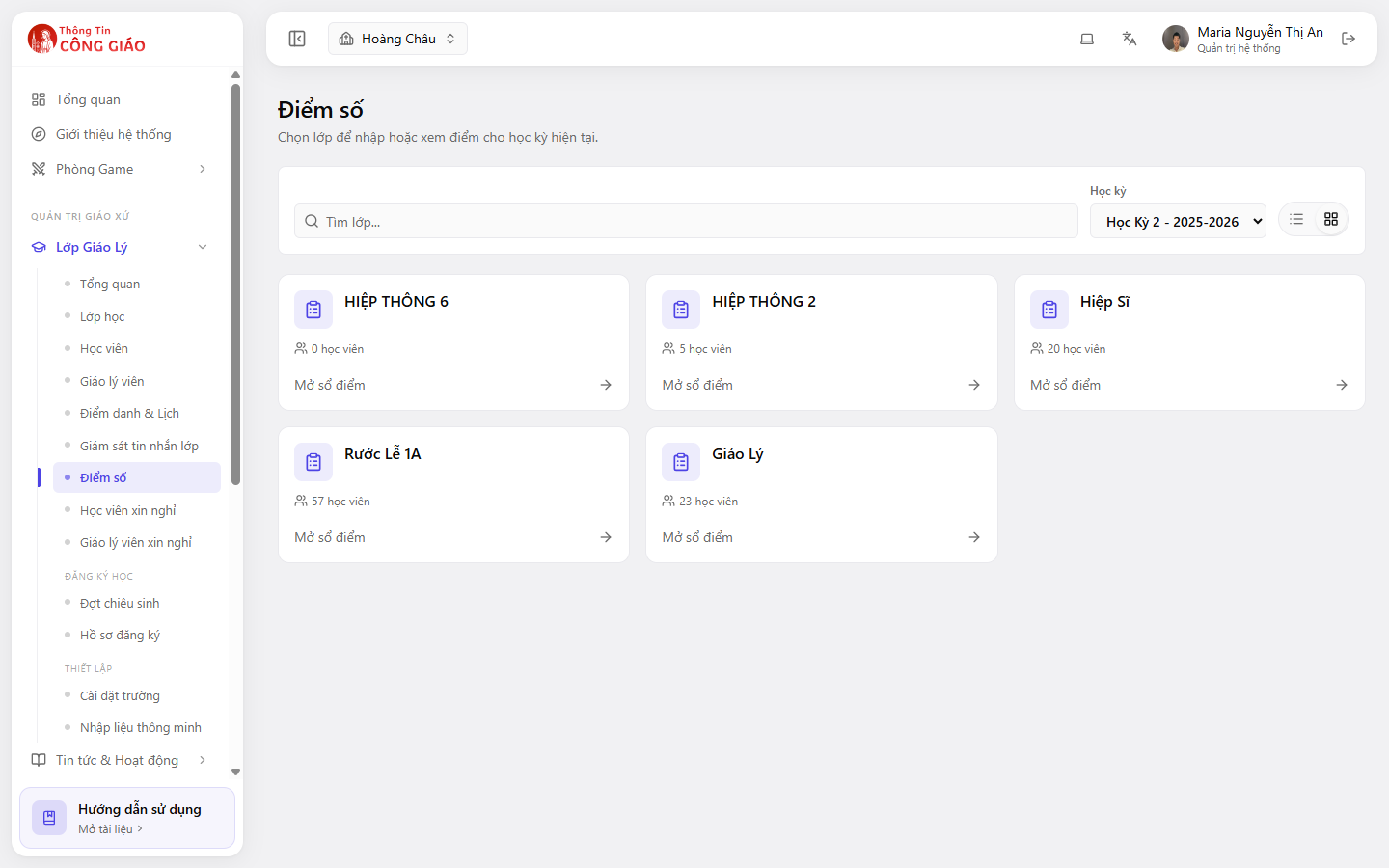
Enter a grade for each student
Fill in the grade columns your parish has configured. In Catechism programme mode the columns follow Circular 22/2021 of the Ministry of Education: continuous assessment, mid-term and end-of-term.
Save
Check your entries and save. Grades belong to the term you have selected, so the term has to exist before you can grade.
Three ways grading works, by operating mode
| Mode | Grades |
|---|---|
| Simple | No grades, attendance only |
| Topic classes | Each class picks its own subjects and grades against them |
| Catechism programme | Each class follows its level's programme, with a subject-progress tab |
You are done when
- Grades show under the term you selected
- Switching to another term shows that term's grades separately, with no mixing
Something went wrong?
I cannot type a grade, the field is locked
- No term has been created for this school year
- The class has no subject assigned (Topic classes mode)
- You are not a catechist of that class
If I change the operating mode, do the grades I entered disappear
Grades already recorded stay in the system, but how they are displayed changes with the new mode. Settle on a mode at the start of the year and avoid changing it mid-term.