School settings and reference data
- Do it on
- Computer (Dashboard)
- Time needed
- 5 minutes
- Before you start
- Parish Administrator rights
- When you finish
- The system works the way your parish actually runs
Go to Lớp Giáo Lý → Cài đặt trường (Catechism Classes → School settings). This is where you decide how much of the system your parish uses.
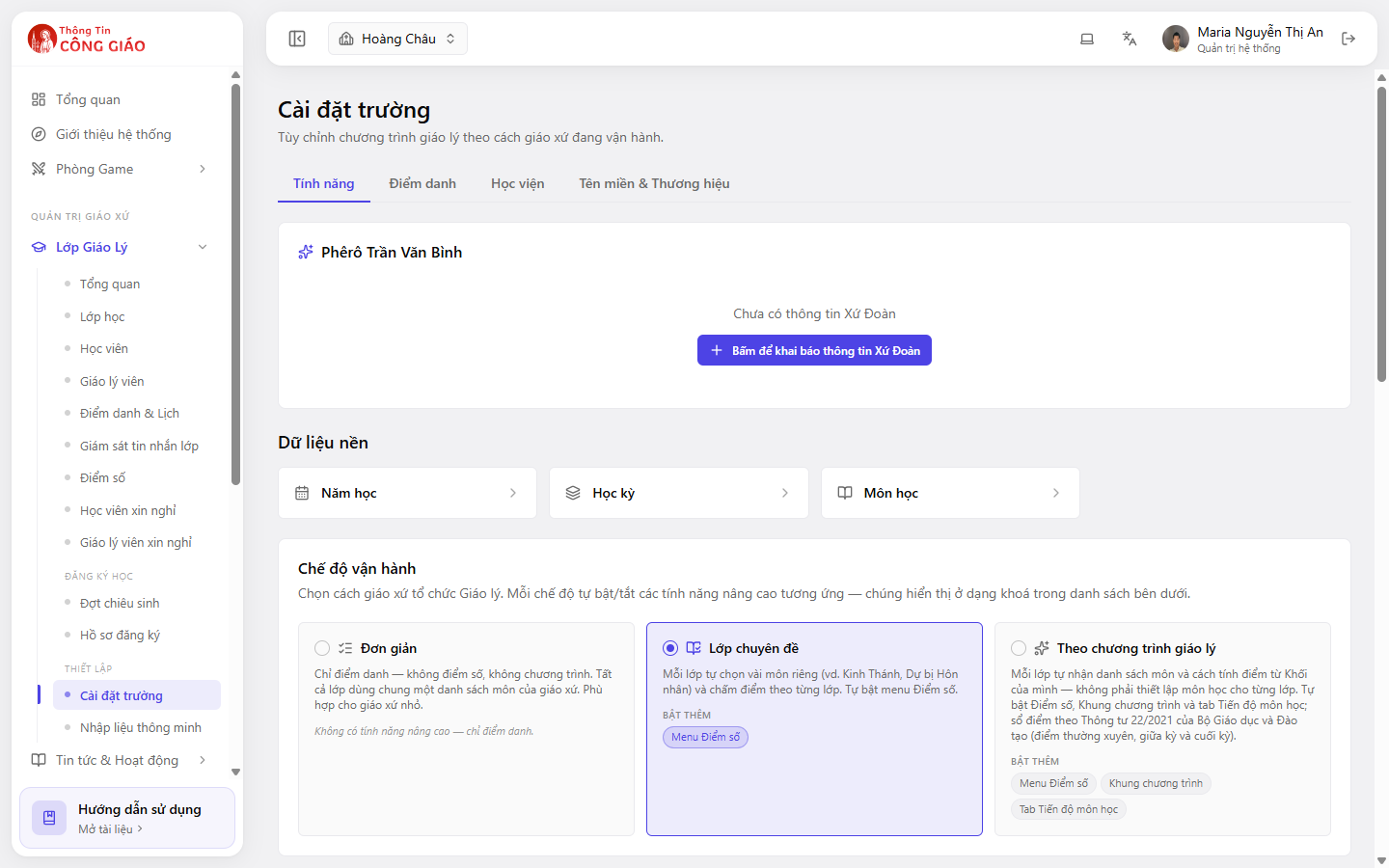
Four tabs
| Tab | Used for |
|---|---|
| Tính năng (Features) | Choose the operating mode, register the chapter, open reference data |
| Điểm danh (Attendance) | Set how your parish takes attendance |
| Học viện (Academy) | Settings for levels and programmes |
| Tên miền & Thương hiệu (Domain & Branding) | The parish's display name and identity |
Three operating modes
Pick one mode and the advanced features switch on or off with it:
| Mode | Suits you when | What it adds |
|---|---|---|
| Simple | A small parish that only needs attendance. Every class shares the parish subject list | No advanced features |
| Topic classes | Each class studies its own few subjects (Scripture, Marriage preparation) and grades per class | The Grades menu |
| Catechism programme | Each class follows its level's programme, graded per Circular 22/2021 | The Grades and Programme framework menus, plus a subject-progress tab |
Settle the mode at the start of the year
Changing mode mid-term changes how grades are displayed. No data is lost, but the catechism board has to relearn the screens halfway through the year.
Three reference data sets
The Dữ liệu nền (Reference data) block has three boxes. Do them in this order:
- School year — must exist before you can create a class
- Term — needed if you want to grade per term
- Subject — a shared subject list, or per-class, depending on the mode
The Eucharistic Youth chapter
The top section is where you register your parish's Xứ Đoàn (Eucharistic Youth chapter) details. Until you do, it shows a Click to register chapter details button.
You are done when
- An operating mode has been chosen
- There is at least one school year, and the current one is marked as current
Something went wrong?
I cannot open School settings
This section is normally Administrator-only. Catechists and Coordinators do not see it.
I chose a mode with grades but the Grades menu has not appeared
Reload the page. If it is still missing, sign out and sign back in.