The class list
- Do it on
- Computer (Dashboard)
- Time needed
- 2 minutes
- Before you start
- The right parish and school year selected
- When you finish
- You see every class in the year
Go to Lớp Giáo Lý → Lớp học (Catechism Classes → Classes). Each class is a card you can read without clicking into it.
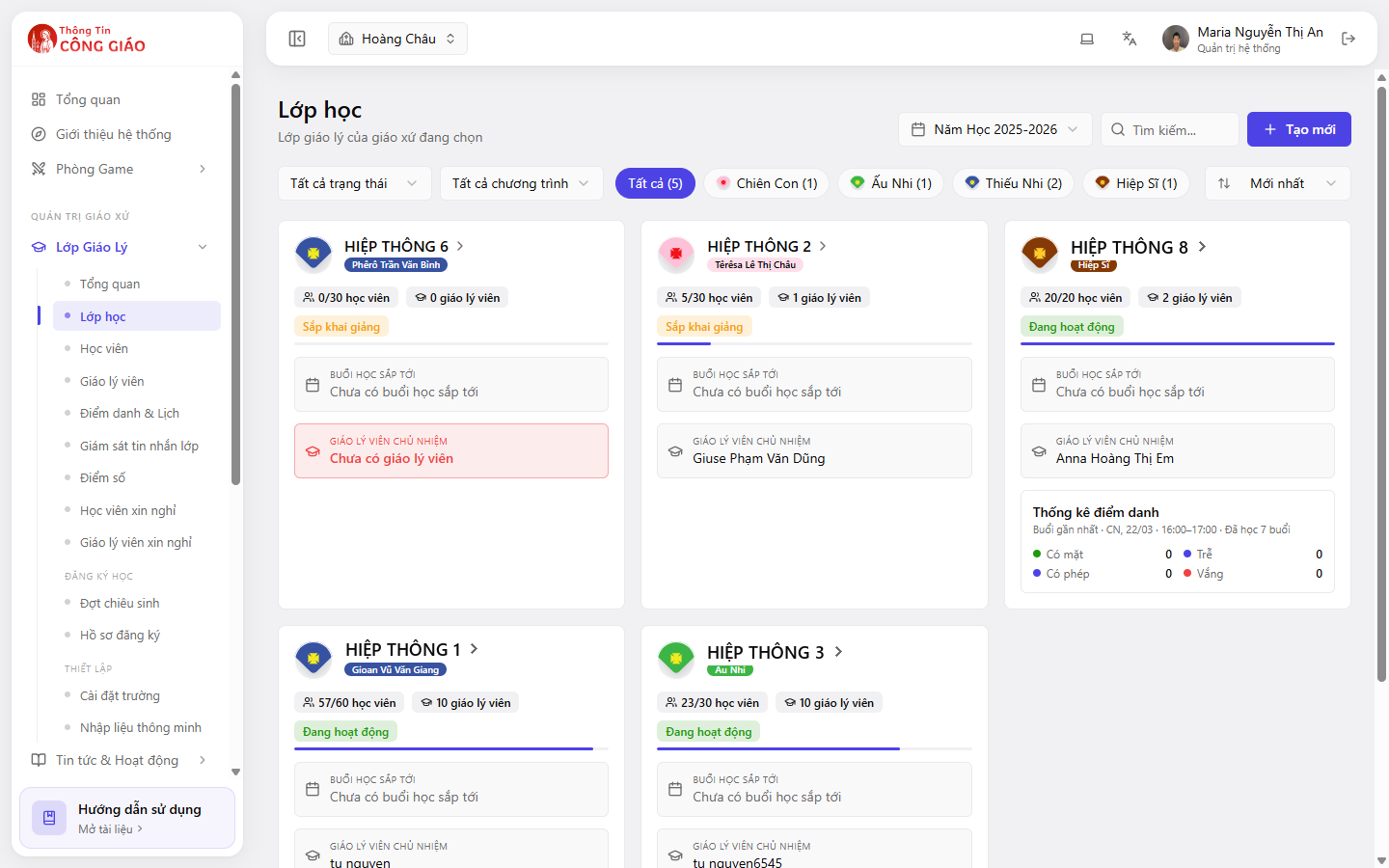
What a class card tells you
| Item | What it means |
|---|---|
| Class name and programme | e.g. Hiệp Sĩ, Ấu Nhi, Thiếu Nhi — the coloured badge next to the name |
| 20/30 students | 20 enrolled, room for 30 |
| 2 catechists | How many teachers are assigned to the class |
| Status | Starting soon or Active |
| Next session | The nearest session, or “No upcoming session” |
| Lead catechist | The person in charge; flagged red if the class has nobody |
| Attendance figures | Present · Late · Excused · Absent for the most recent session |
Filtering and finding a class
The bar above the list gives you:
- All statuses — filter for active, starting soon, finished
- All programmes — filter by level: Chiên Con, Ấu Nhi, Thiếu Nhi, Hiệp Sĩ and so on
- Quick count buttons per programme, e.g. Hiệp Sĩ (1)
- Search by class name
- Newest — change the sort order
A class flagged red as “No catechist”
Assign a lead early: the lead catechist is the person who takes attendance and handles the class's leave requests.
You are done when
- The list shows the right number of classes for the selected school year
- Clicking a class opens its detail page
Something went wrong?
I see no classes at all
- Check the Năm Học (School Year) picker on the right
- Clear every status and programme filter
- If the parish is new to the system, create the first class
The student count on the card differs from the list inside the class
The card counts currently enrolled students. Anyone transferred out or withdrawn is not counted.