Invite players and run the game
- Do it on
- Computer on a screen · players' phones
- Time needed
- 20–30 minutes
- Before you start
- A room with status Waiting
- When you finish
- Everyone plays and sees the results
Host: open the Control screen
Pick the room from the list
Go to Game Rooms → Rooms and click the room name.
I am stuck on this step
No room listed? Check you are in the right parish, and that the room has actually been created.
Still not working? Message the support team and attach a screenshot of what you see.
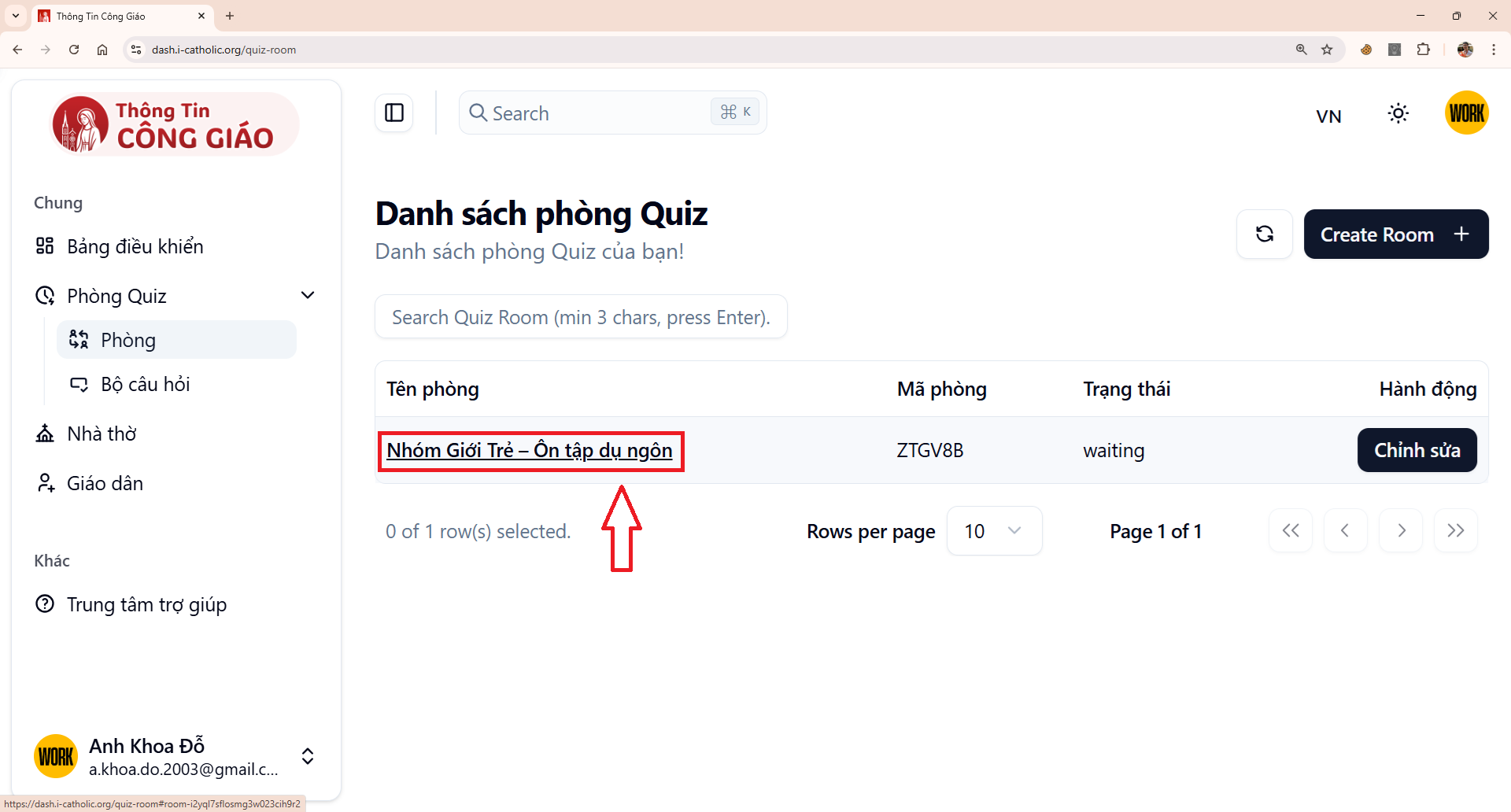
Read the room code out to everyone
Project this screen. As players join, their names appear here.The Control screen opens with the room code (for example
ZTGV8B) and the list of players who have joined.
Players: join from a phone
See the installation guide before joining.
Open Menu → Game Room
In the Thông Tin Công Giáo app, open Menu and choose Phòng Trò Chơi (Game Room).

App menu · Tap the image to see it larger Enter the room code
Type the code the host just read out, for example
ZTGV8B.I am stuck on this step
If it says the code is wrong, read it out character by character — zero and letter O are easy to confuse. Codes also stop working once the room closes.
Still not working? Message the support team and attach a screenshot of what you see.

Enter the code · Tap the image to see it larger You are in the waiting room
Once you are in, your name appears on the projected screen. Wait for the host to start.
I am stuck on this step
In the room but your name is missing? Check that device’s connection, or leave and rejoin.
Still not working? Message the support team and attach a screenshot of what you see.
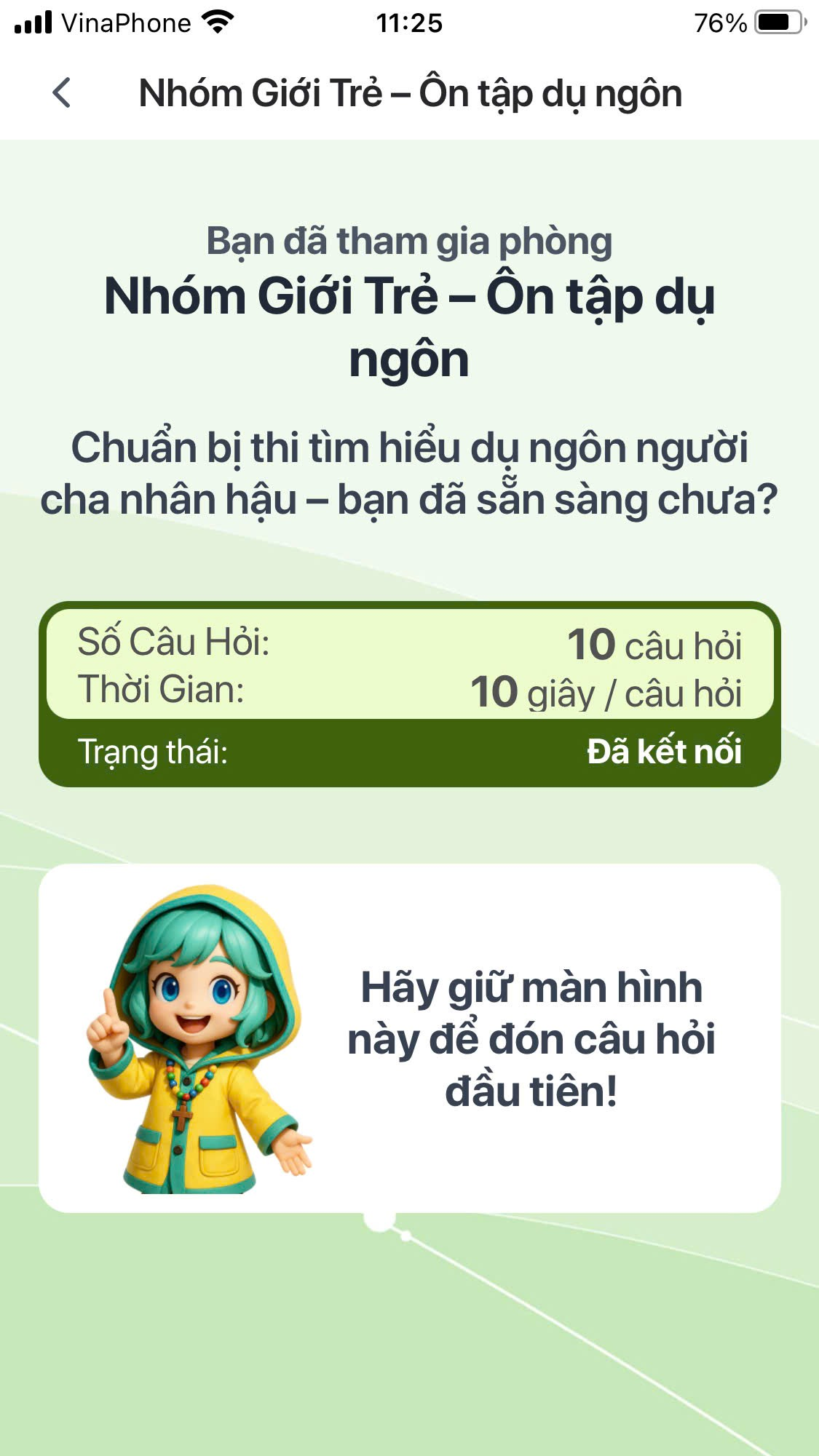
Waiting room · Tap the image to see it larger
Running the game
Click Start when everyone is in
Anyone who joins after the start cannot play that round. Wait until everyone is in.The green Start button is on the Control screen. Questions appear at the same time on the projector and on every player's phone.
I am stuck on this step
The button usually stays off because nobody has joined yet, or because you are not the person who created the room.
Still not working? Message the support team and attach a screenshot of what you see.
Move to the next question
When time runs out or everyone has answered, the screen shows the correct answer and who got it right. Click Câu tiếp theo (Next question).

Show the results at the end
After the last question, click Xem kết quả (Show results).
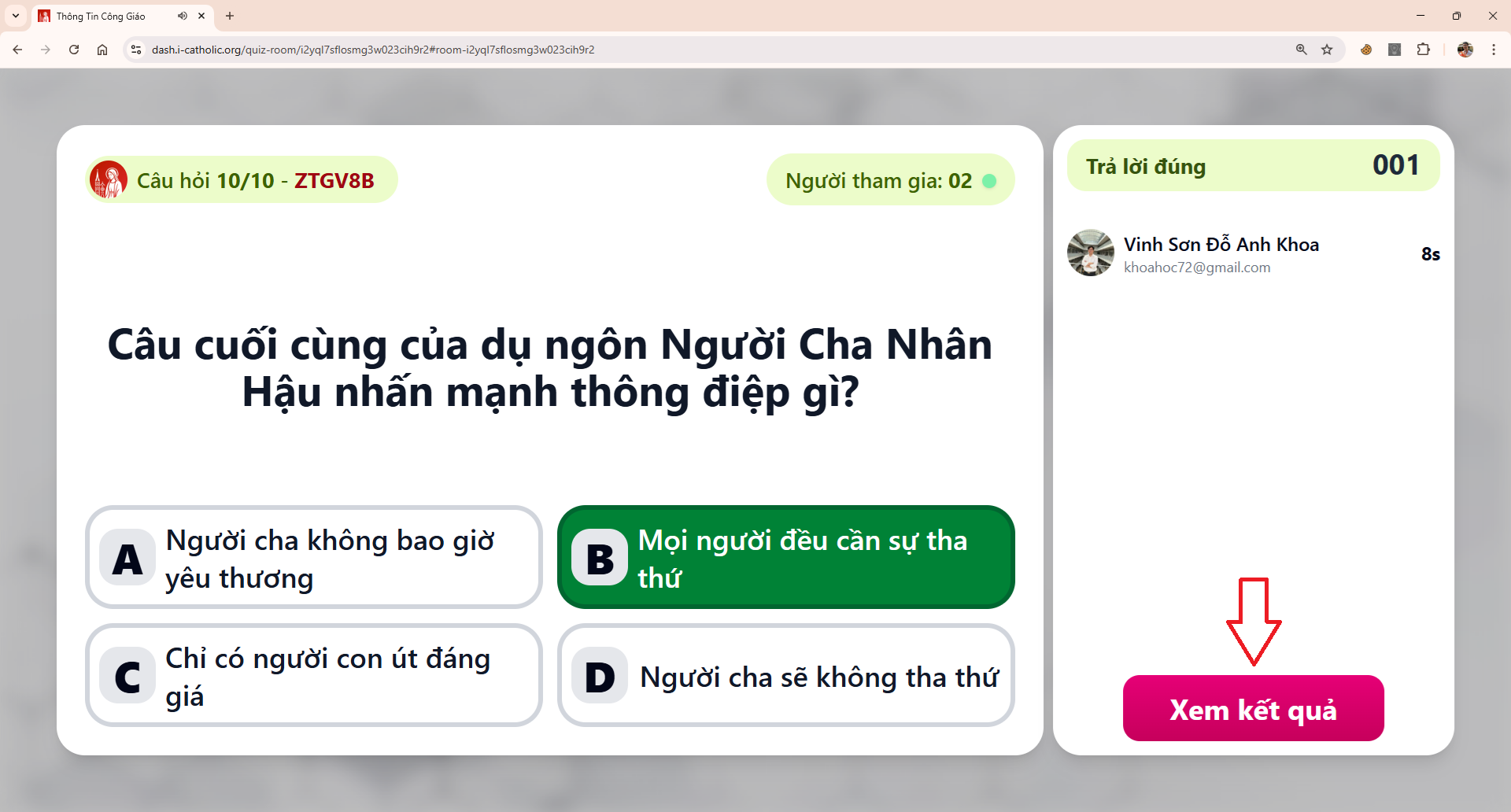
Read the scoreboard
The scoreboard shows ranking, correct answers and response times. This is the moment to congratulate players and explain the questions most people got wrong.
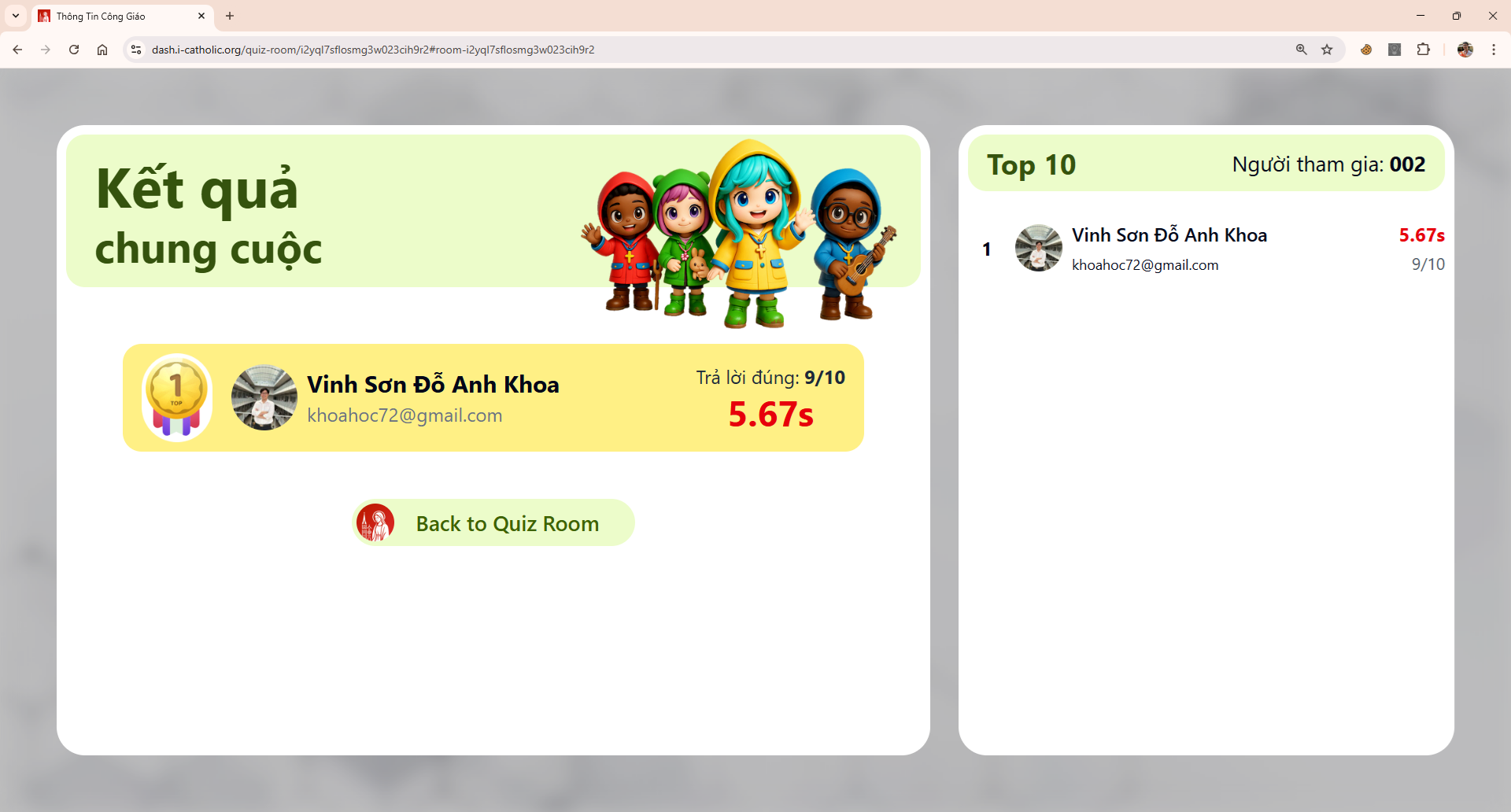
You are done when
- Every player appears on the Control screen before you start
- The scoreboard shows at the end of the game
Something went wrong?
A player enters the code but cannot get in
- Check the code again — the letter O and the digit 0 are easy to confuse
- The room status must be Waiting
- That phone lost its connection — turn Wi-Fi off and on again
Someone froze in the middle of the game
Ask them to close the app and rejoin with the same code. Points for questions already answered are kept.
The projector shows questions later than the phones
The computer's connection is weak. If the gap is large, pause at the end of each question, wait for everything to sync, then click Next question.
We want to replay the same question set
Open a new room with the same set. Do not replay inside the old room, or the scoreboard will mix the two games.