Open a quiz room
- Do it on
- Computer (Dashboard)
- Time needed
- 3 minutes
- Before you start
- A question set
- When you finish
- A waiting room with a code for players
Every room needs one. See Write a question set first.
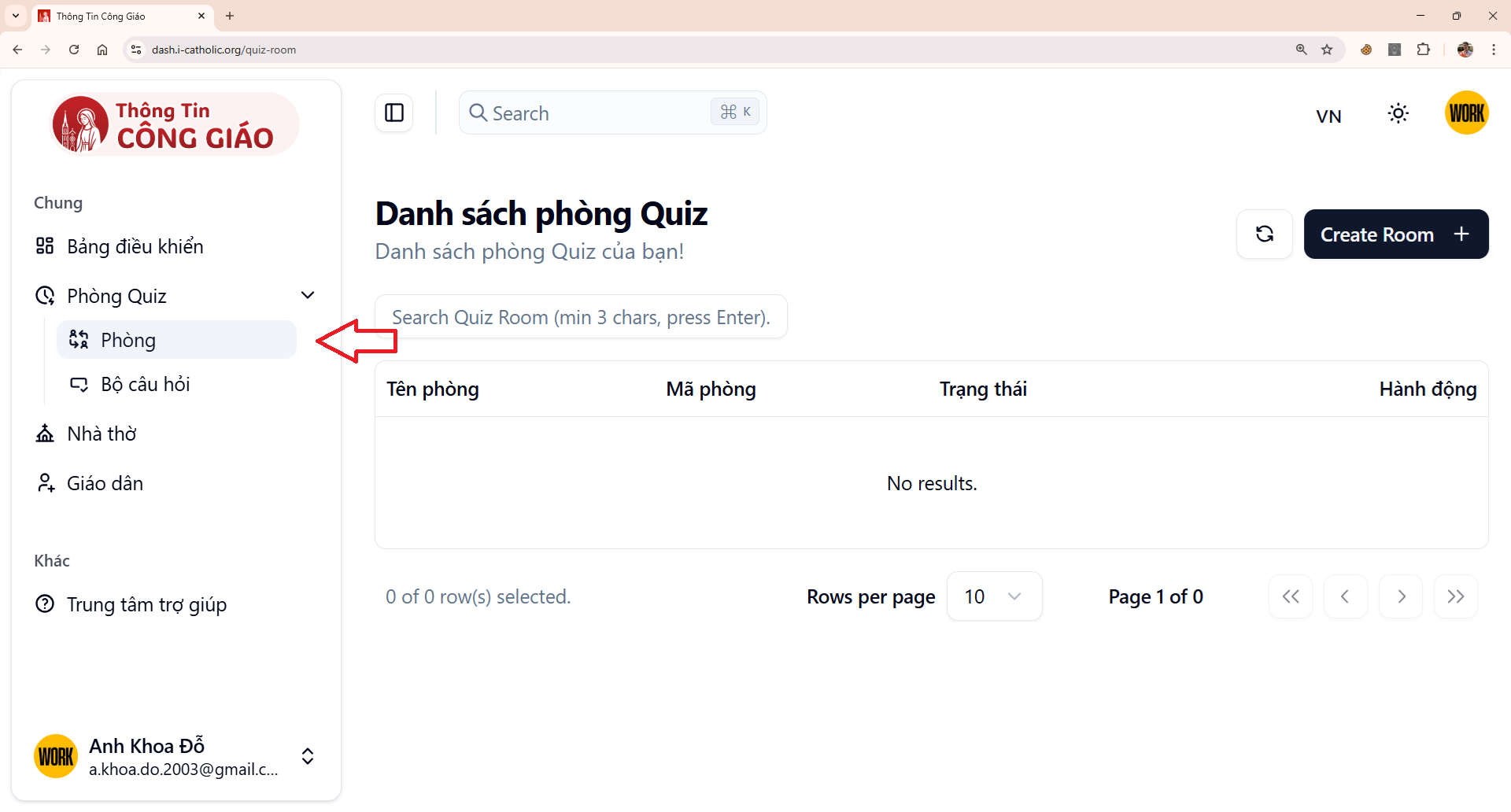
Go to Game Rooms → Rooms
In the left menu, click Phòng Game (Game Rooms), then Phòng (Rooms).
I am stuck on this step
No Game Rooms menu means your account has no role at this parish yet.
Still not working? Message the support team and attach a screenshot of what you see.
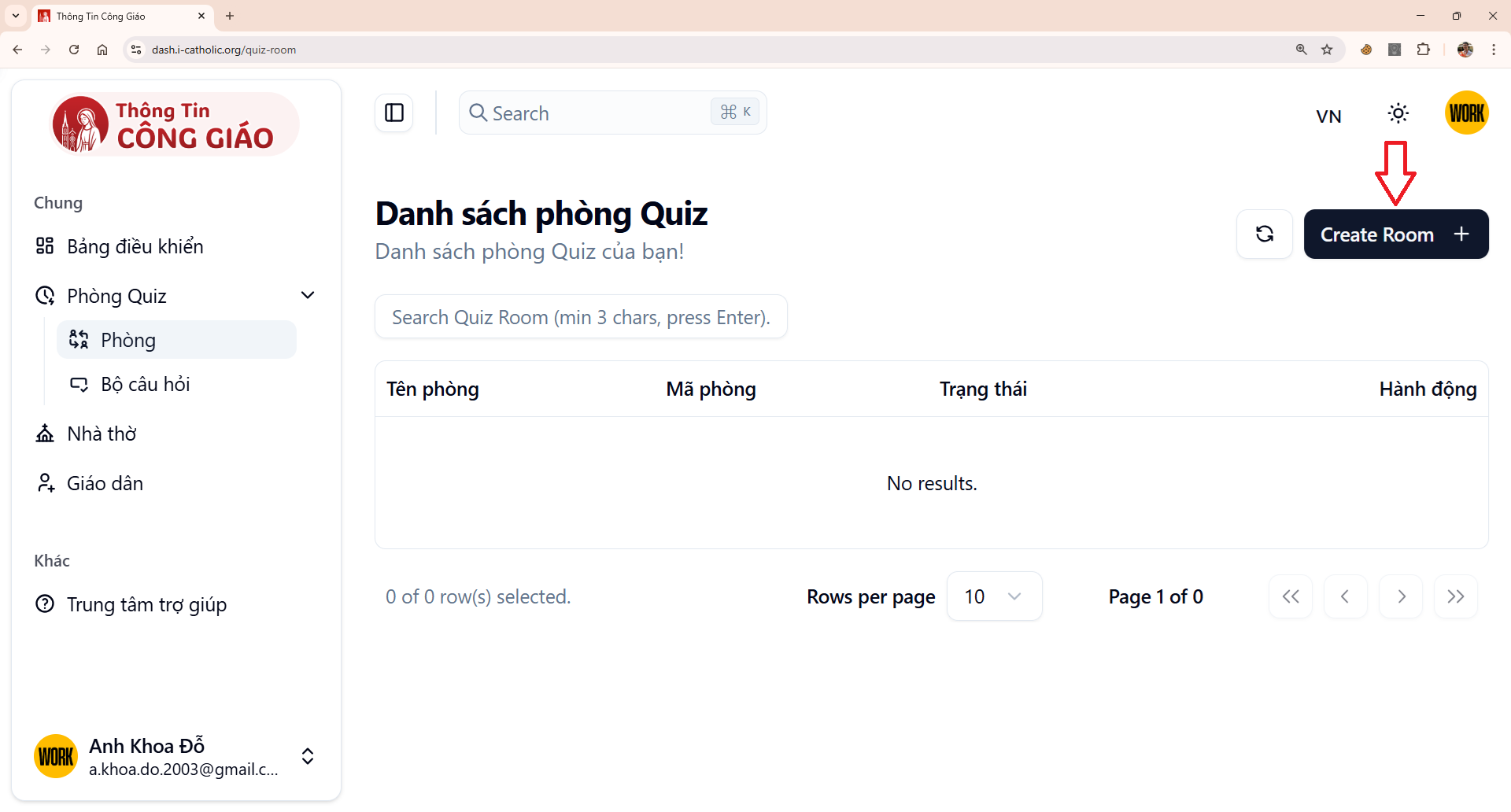
Click Create Room
The button is at the top right of the rooms list.
I am stuck on this step
A button you cannot click means your role is not allowed to create rooms. Ask the parish administrator.
Still not working? Message the support team and attach a screenshot of what you see.
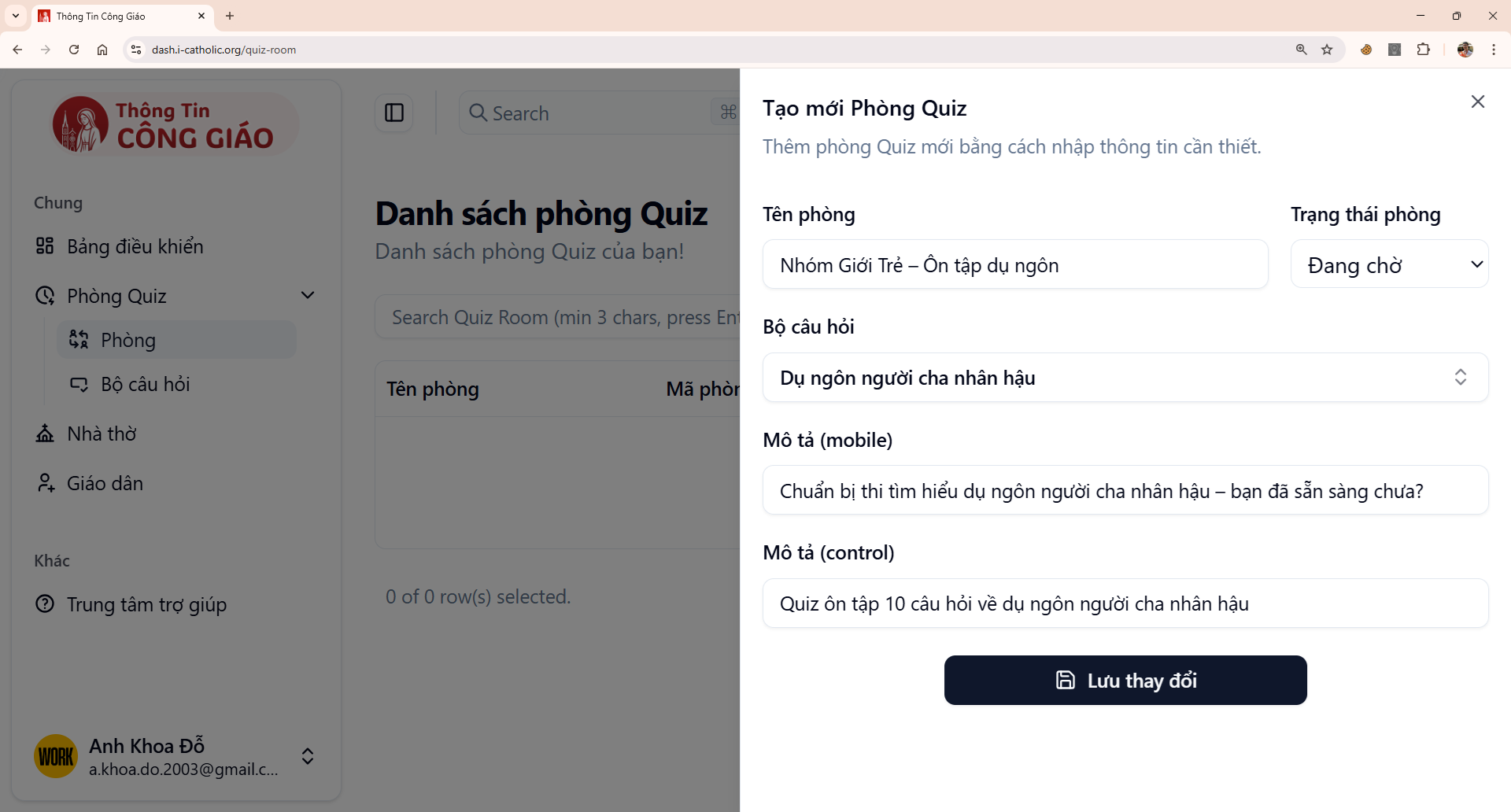
Fill in the room details
Keep the status as Waiting until you start, so players can enter the waiting room.- Room name — something memorable, e.g. Youth group – prodigal son review
- Status — leave it as Waiting
- Question set — pick the set you wrote
- Mobile description — the greeting players see on their phones
- Control description — the line shown on the projected screen for everyone
I am stuck on this step
No question set to choose? Create one first — see the Create a question set guide.
Still not working? Message the support team and attach a screenshot of what you see.
Save your changes
The room appears in the list, ready for players.
You are done when
- The room is in the list with status Waiting
- It is linked to the question set you intended to use
How many rooms should you open?
One room per game. If you play two rounds with two different question sets, open two rooms so the results of each round stay separate.
Something went wrong?
The question set list is empty when creating a room
The set was not saved, or it belongs to another parish. Open Question sets and check.
Players join but see nothing
The room status must be Waiting. Once it changes, new players can no longer enter.