Register as a parish administrator
Once registered, you can update parish information, mass times and publish articles. Your request has to be approved before you get those rights.
- Do it on
- Phone
- Time needed
- About 5 minutes
- Before you start
- The app installed and signed in
- When you finish
- Approval by email
See the installation guide before continuing.
Open the Thông Tin Công Giáo app
This is the home screen when you open the app.
I am stuck on this step
Not installed yet? Open the App Store or Google Play and search for “Thông Tin Công Giáo”.
Still not working? Message the support team and attach a screenshot of what you see.
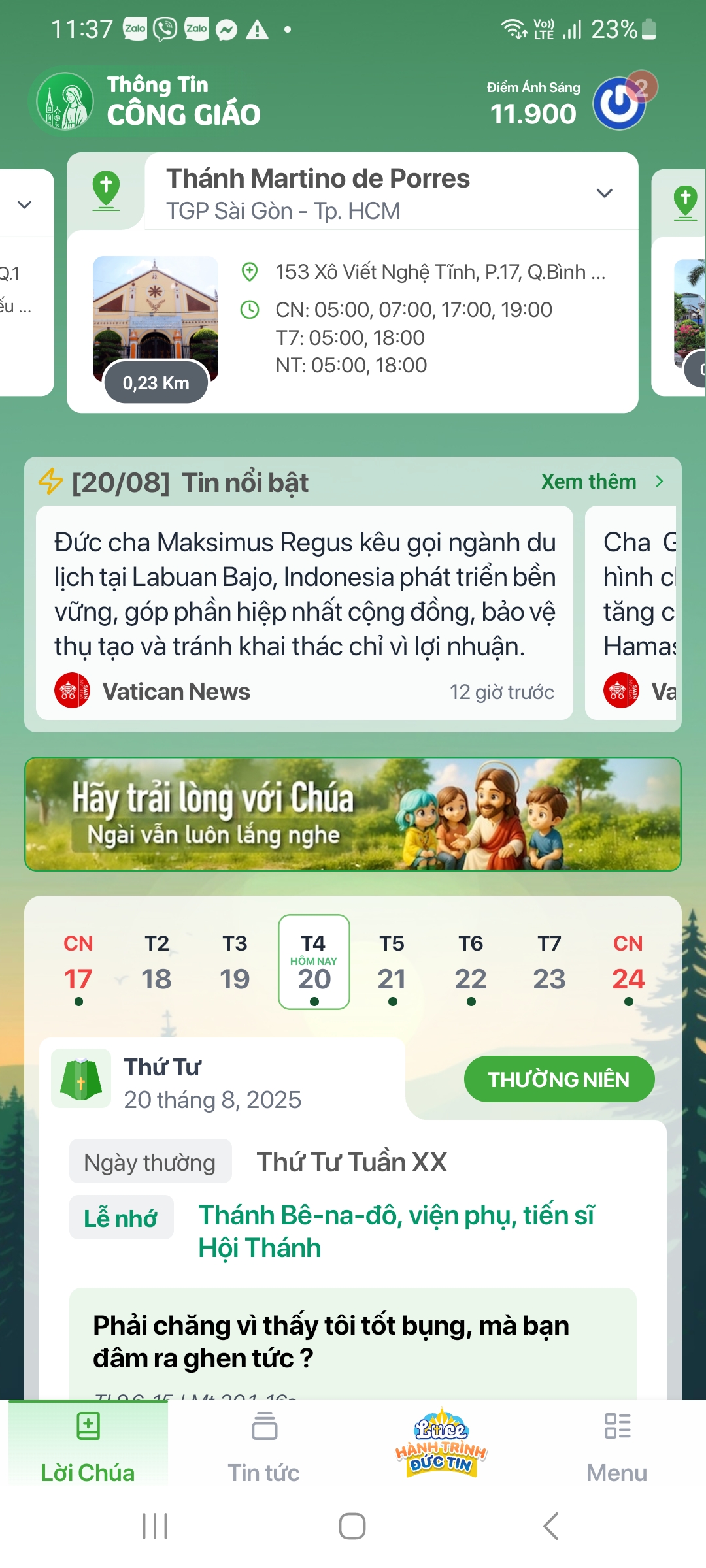
Home screen · Tap the image to see it larger Tap Menu on the bottom bar
From the home screen, tap Menu at the bottom.
I am stuck on this step
No bottom bar? Scroll down, or close the app and open it again.
Still not working? Message the support team and attach a screenshot of what you see.
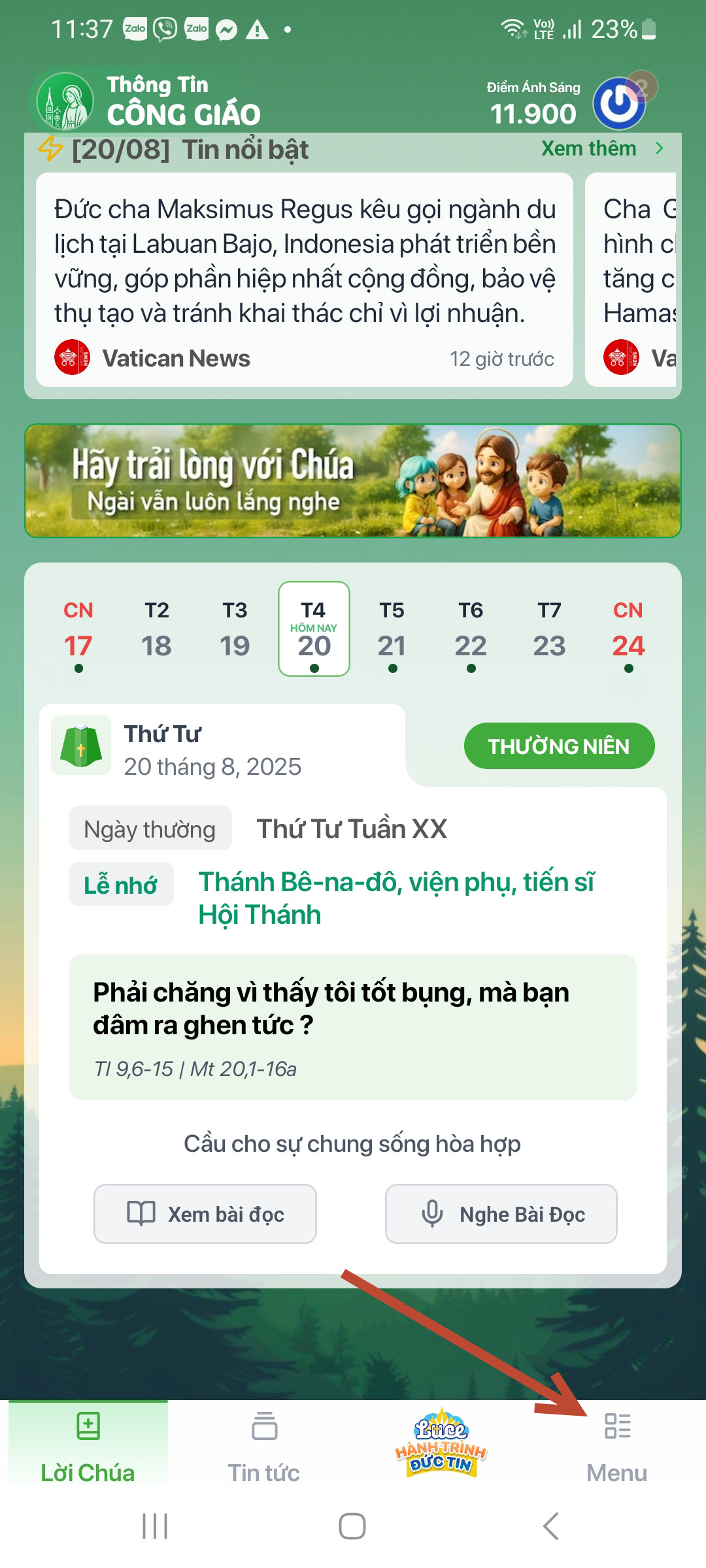
Menu button · Tap the image to see it larger Choose Churches
In the menu, choose Nhà Thờ (Churches) to open the church list.
I am stuck on this step
Long list? Scroll down. The Churches entry has a church-building icon.
Still not working? Message the support team and attach a screenshot of what you see.
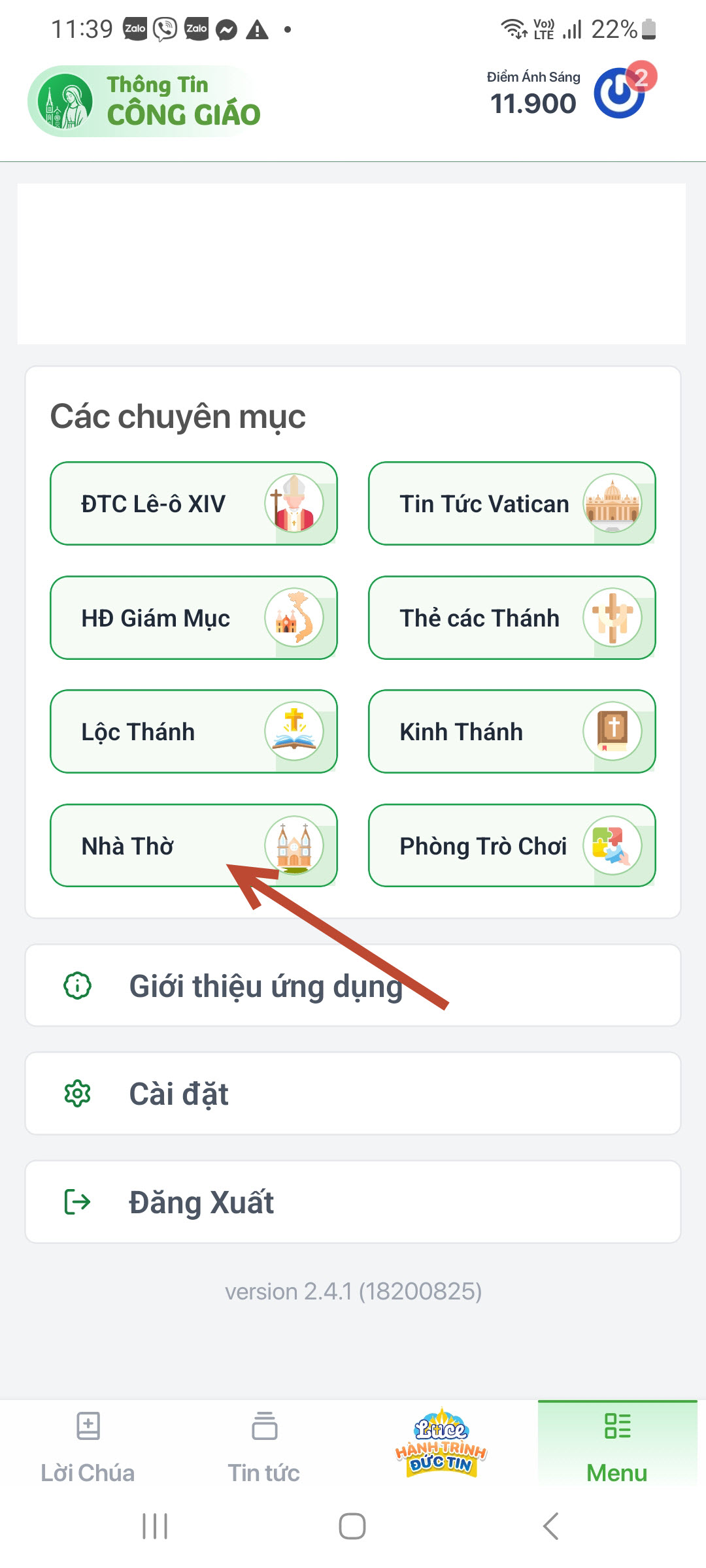
Churches · Tap the image to see it larger Choose country and diocese
Pick the wrong diocese and your parish will not show up in the next step.Choose Việt Nam, then your diocese — for example TGP Sài Gòn.
I am stuck on this step
Not sure which diocese your parish belongs to? Ask your parish council, or check the notice board at the church.
Still not working? Message the support team and attach a screenshot of what you see.
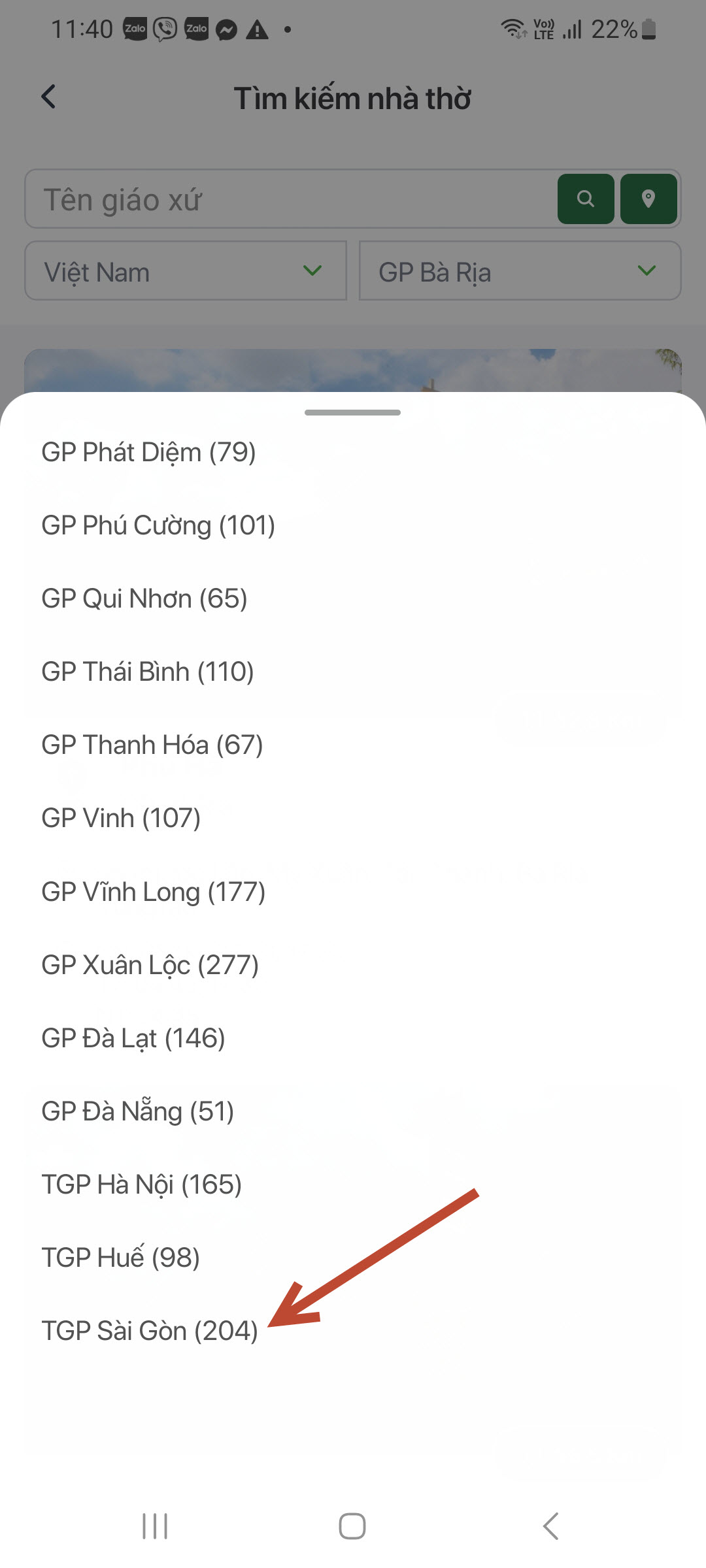
Choose diocese · Tap the image to see it larger Search for your parish
Type the parish name (for example Martino) and tap the magnifier icon.
I am stuck on this step
Type a short name without accents, e.g. “martino”. Still nothing? Your parish is not in the system yet — message the support team.
Still not working? Message the support team and attach a screenshot of what you see.
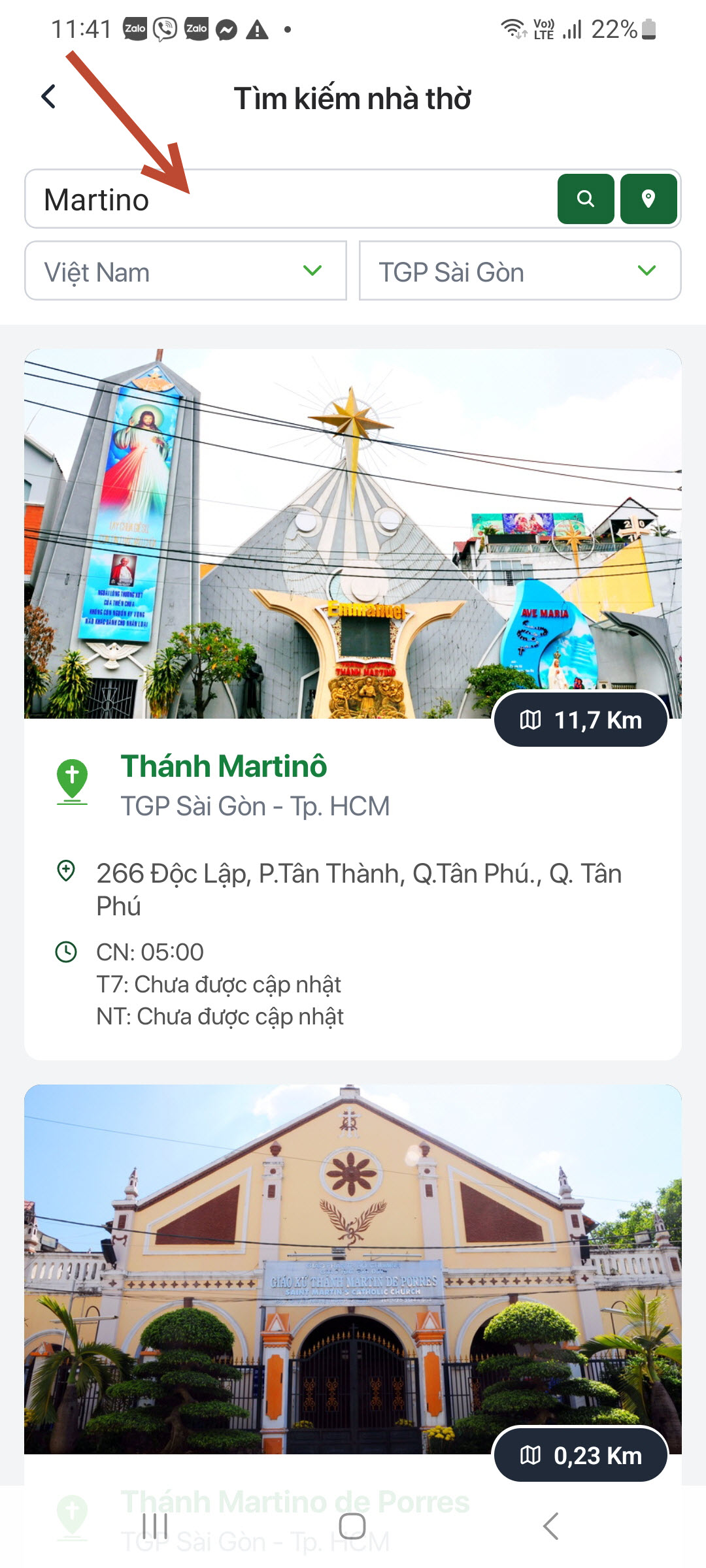
Search for a parish · Tap the image to see it larger Open the parish and tap Follow
Tap your parish in the results, then choose Theo dõi (Follow).
I am stuck on this step
The Follow button sits near the top of the parish page. If you already tapped it, the button reads “Following”.
Still not working? Message the support team and attach a screenshot of what you see.
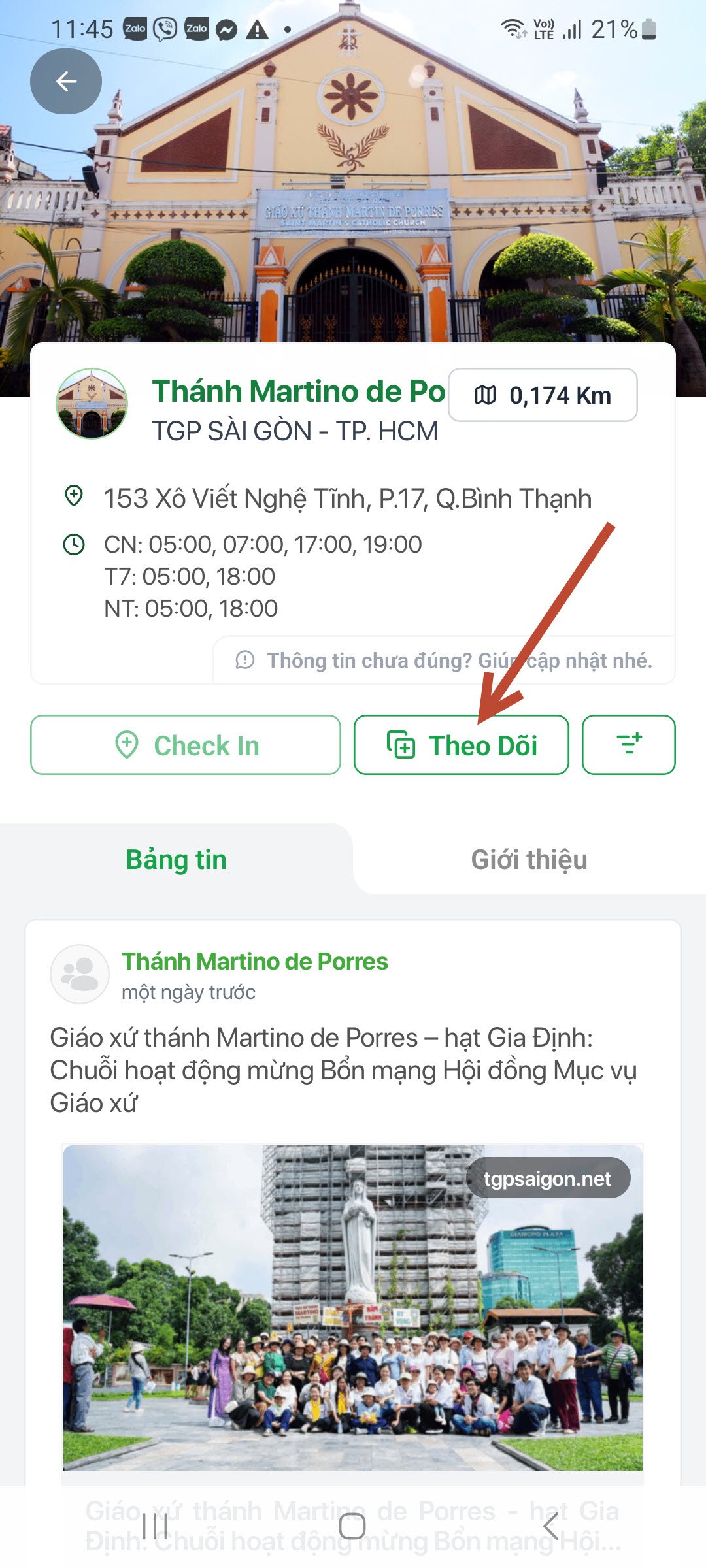
Follow the parish · Tap the image to see it larger Send the administrator request
Open the Biểu tượng (Badge) section, fill in the registration form and send the request.
I am stuck on this step
No Icons entry means the Follow step did not go through. Go back one step.
Still not working? Message the support team and attach a screenshot of what you see.
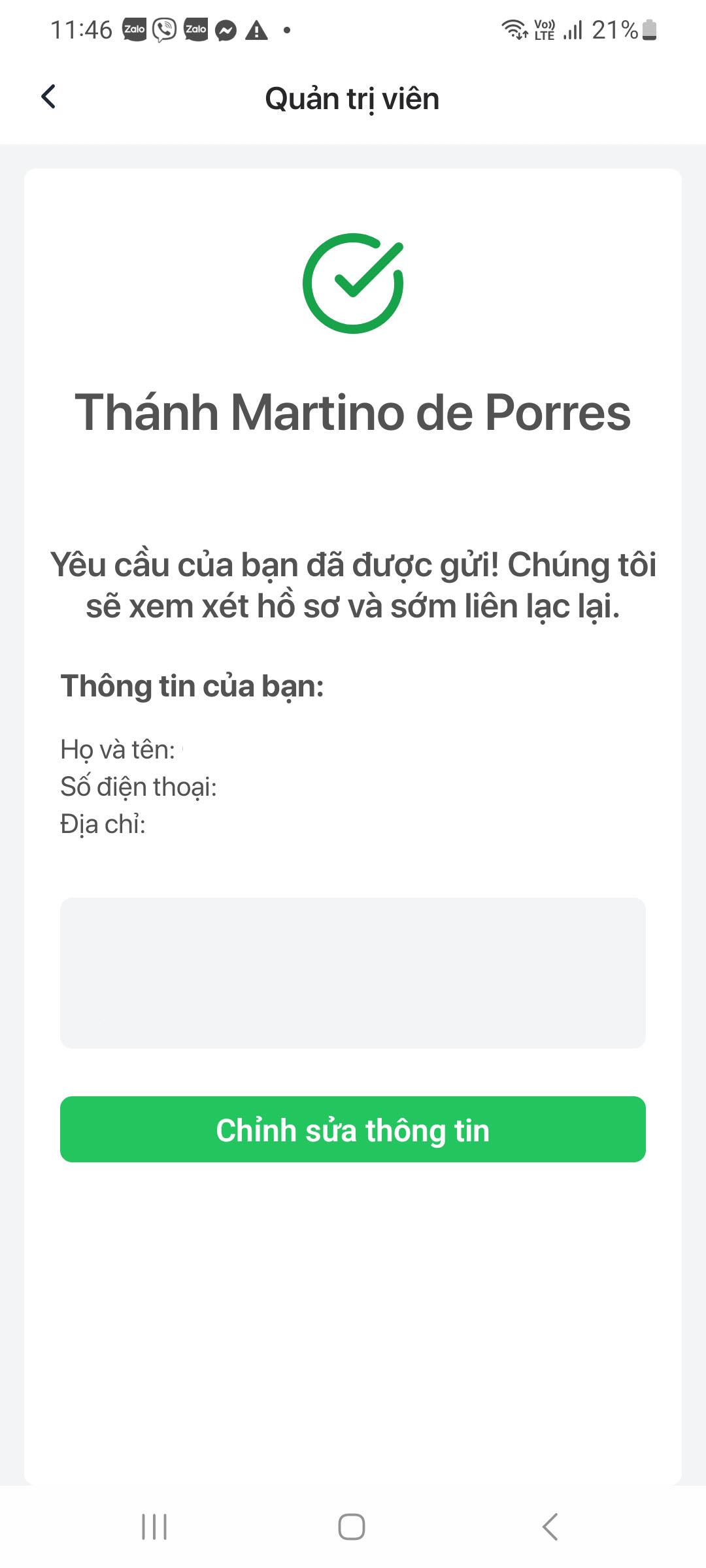
Registration form · Tap the image to see it larger
The parish administration team reviews the request. You get an email when it is accepted — usually within a few working days.
You are done when
- Your parish appears in your Following list
- The administrator request shows status Pending
Something went wrong?
I cannot find my parish at all
- Check the diocese you selected in step 4
- Type a shorter name, without diacritics — for example martino
- Still nothing: the parish is not in the system yet, email the support team
I do not see the Badge section to register
It only appears after you have tapped Follow on the parish in step 6. Go back and check.
Request sent but I still cannot administer anything
The request is still pending. Once accepted, close and reopen the app (or sign out and back in) for the new rights to take effect.