Publish an article for parishioners
- Do it on
- Computer (web browser)
- Time needed
- 10 minutes
- Before you start
- Approved administrator rights
- When you finish
- The article appears on the parish page in the app
This runs on i-catholic.org; it is not available in the mobile app.
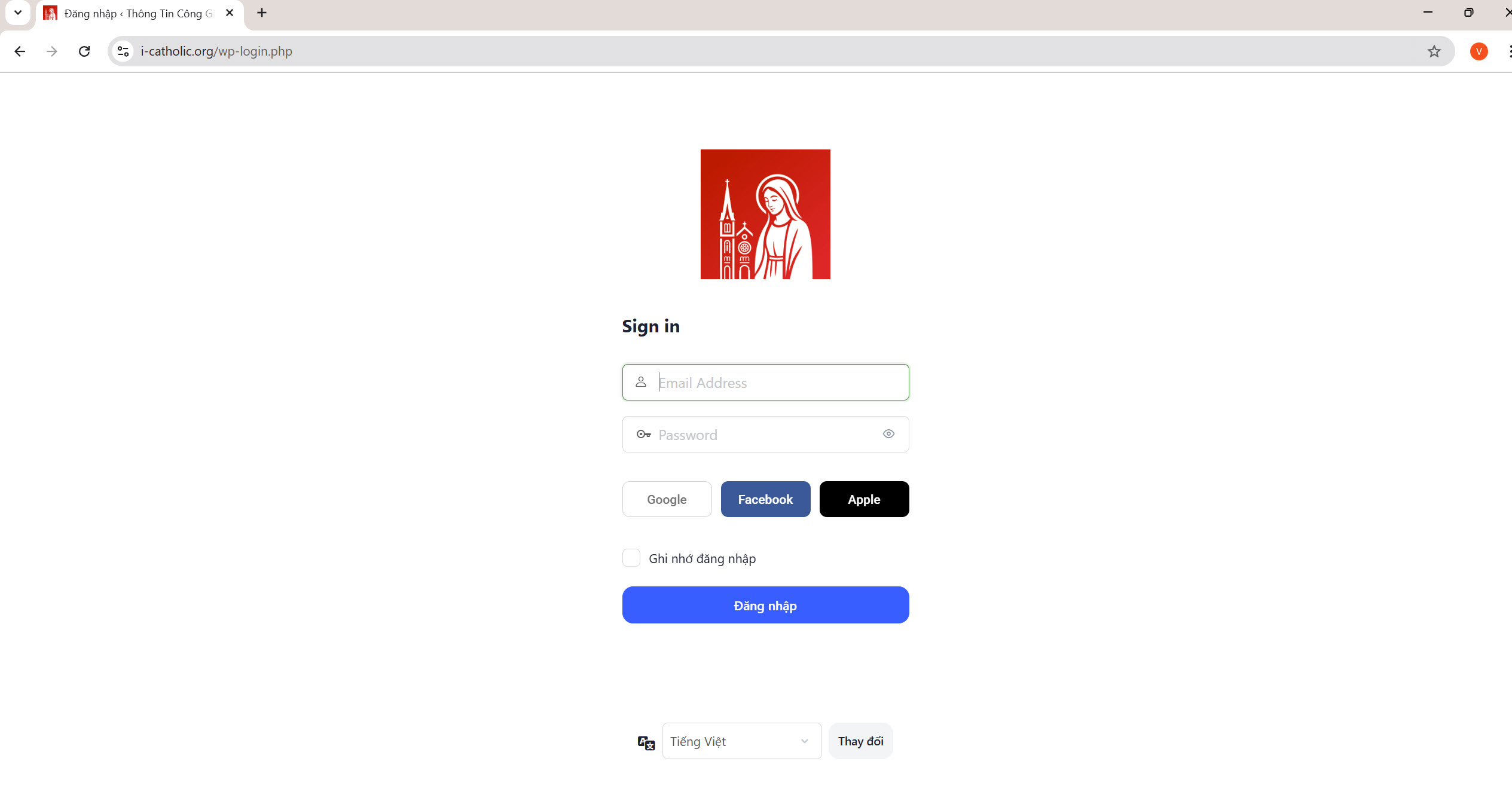
Open i-catholic.org and sign in with Google
Open your browser and go to i-catholic.org. On the sign-in page, click Continue with Google and pick the exact email that was granted parish administrator rights.
I am stuck on this step
Sign in with the account that was approved as parish administrator, not a different one.
Still not working? Message the support team and attach a screenshot of what you see.
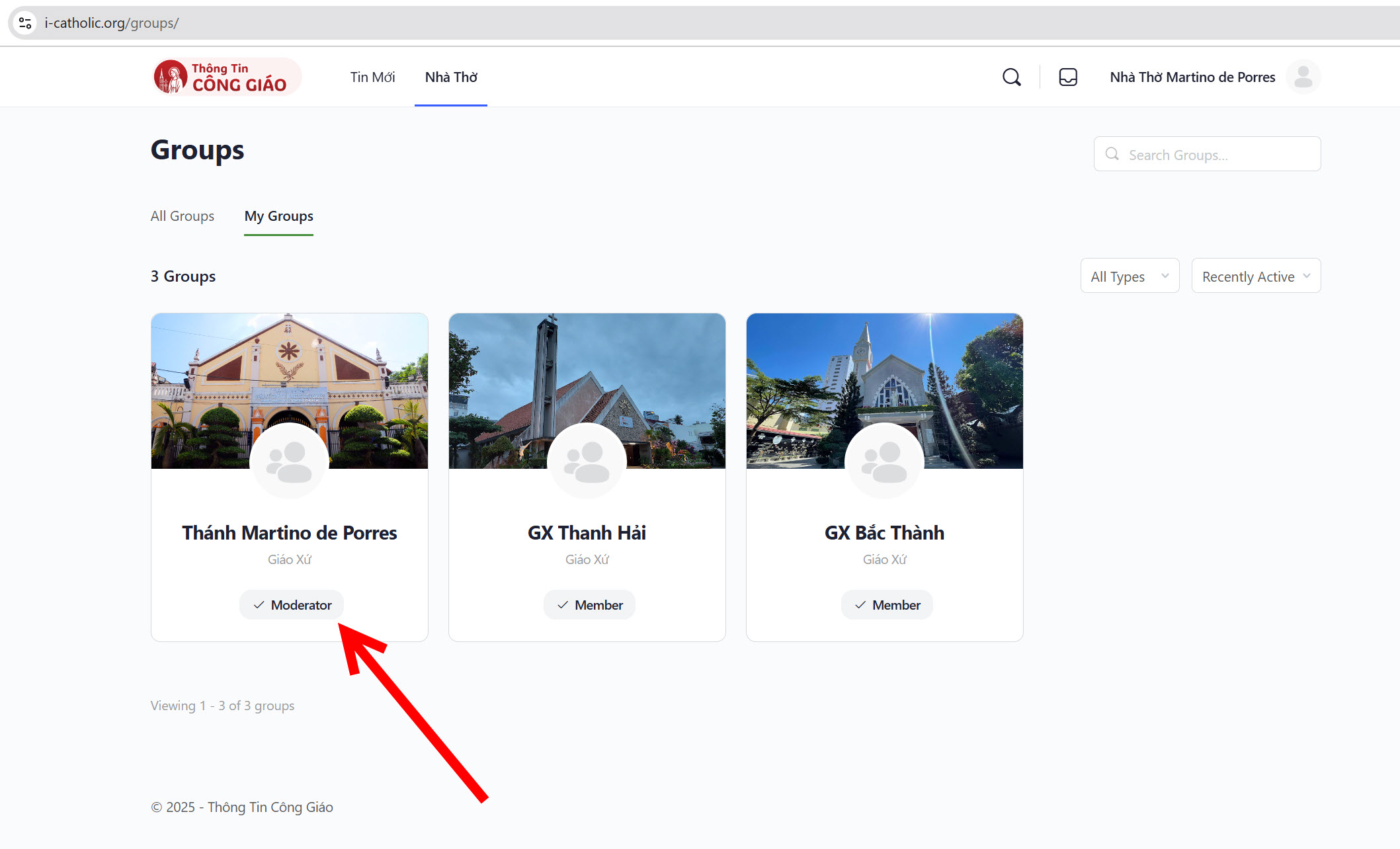
Go to Churches → My Groups
Your name must show the Moderator role. If it does not, your rights are not approved yet.Choose the Nhà Thờ (Churches) menu, then My Groups.
I am stuck on this step
An empty list means the administrator request has not been approved, or you are not following any parish.
Still not working? Message the support team and attach a screenshot of what you see.
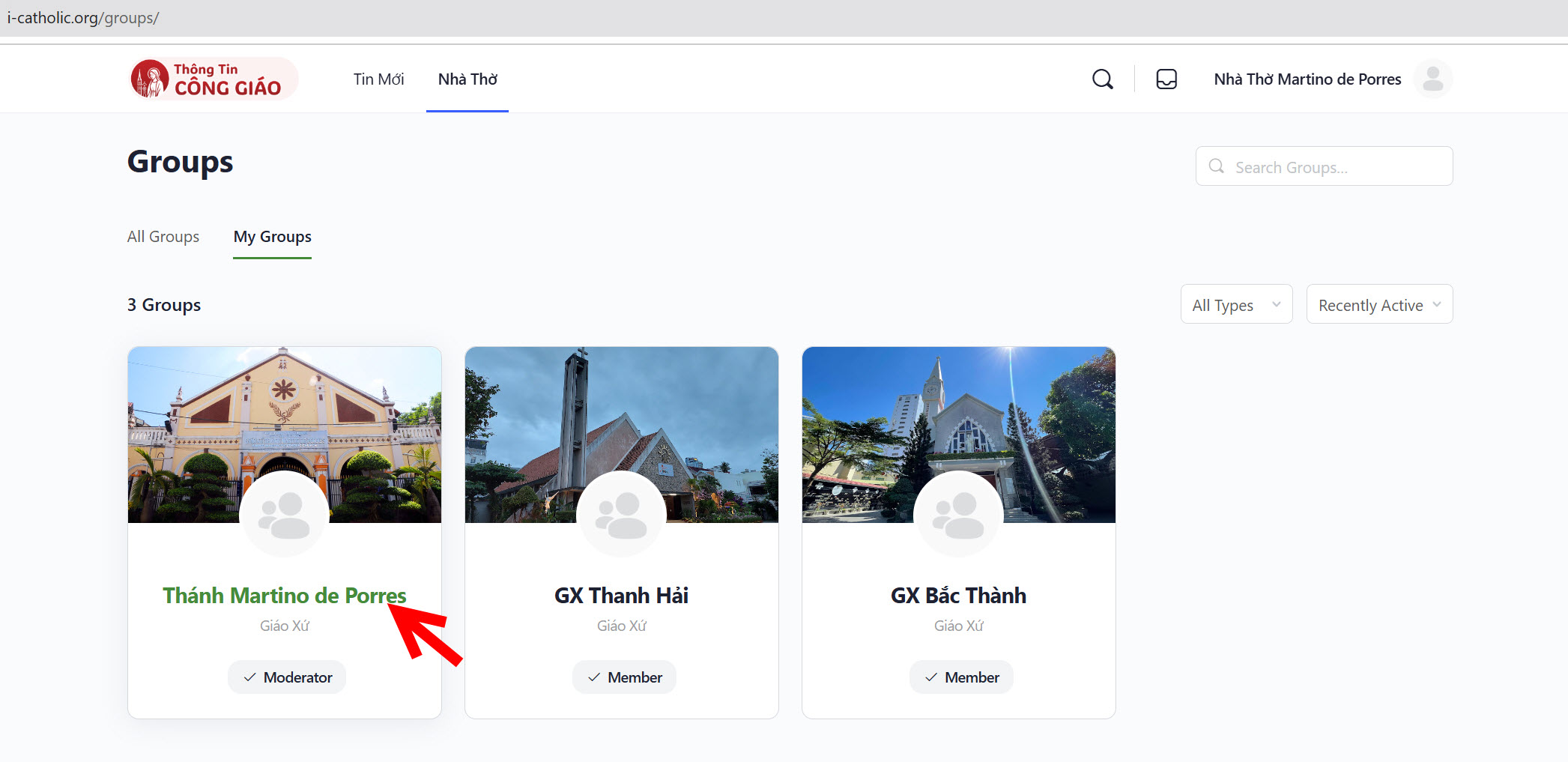
Pick your parish
Click the parish you want to post for.
I am stuck on this step
Cannot see the parish you administer? Sign out and back in — new rights only apply to a new session.
Still not working? Message the support team and attach a screenshot of what you see.
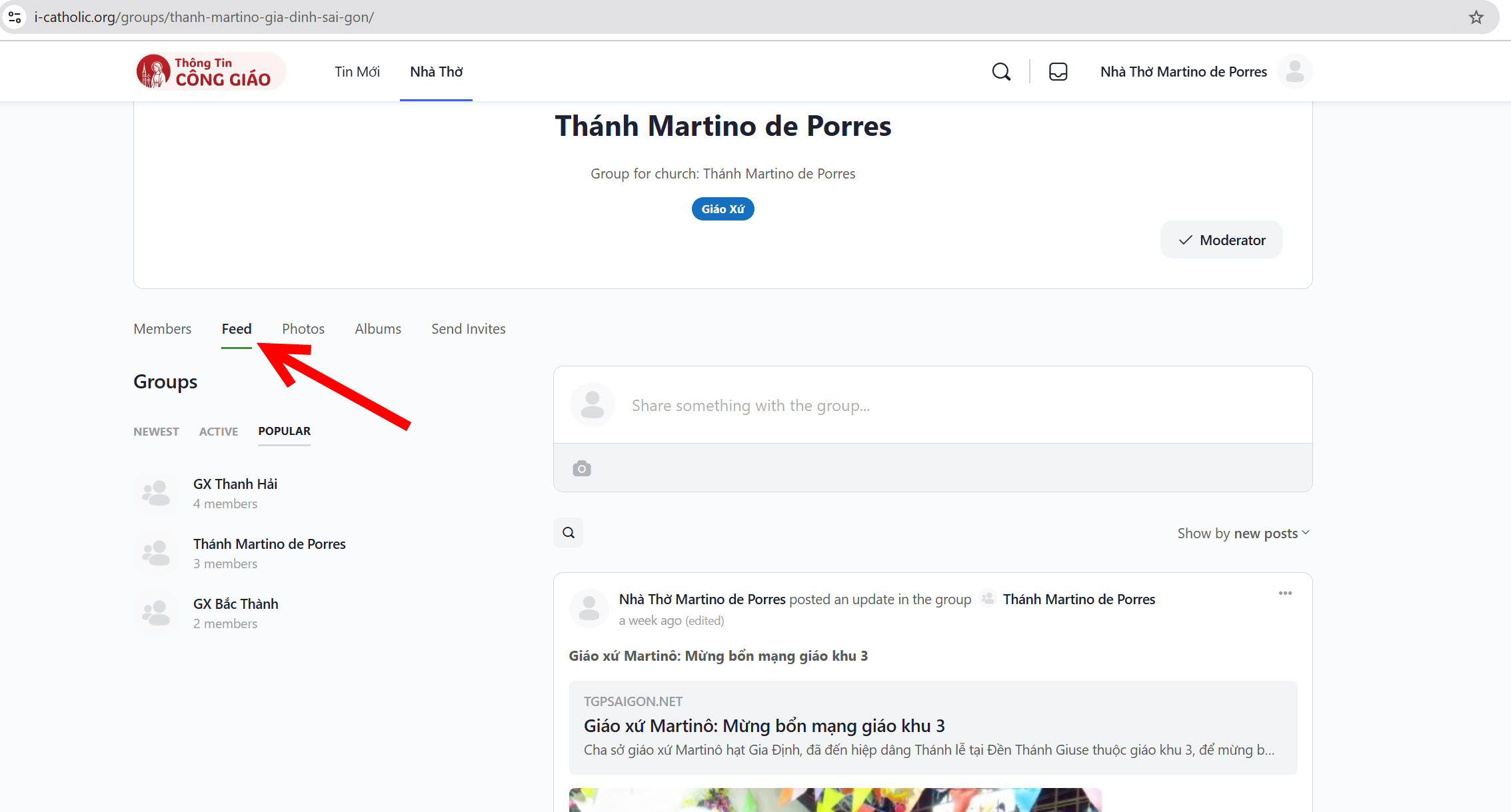
Open the Feed tab
The Feed tab is where you post and review what has been posted.
Prepare content from a trustworthy source
Prefer diocesan and bishops' conference sites. Avoid unverified posts from social media.Copy the link to an article from an official source, for example tgpsaigon.net.
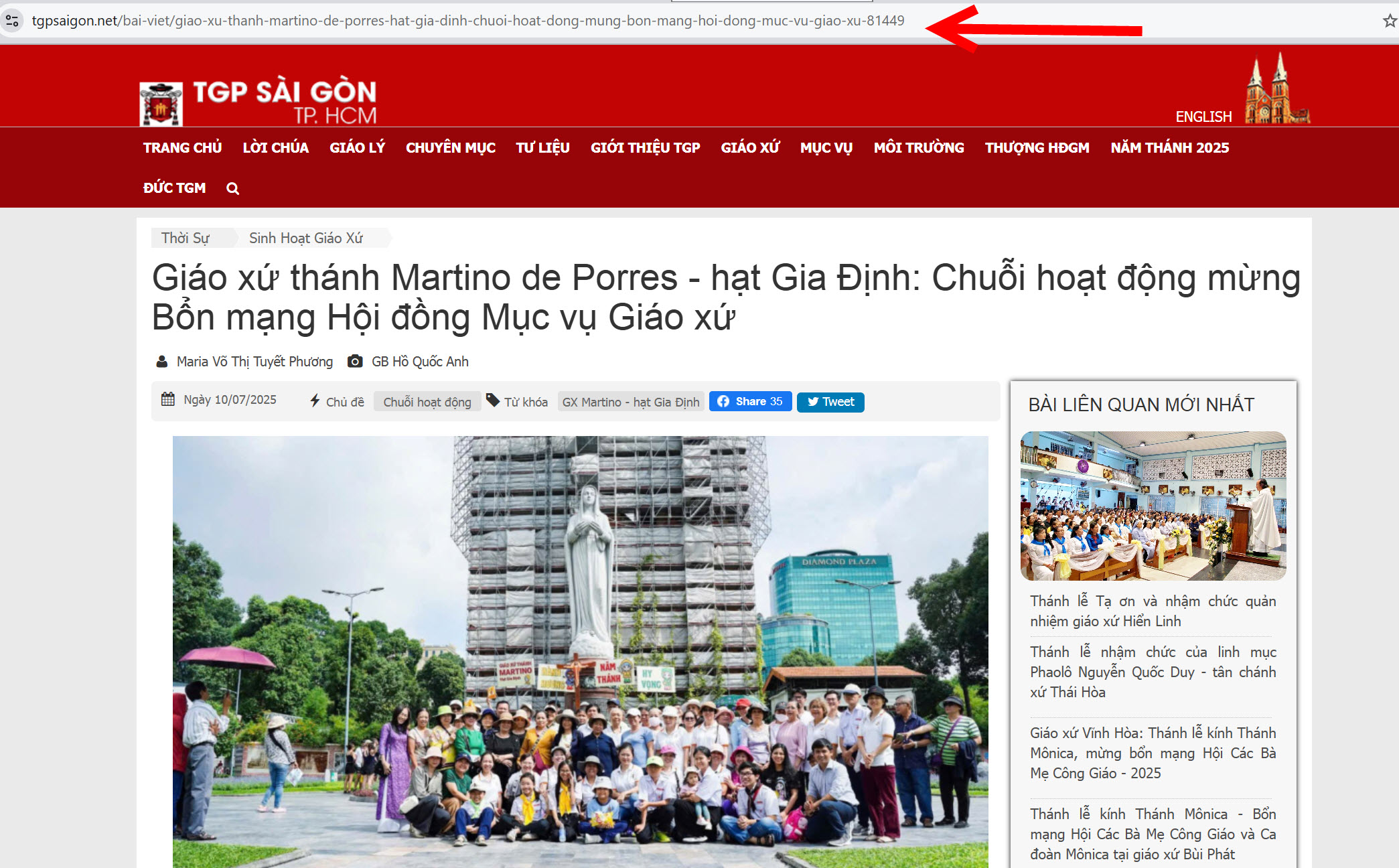
Paste the link into the share box
Paste it into Share something with the group…. The system pulls in the image and title.
I am stuck on this step
Pasted but no preview card? Give it a few seconds, or check the link opens in a browser.
Still not working? Message the support team and attach a screenshot of what you see.
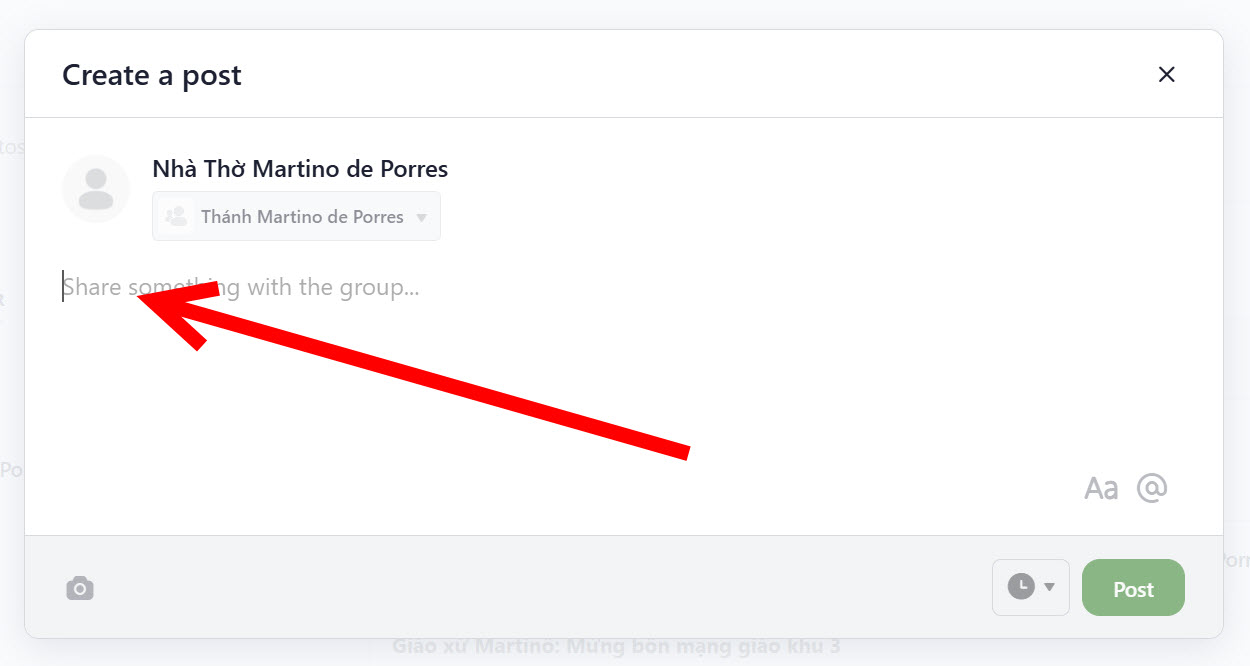
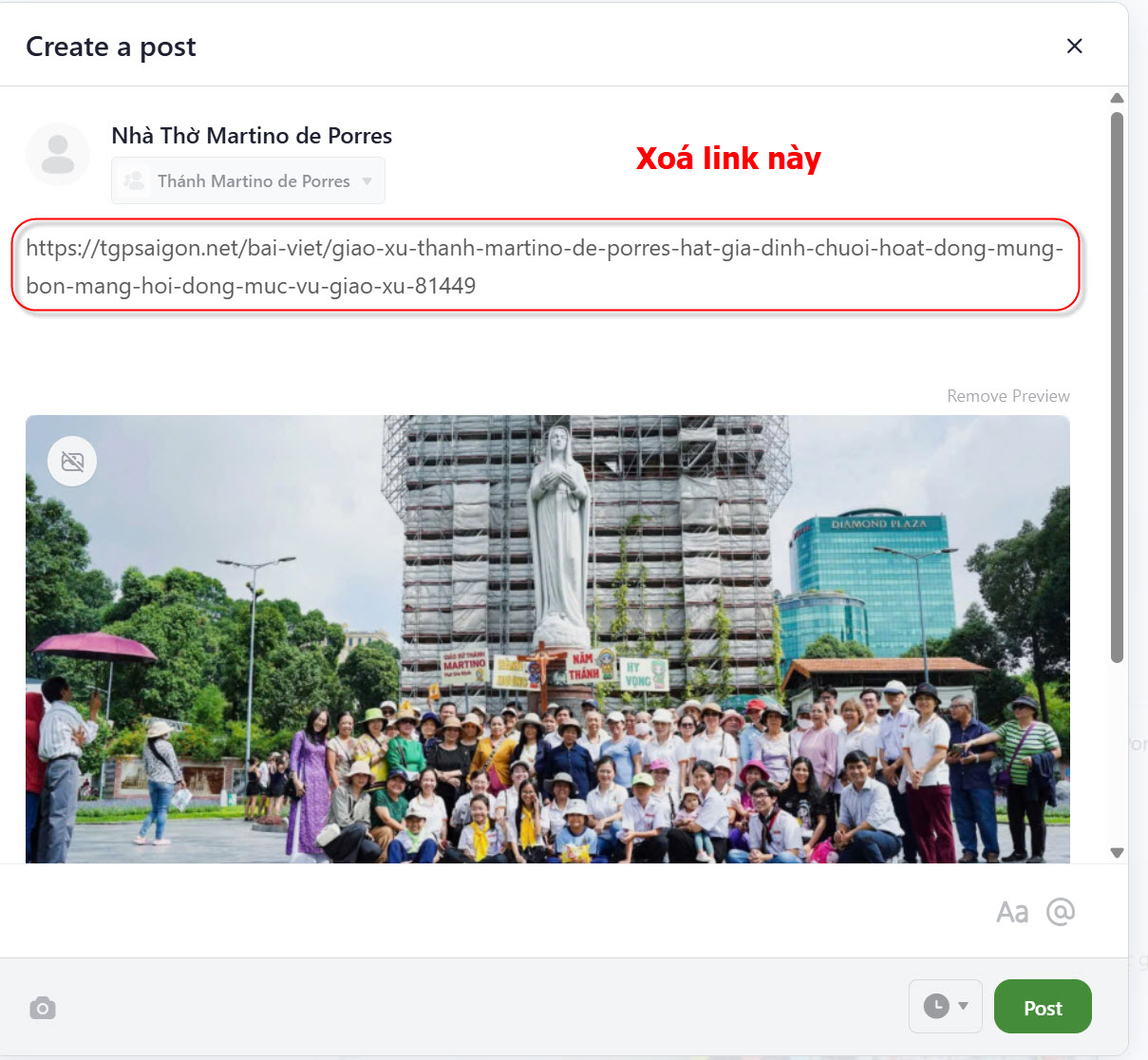
Delete the link, write your own headline
Once the preview appears, delete the long link and replace it with a short sentence that makes sense to parishioners.
Click Post
The article appears on the parish Feed and in the app for parishioners who follow you.
I am stuck on this step
If the button does nothing, the post is missing a headline or body. Check you removed the raw link from the text.
Still not working? Message the support team and attach a screenshot of what you see.
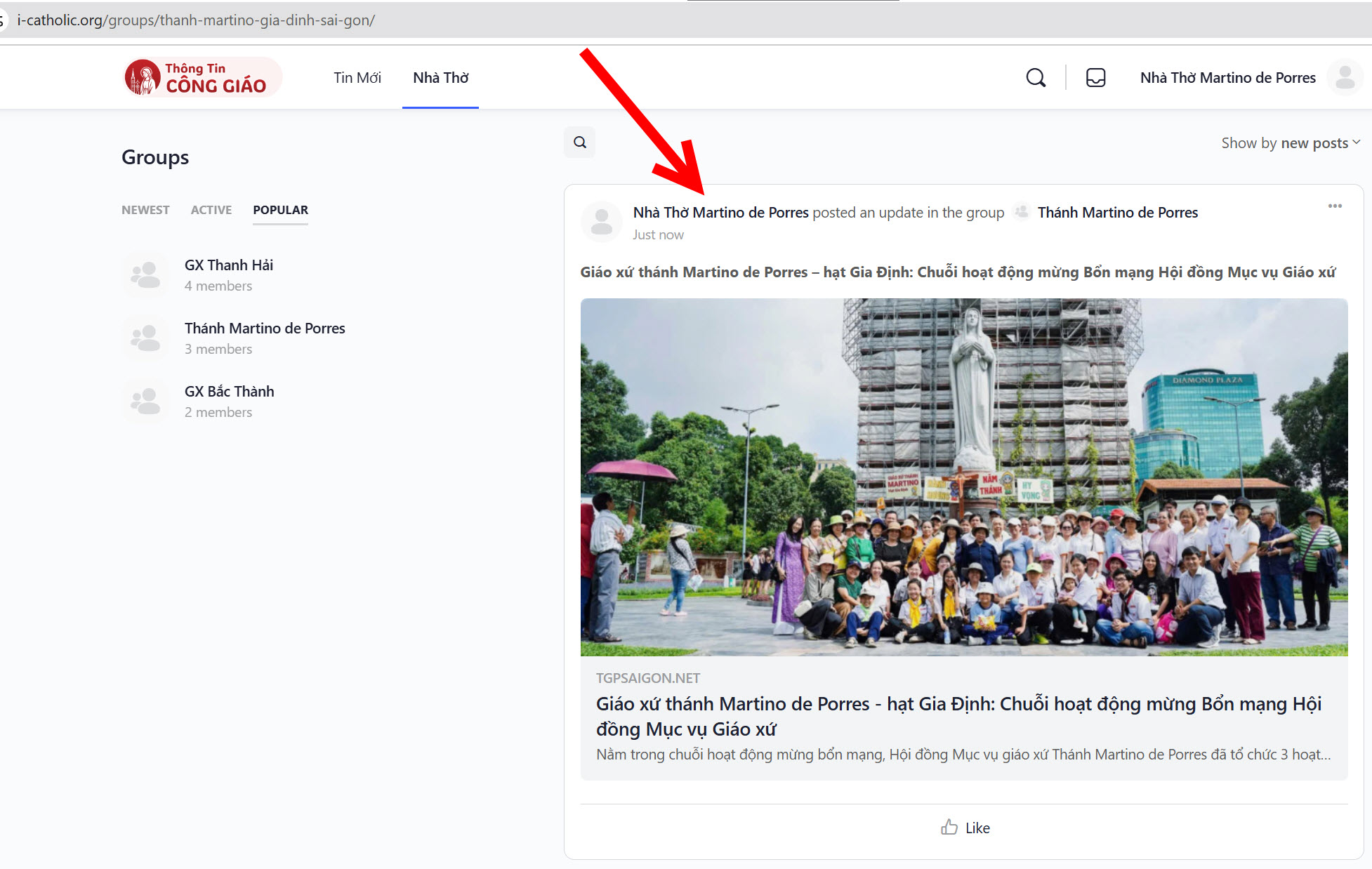
You are done when
- The article is on the Feed with the right image and headline
- Opening the parish page in the app shows it
Edit or delete a published article
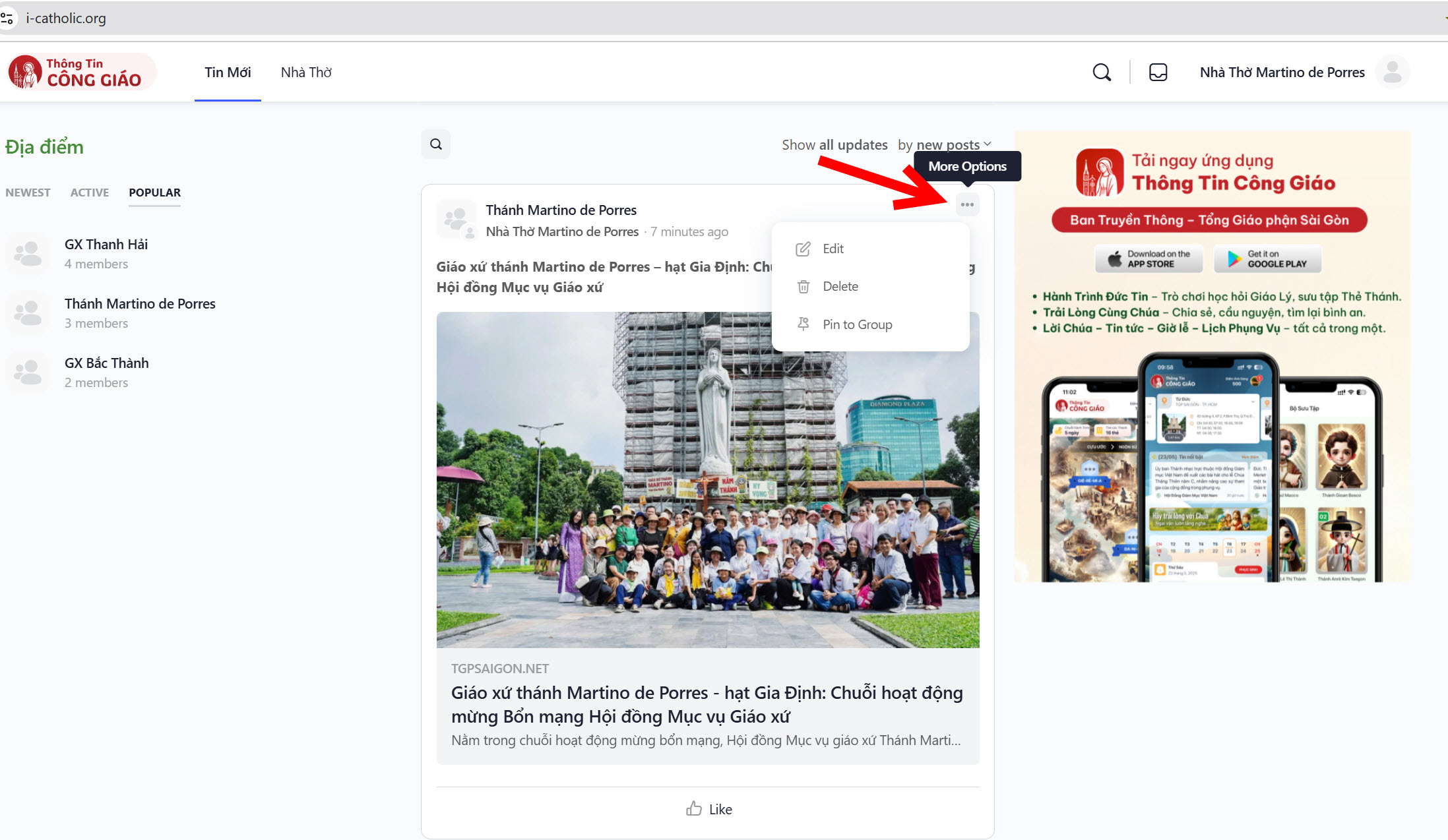
Click the … icon on the article, then choose Edit or Delete.
A deleted article cannot be recovered. For a typo, use Edit instead of deleting and reposting.
Something went wrong?
I cannot see My Groups, or no Moderator role
Your rights are not approved yet, or you signed in with a different email from the one you registered.
Pasting a link shows no preview image
The source site does not allow automatic image fetching. You can still post, but the article will have no image — write a clearer headline to make up for it.
I posted but parishioners do not see it
- They have not tapped Follow on your parish
- The app needs a few minutes to sync; ask them to pull down to refresh the news list
I posted to the wrong parish
Check the parish name at the top of the Feed before posting. If it is already posted, delete it and post again in the right parish.