Play the Faith Journey
- Do it on
- Phone
- Time needed
- 15 minutes per stage
- Before you start
- The app installed and signed in
- When you finish
- 200 points and 1 certificate card per stage
The Faith Journey follows the Bible in chronological order, starting with the Old Testament. Each stage has a reading part, then a quiz.
Open the Faith Journey
On the app home screen, tap the Hành Trình Đức Tin (Faith Journey) icon.
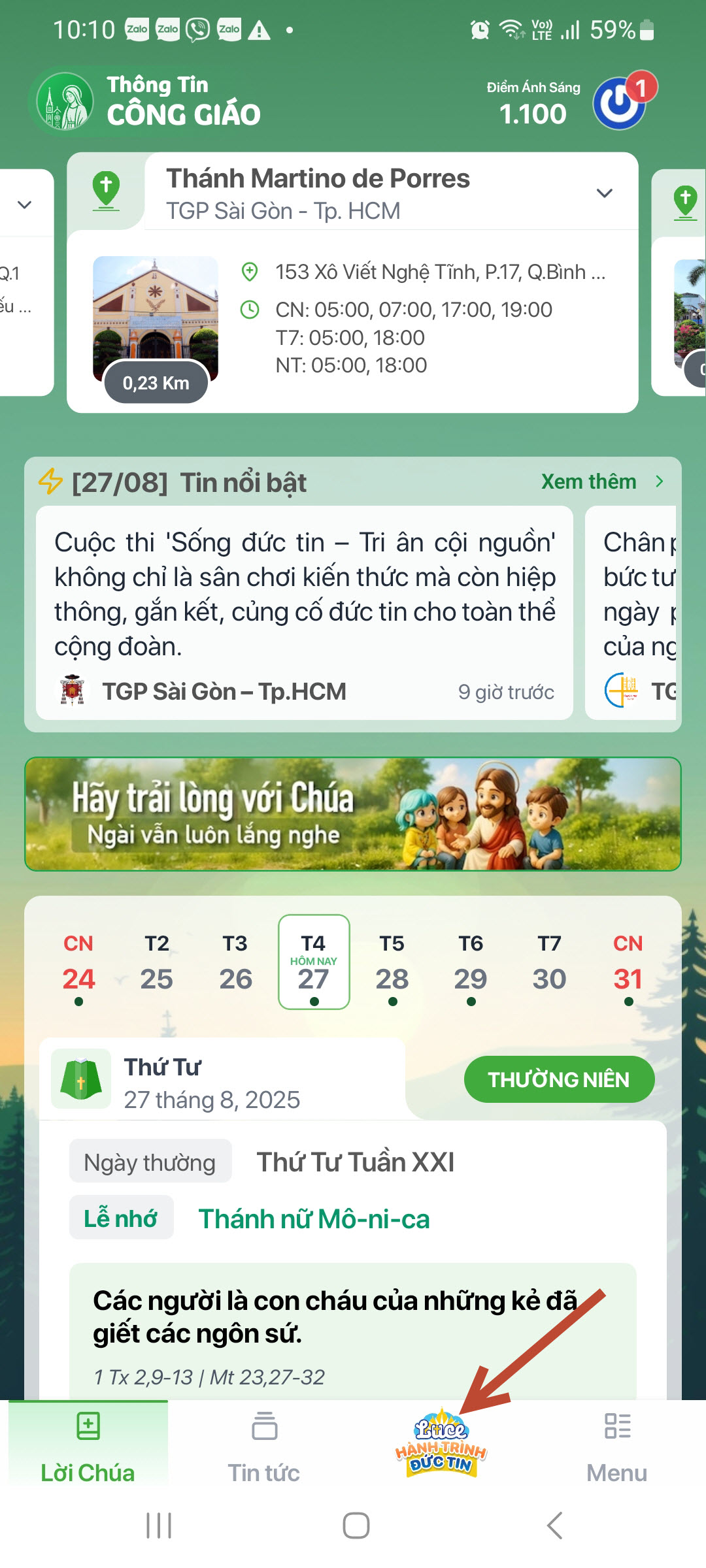
Home screen · Tap the image to see it larger Look at the list of topics
Gold means a stage you have finished, blue means not yet. Just work down the list in order.Topics are laid out in the order the events happen in the Bible.
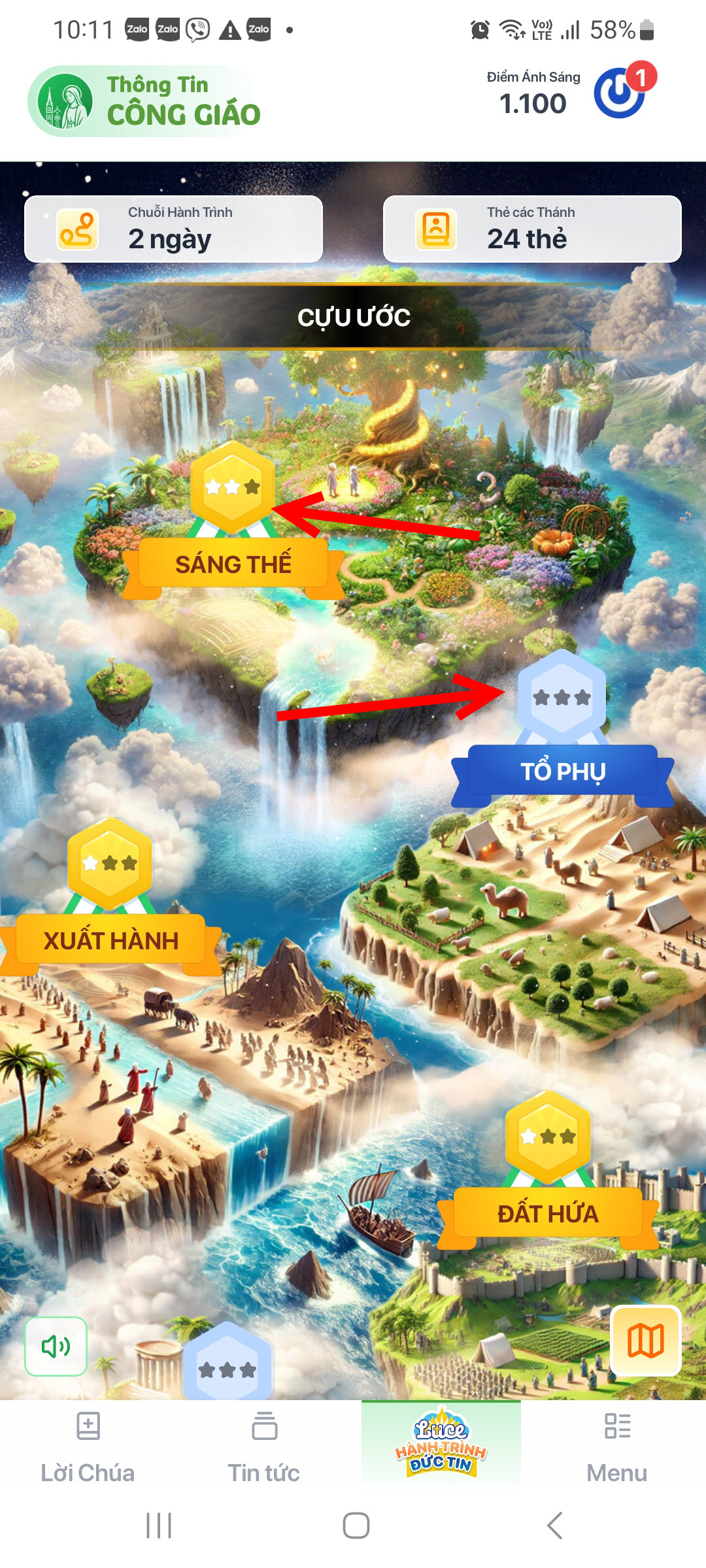
Topic list · Tap the image to see it larger Pick a topic
Say you pick Xuất Hành (Exodus) — inside there are several smaller sections.
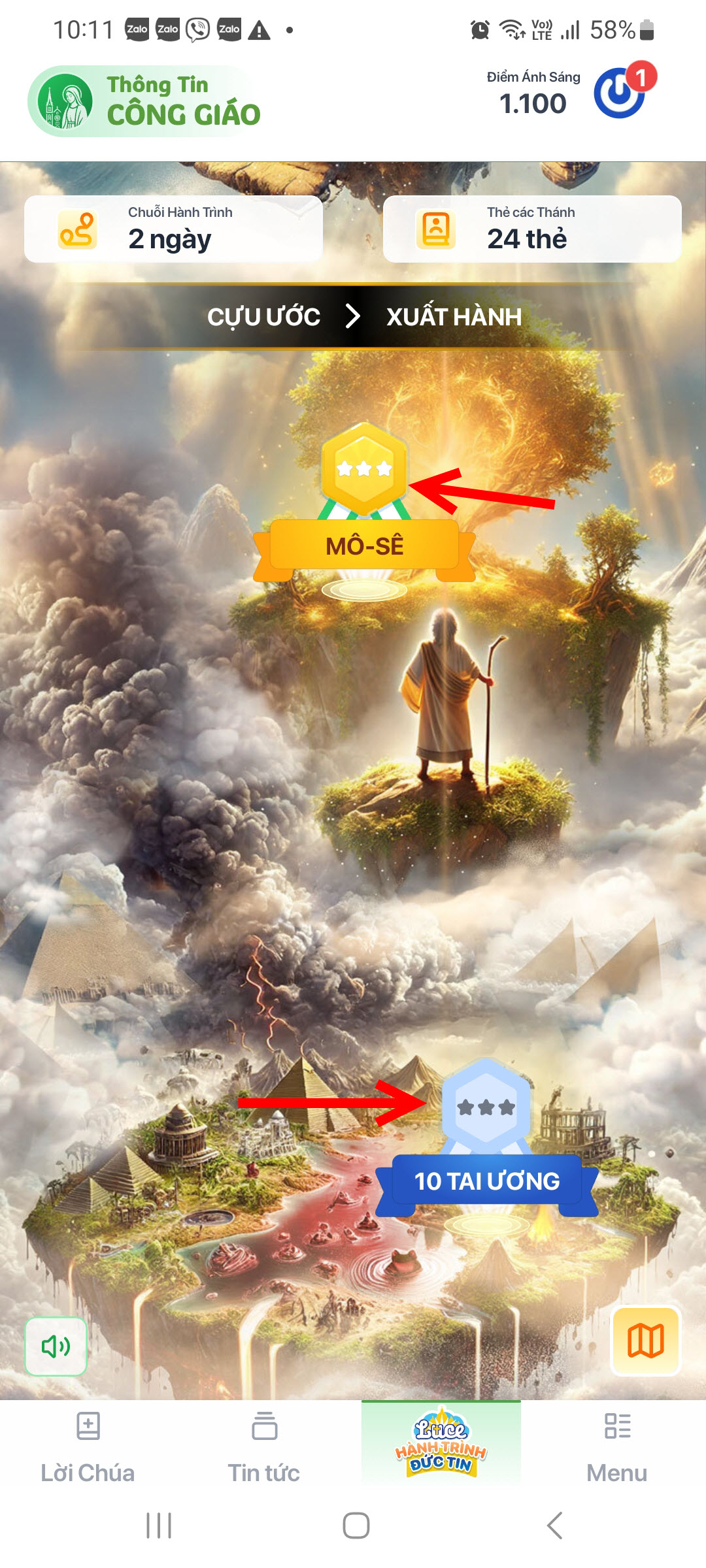
Pick a topic · Tap the image to see it larger Read the passage and the lesson
Each section has Nội dung (the story in short) and Bài học (how to apply it). Use the A+ / A− buttons to make the text bigger or smaller.
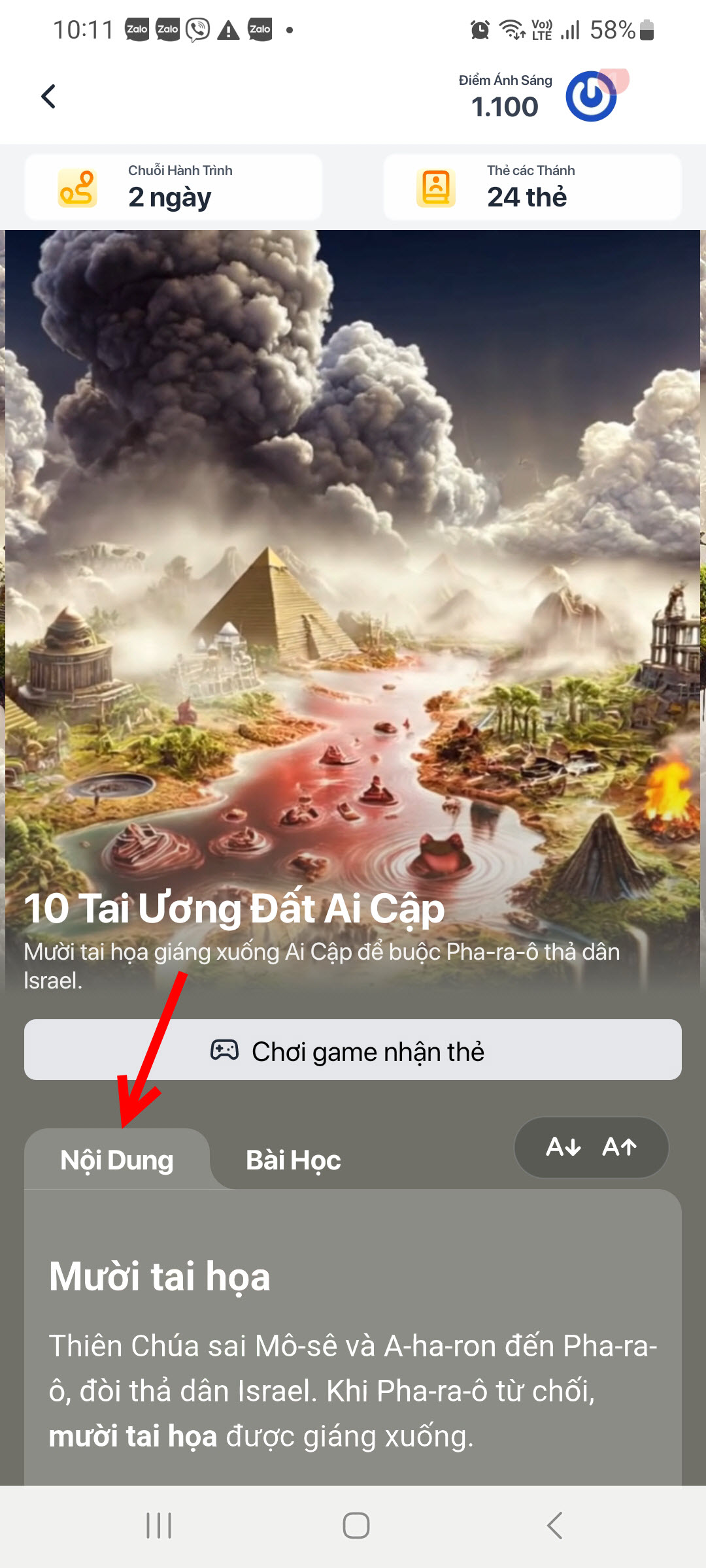
Read the passage · Tap the image to see it larger Tap Play to earn the card
You need at least 8 out of 10 right. Missing a lot? Read the passage again and replay.The quiz is 10 multiple-choice questions on a timer.
I am stuck on this step
Under 8 out of 10? You can replay. First read the passage and the lesson again — the questions come from exactly those two parts.
Still not working? Message the support team and attach a screenshot of what you see.
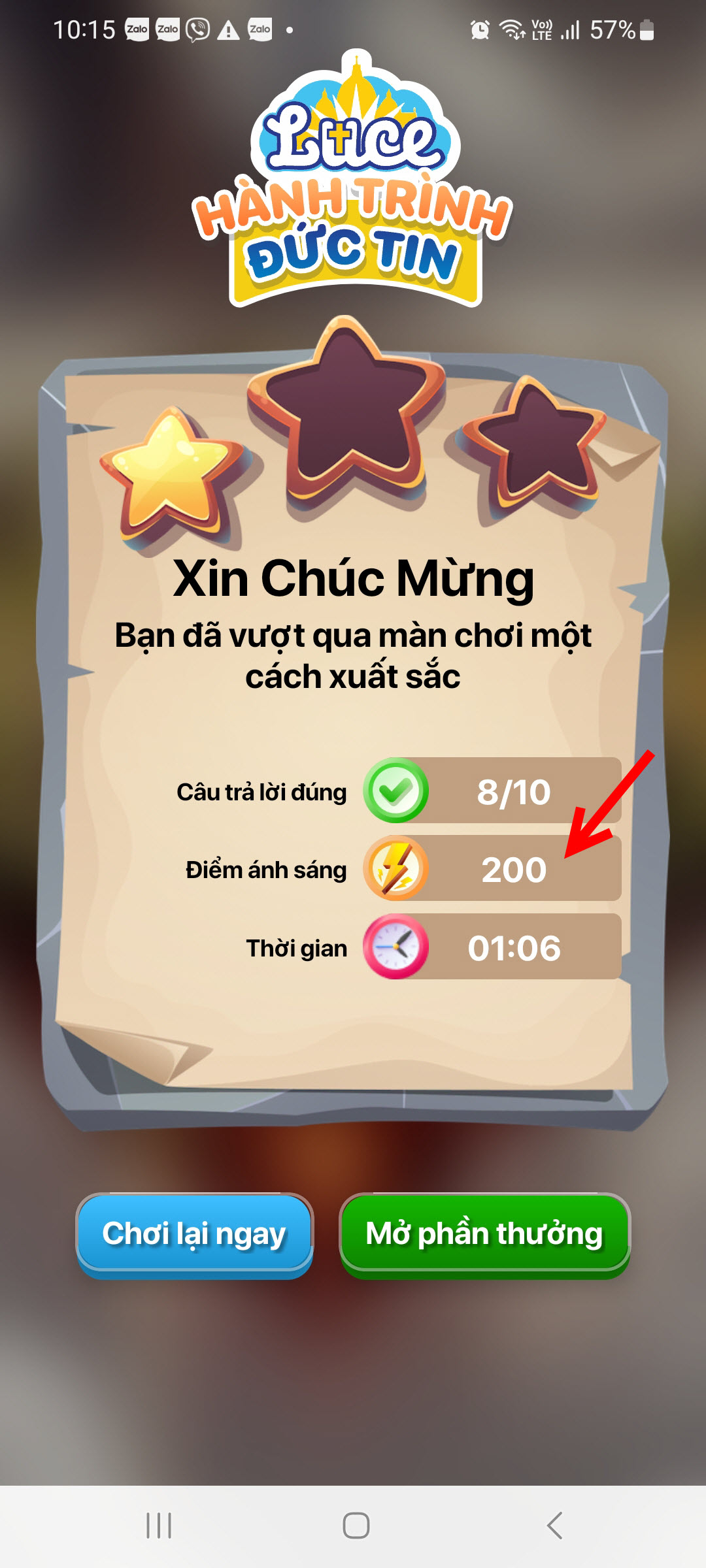
Stage quiz · Tap the image to see it larger Collect your reward
Finishing gives you 200 Light Points and one certificate card for that stage.
I am stuck on this step
No points yet? Give the app a few seconds to sync, or reopen Light Points.
Still not working? Message the support team and attach a screenshot of what you see.
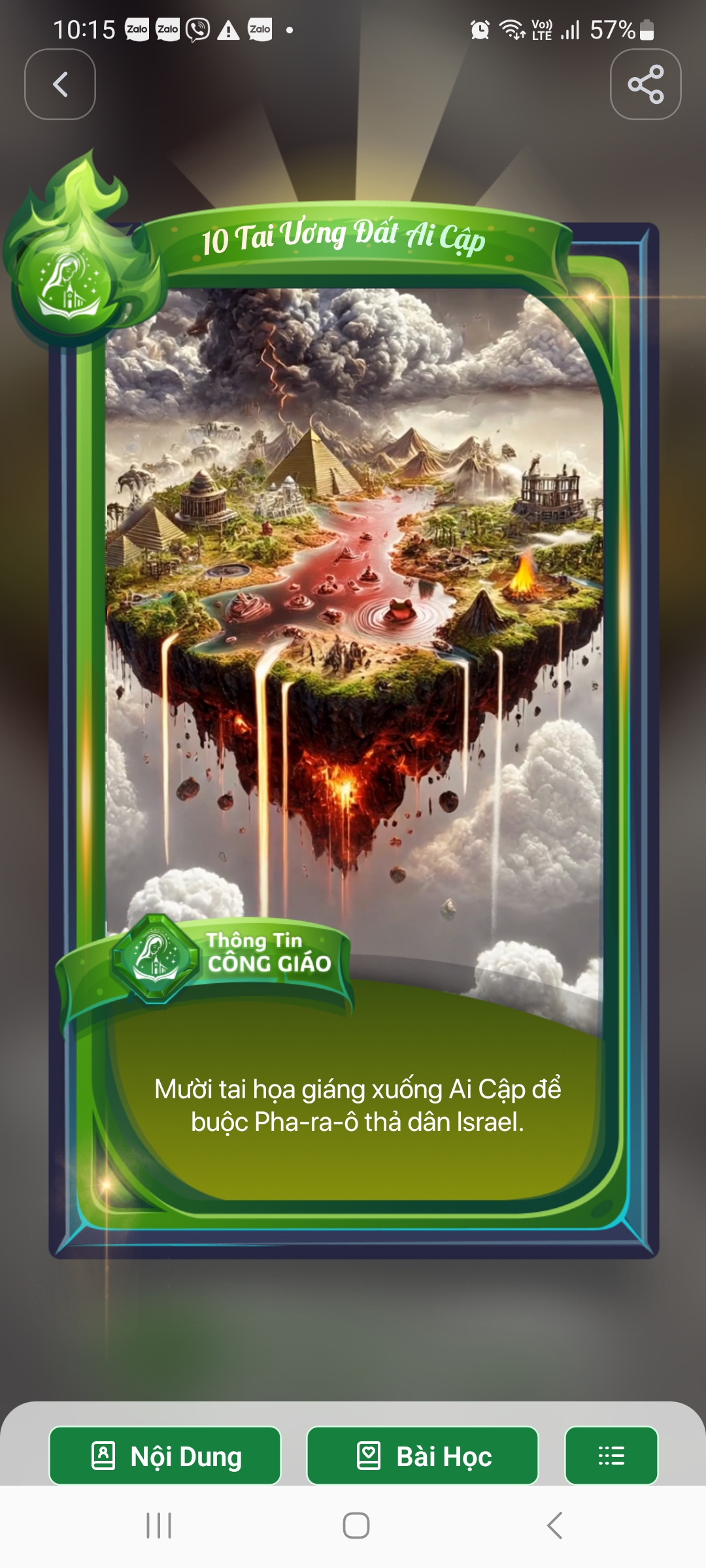
Certificate card · Tap the image to see it larger
You are done when
- The topic you just played turns gold in the list
- Your total goes up by 200 and a new certificate card appears
Something went wrong?
I did not get 8 out of 10
You can replay. Before you do, read that section's Nội dung and Bài học carefully — the questions come straight from those two parts.
I ran out of time mid-quiz
Every question is on a timer. Read the question first, then the answers.
I finished but the points have not arrived
Give the app a few seconds to sync, or reopen Điểm Ánh Sáng (Light Points) to see the new total.