Check in and complete tasks to earn points
- Do it on
- Phone
- Time needed
- 3 minutes a day
- Before you start
- The app installed and signed in
- When you finish
- Your points grow every day
Open Light Points
On the app home screen, tap the Điểm Ánh Sáng (Light Points) icon. Your current total shows at the top.

Home screen · Tap the image to see it larger Tap Check in now
Once per day. A day you miss is a day of points lost.Open the app each day and tap Điểm Danh Ngay (Check in now).
I am stuck on this step
A button reading “already checked in today” is normal — once per day. If the points did not move, close the app and reopen it.
Still not working? Message the support team and attach a screenshot of what you see.
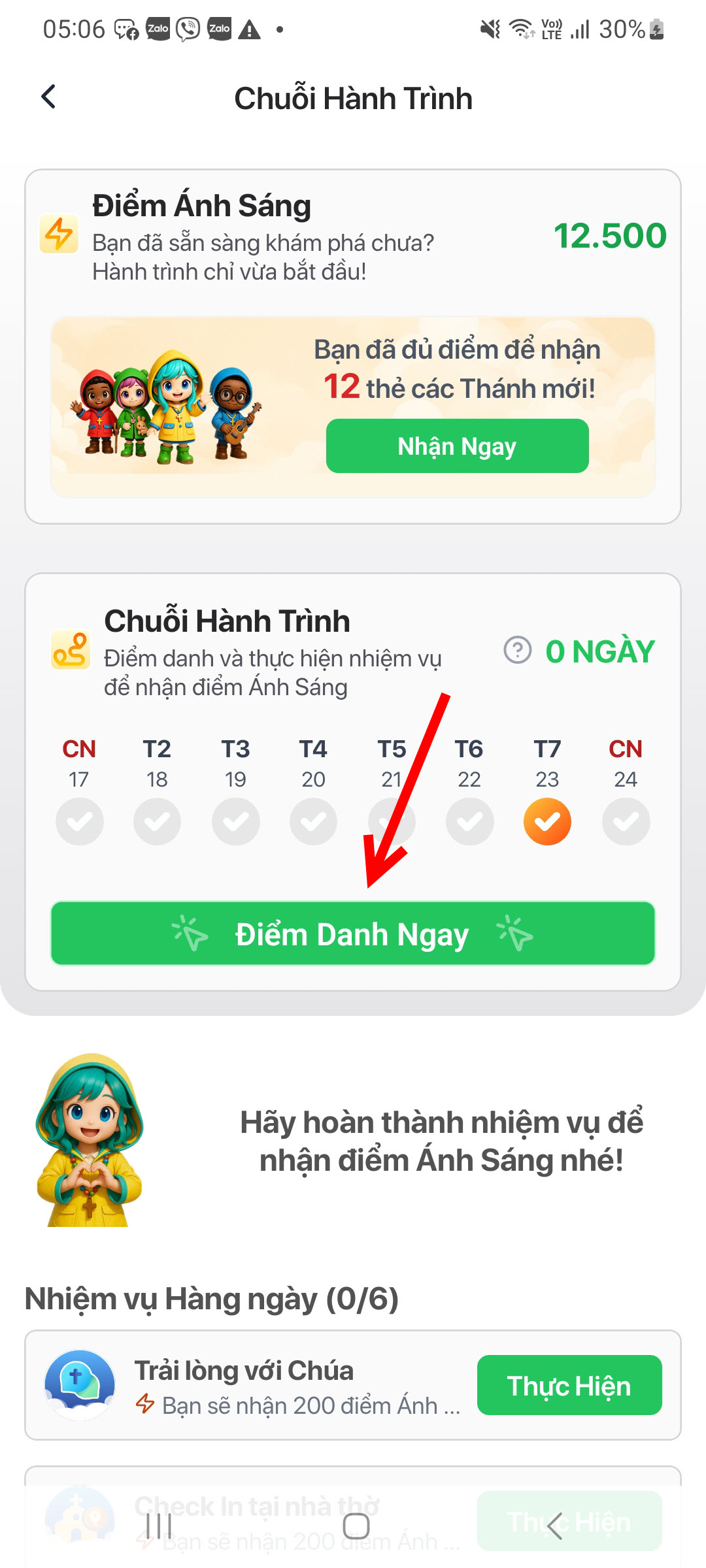
Daily check-in · Tap the image to see it larger Do the daily tasks
Four familiar things, all doable in one day:
- Check in at church — confirm you are at the parish
- Read Scripture — the day's passage
- Join in prayer — a few quiet minutes
- Open your heart to God — write down what you want to say
I am stuck on this step
Checking in at church needs location permission and you have to be near the church. Check location permission in your phone settings.
Still not working? Message the support team and attach a screenshot of what you see.
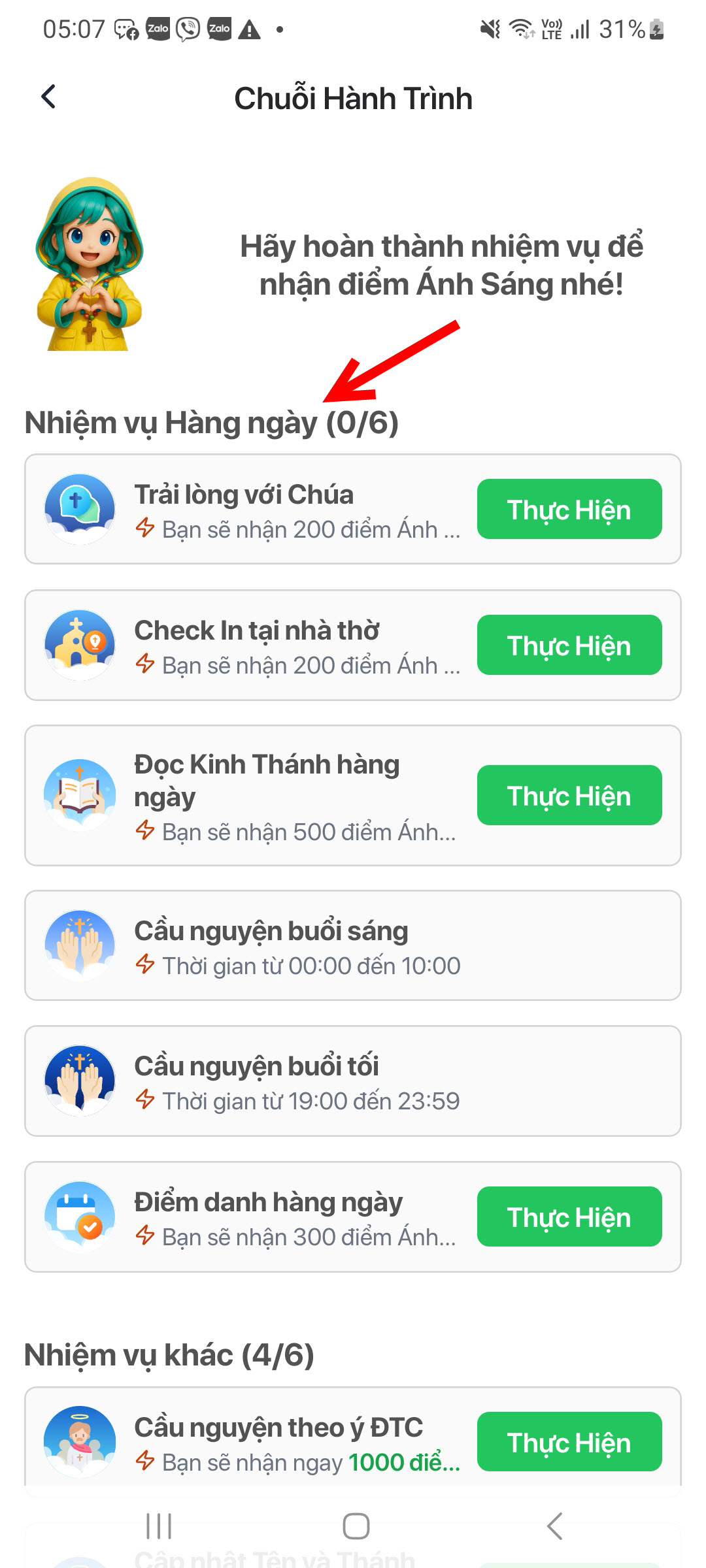
Daily tasks · Tap the image to see it larger Do the special tasks for more points
One-off actions worth more points:
- First sign-in, rating the app
- Completing your profile, choosing a patron saint
- Finishing a Faith Journey stage — 200 points
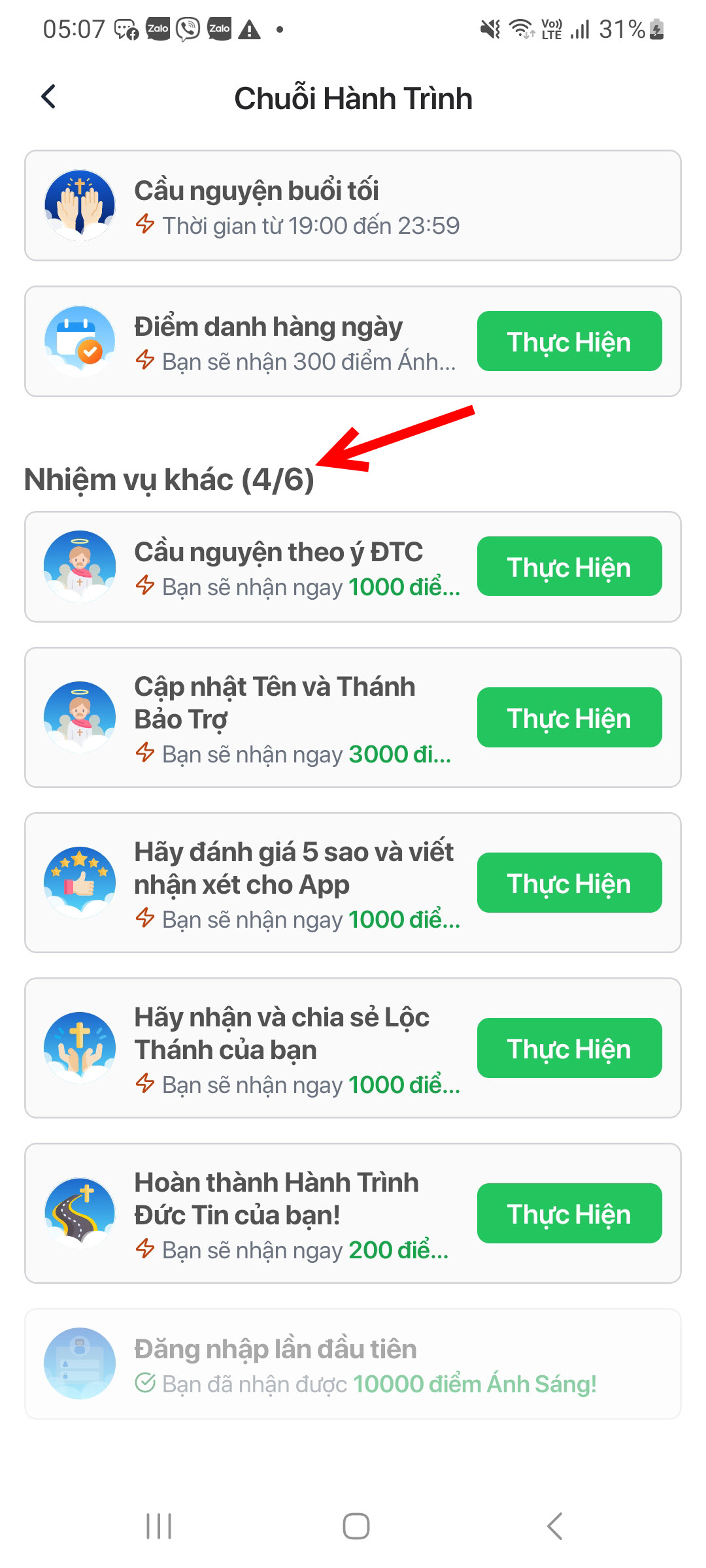
Special tasks · Tap the image to see it larger
You are done when
- The check-in button turns into “already checked in today”
- The point total at the top goes up
The fastest route to 1000 points
- Check in every day without skipping
- Finish all four daily tasks
- Play the Faith Journey — 200 points per completed stage
Once you reach 1000, trade them for a Saint Card.
Something went wrong?
I tapped check in but the points did not change
- You already checked in today; it is once per day
- A slow connection has not synced yet: close the app, reopen and check
Checking in at church does not work
The app needs location permission and you have to be near the church. Check location permission in your phone settings.
My points dropped after opening a card
That is expected: each card costs 1000 points.