I cannot find an item, or access is denied
Done when: you know why the item is missing and who to ask.
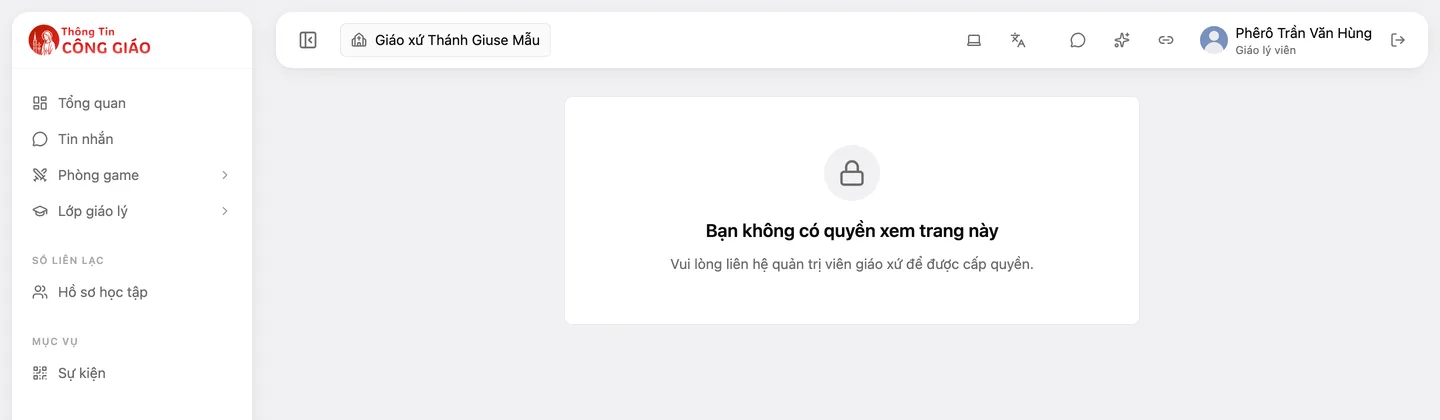
A missing item is not necessarily a fault. Each role opens only the items that fit its work. The screen «You do not have permission to view this page» means your account is signed in fine, but your current role does not open that page. Check the five things below, in this order (the easiest first).
Check which parish is selected
Your role belongs to one specific parish. On the admin site, look at the button showing the parish name at the top left of the top bar, next to the menu collapse button: is it the parish where you were given your role? If your account has roles in several parishes, clicking this button opens a list to pick another parish; with only one parish there is nothing to choose. Selecting the wrong parish is the most common cause.

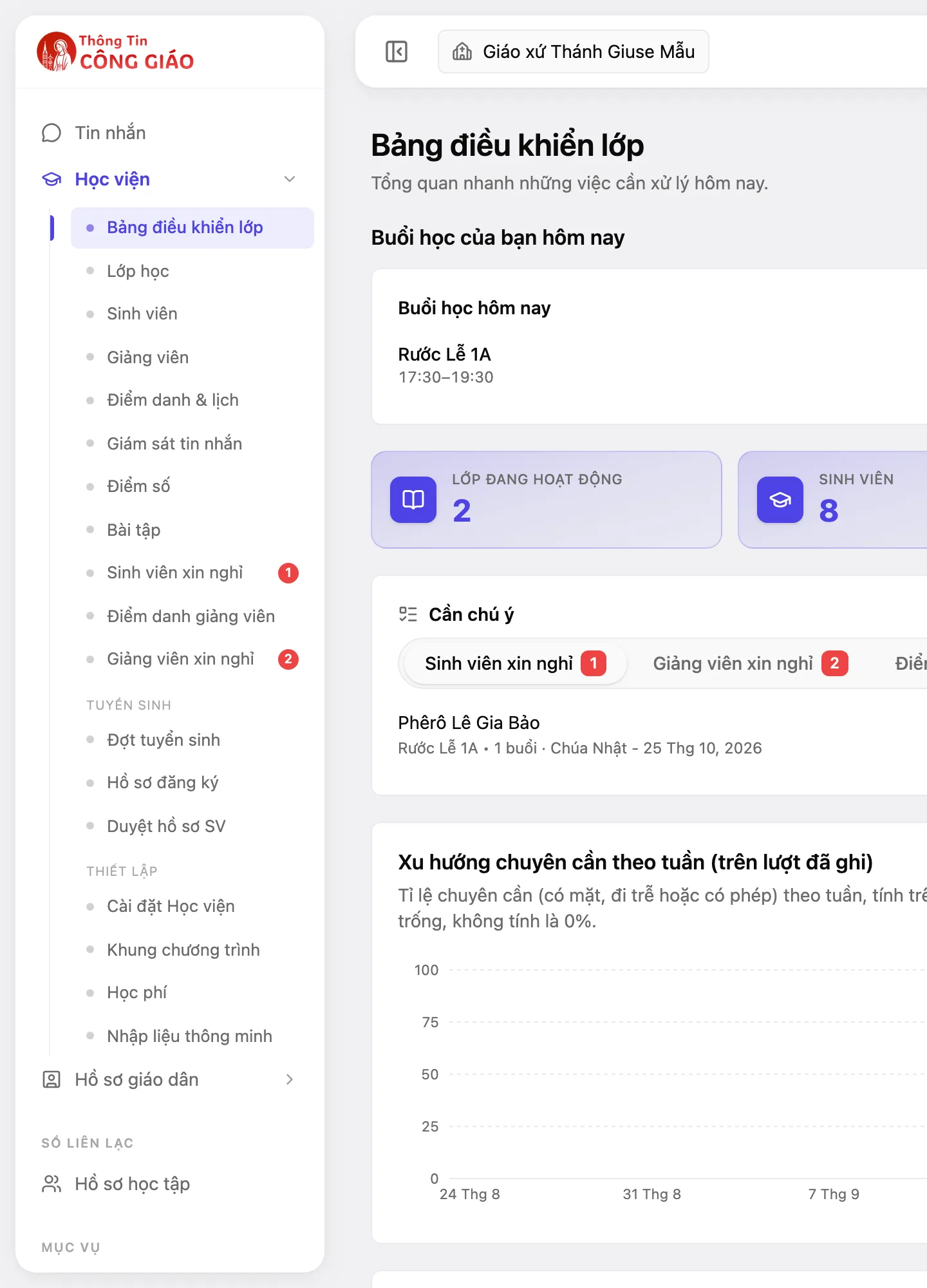
Tap the image to see it larger Check whether the parish is in «Institute» (academy) mode
A parish in academy mode differs on purpose: the Game Rooms entry is hidden, and Catechism school is renamed Academy. If you look for «Game Rooms» or «Catechism school» and see «Academy», that is not a fault.
Tap the image to see it larger Check whether you have a role yet
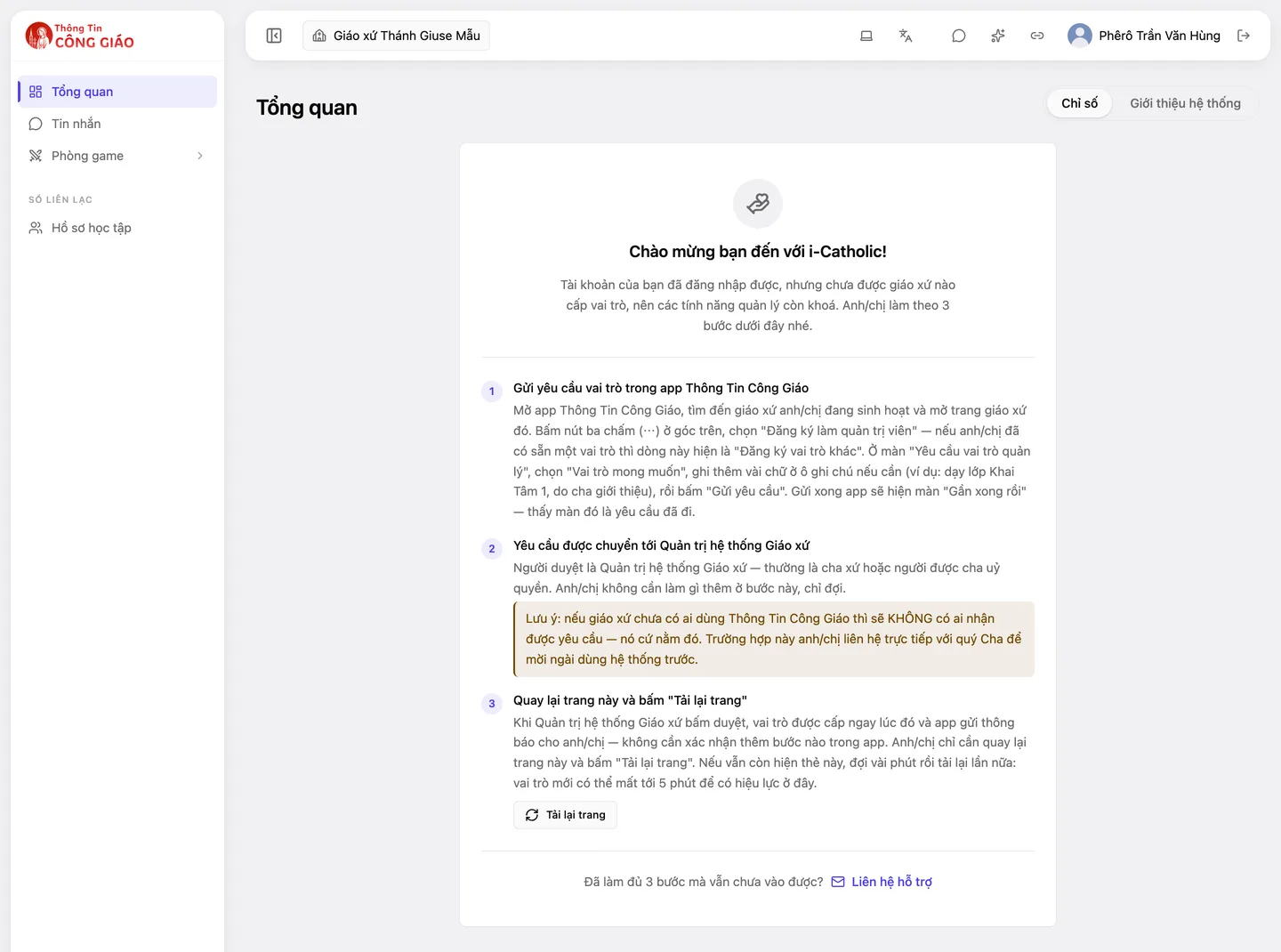
If you can sign in but nobody has given you a role, the admin site shows only the Welcome to i-Catholic! card. Follow its three steps (see «Request a role» below). Just got a role? Click Reload page. A new role can take up to 5 minutes to take effect on the admin site.
Tap the image to see it larger Check whether your role opens that item
If you have a role and the item is still missing, that role does not open it. Read the «Which role opens what» table below. A page showing «You do not have permission to view this page» is the same case.
Tap the image to see it larger Ask someone who can give roles
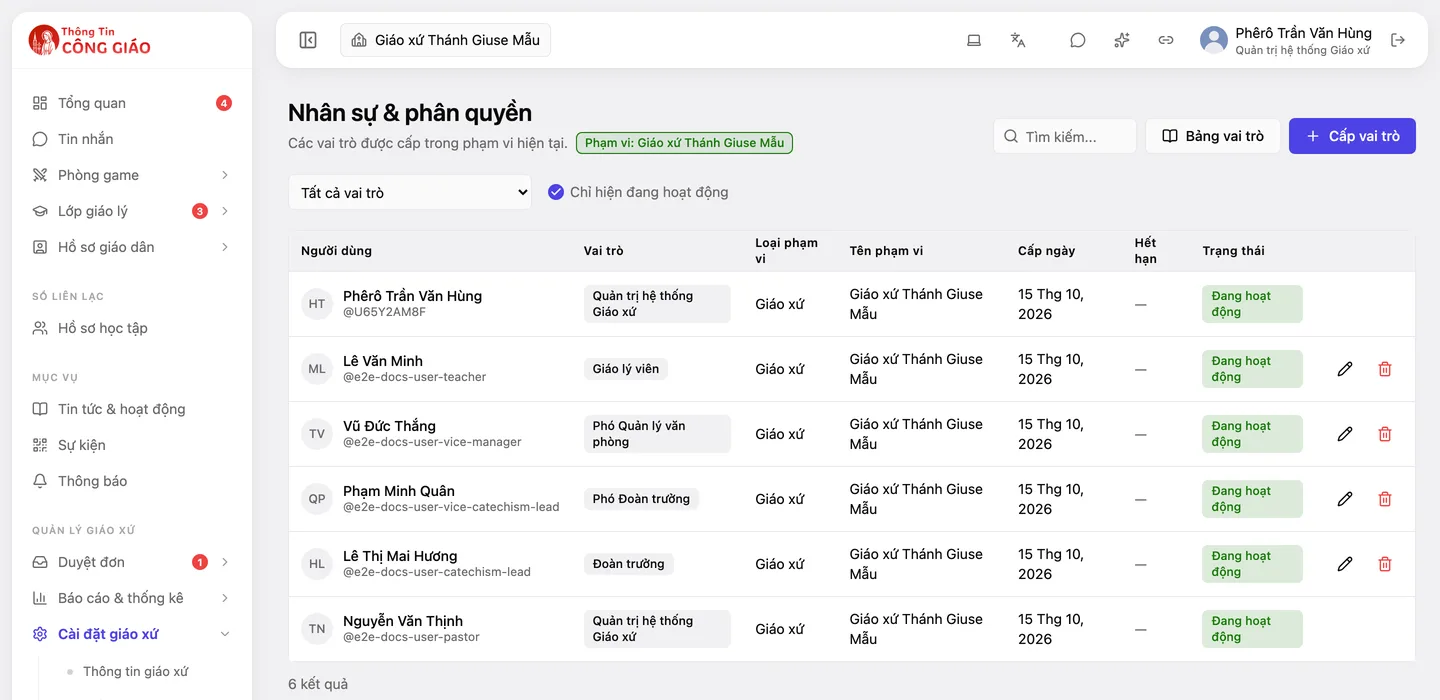
Roles are given in Parish settings → Role assignments. See «Who can give roles» below.
Tap the image to see it larger
Which role opens what
These are the roles you meet most often in a parish, in plain words. The complete, exact list lives in the system's technical documentation; if it differs from this table, the technical documentation is right. (Role names are shown as the admin site shows them in Vietnamese, with the English meaning.)
| Role | What it opens |
|---|---|
| Quản trị hệ thống Giáo xứ (Parish System Admin) and its deputy | Almost every item of their own parish, and giving roles to others. Usually held by the pastor or someone he delegates. |
| Quản lý văn phòng (Office Manager) | Parishioner records, households, sacraments, certificates, data entry, reviewing church information sent in. Cannot give roles. |
| Đoàn trưởng (Catechism Lead) and its deputy | The whole Catechism school part of the parish. Does not open items outside the catechism school. |
| Giáo lý viên (Catechist) | Only their own classes: viewing students, attendance, grades, homework, leave requests of those classes. |
| Truyền thông (Media) | Posting news and activities, editing the parish page. |
| Trưởng khu (Zone Leader) | Viewing households and parishioners across the parish (read-only). |
| Nhập liệu sổ sách · Xem sổ sách (Register Clerk · Register Viewer) | Entering into, or only viewing, the parish register. |
Some things only a Parish System Admin does: approving requests for admin access and giving roles. Not seeing those items is normal for everyone else.
An item can be hidden for several reasons (academy mode, your role, or a feature not switched on for the parish). Do not assume it is a missing permission.
Who can give roles
- A role is given by someone who holds a higher role, in Parish settings → Role assignments.
- Rule: each person can only give roles lower than their own. So nobody can raise themselves, and a Deputy Parish System Admin cannot give the Parish System Admin role.
- The person receiving the role must already have an i-Catholic account (signed in at least once).
- So: a catechist asks the Catechism Lead or a Parish System Admin; an Office Manager asks a Parish System Admin; a Parish System Admin asks someone above them (a diocese admin or a system admin).
Request a role from the phone
- Open the app, go to Menu → Churches, find and open your parish page.
- Tap ⋯ → Register as Admin (or Register another role if you already have one).
- Choose the role you want, add a note if needed, tap Send request. Seeing the confirmation screen titled «Gần xong rồi» («Almost done») means the request has gone through.
- Wait for approval. The approver is a Parish System Admin; you receive a notification with the result.
- Faster: ask your pastor to give the role directly to your account.
If nobody in the parish uses i-Catholic yet, nobody receives your request. Tell your pastor directly and invite him to use the system, or contact support.
Something went wrong?
I was given a role but still cannot see the item
On the admin site click Reload page or sign out and back in. A new role can take up to 5 minutes. Then re-check point 1 (right parish) and point 2 (academy mode).
I do not see the «Management» group in the app's «Menu»
That group appears only when you hold a management role. In the app, the Catechism Class Management and Parish Administration entries also appear only by role.