I cannot sign in
Done when: you are in the app or you know who to ask.
First check your connection and try once more. If it still fails, find the message below that matches your screen. (Messages are shown here in Vietnamese as the app shows them, with their meaning.)
SS-tro-giup-khong-dang-nhap-duoc-01The app sign-in screen with a red error line below the sign-in buttonsOn the phone
«The email address already exists. Please click login again to continue using this email.» Tap the same sign-in button you used last time.
«This email is already linked to another account. Please sign in with the right provider (for example Google, Apple).» If you signed in with Google before, tap Google again (or Apple if you used Apple). Each email is tied to one way of signing in.
«This Google account is already linked to another user. Please use a different Google account.» Pick a different Google account from your phone's list.
«The Google sign-in window could not open. Please tap Google again.» Tap Sign in with Google again.
«Google sign-in could not be completed on this device…» or «Google Sign-In is not available» Update the app to the latest version in the App Store or Google Play, then try again. On iPhone, try the Apple sign-in button.
«Account pending deletion» You asked to delete your account. Choose Restore account if you want to keep it.
SS-tro-giup-khong-dang-nhap-duoc-02The dialog «Account pending deletion» asking whether to restore the account, with a «Restore account» buttonDialog «You have anonymous progress» You are using the app as a guest and already have points. Signing in replaces your current points with the data of the account you choose, and the old points cannot be recovered. Tap Continue sign-in only if you agree.
On the admin site
The admin site signs in with Google only, no Apple. Use the same Google account you use in the app.
«Sign in failed. Please try again.» Check your connection, close any open Google sign-in windows and click Continue with Google again.
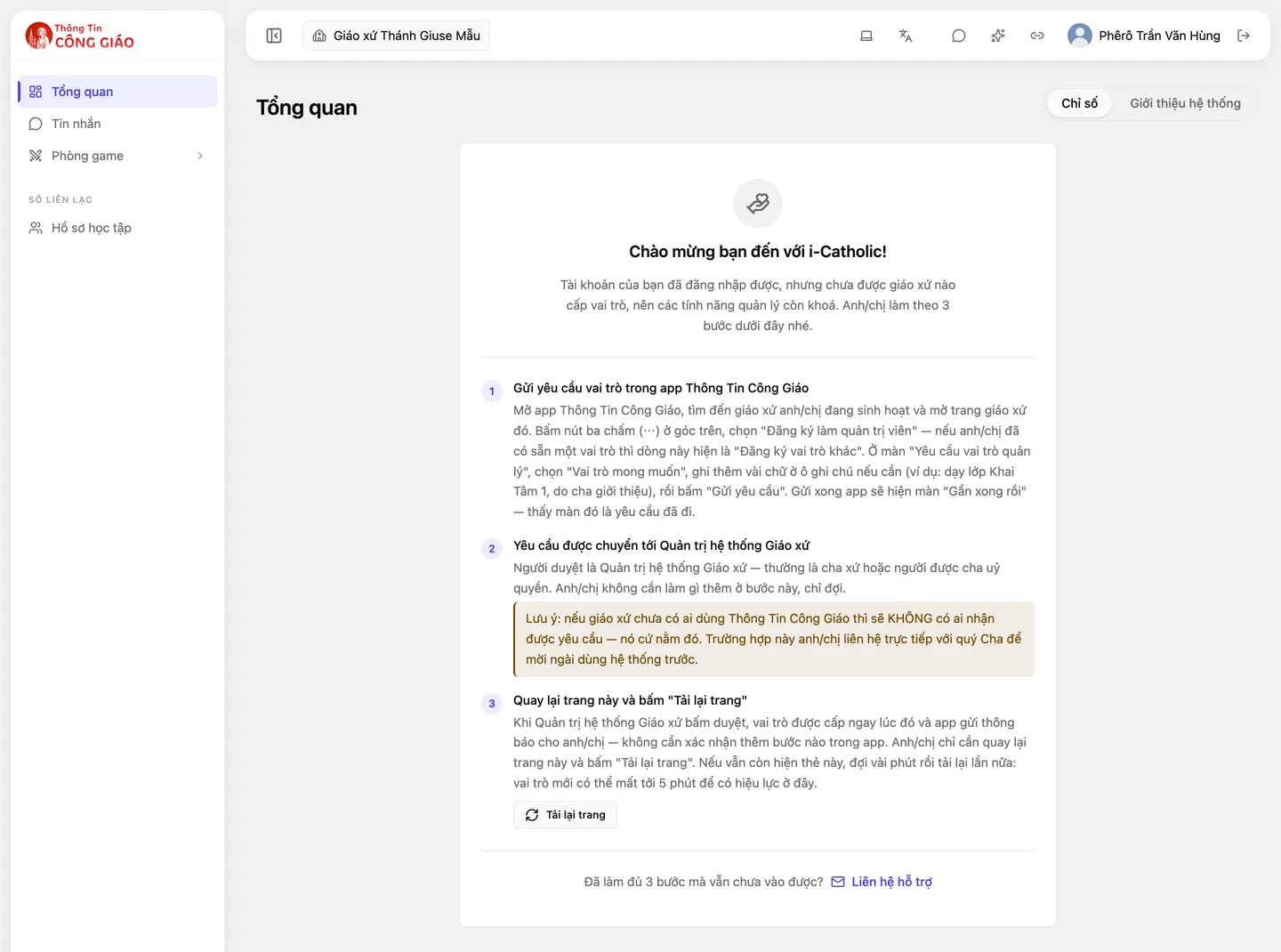
You sign in but only see «Welcome to i-Catholic!» The account is fine, but no parish has given it a role yet. See I cannot find the item I need.
Something went wrong?
Still cannot get in after everything above
Message support with a screenshot of the error and the email of the account you use.