Join a game room with a room code
Who can do thisAnyone using the app who has a room code, for example a student given the code by the catechist.Phone~2 min
Done when: you are in the room and waiting for the questions.
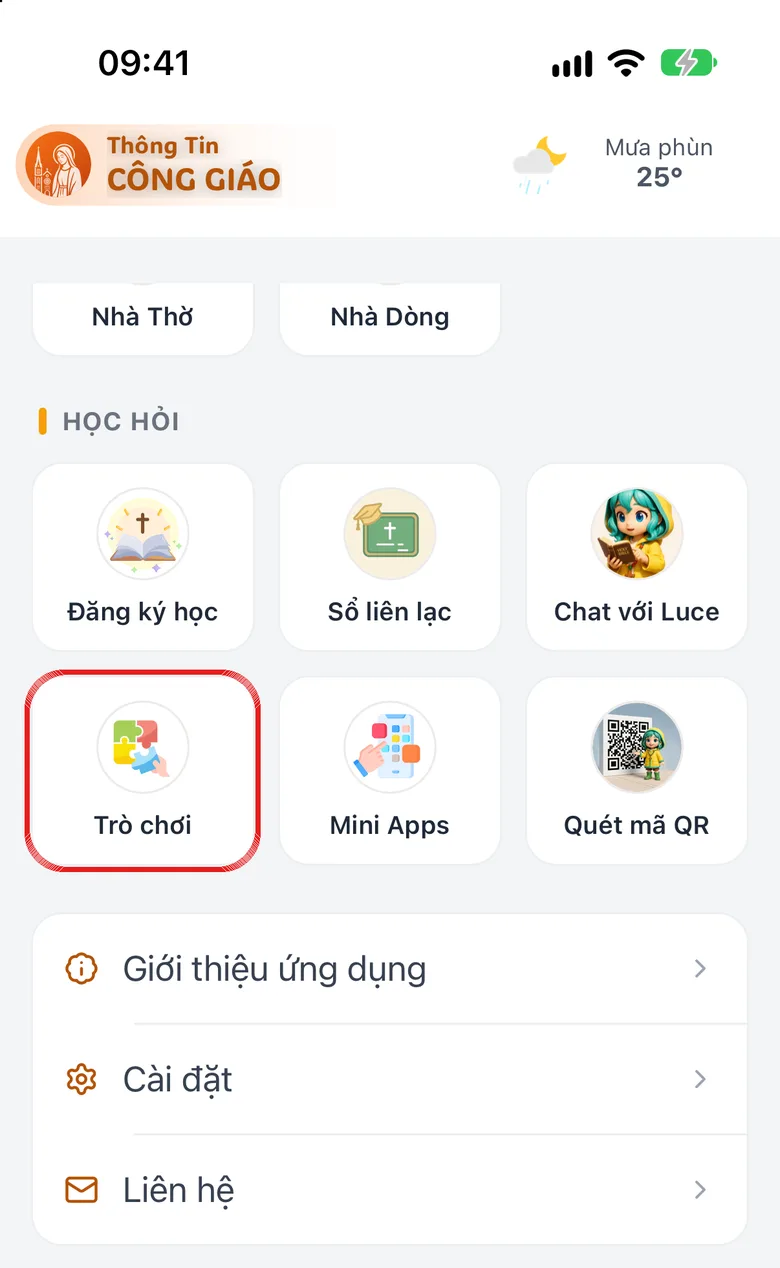
Open «Games» in «Menu»
Tap the Menu tab, then Games.
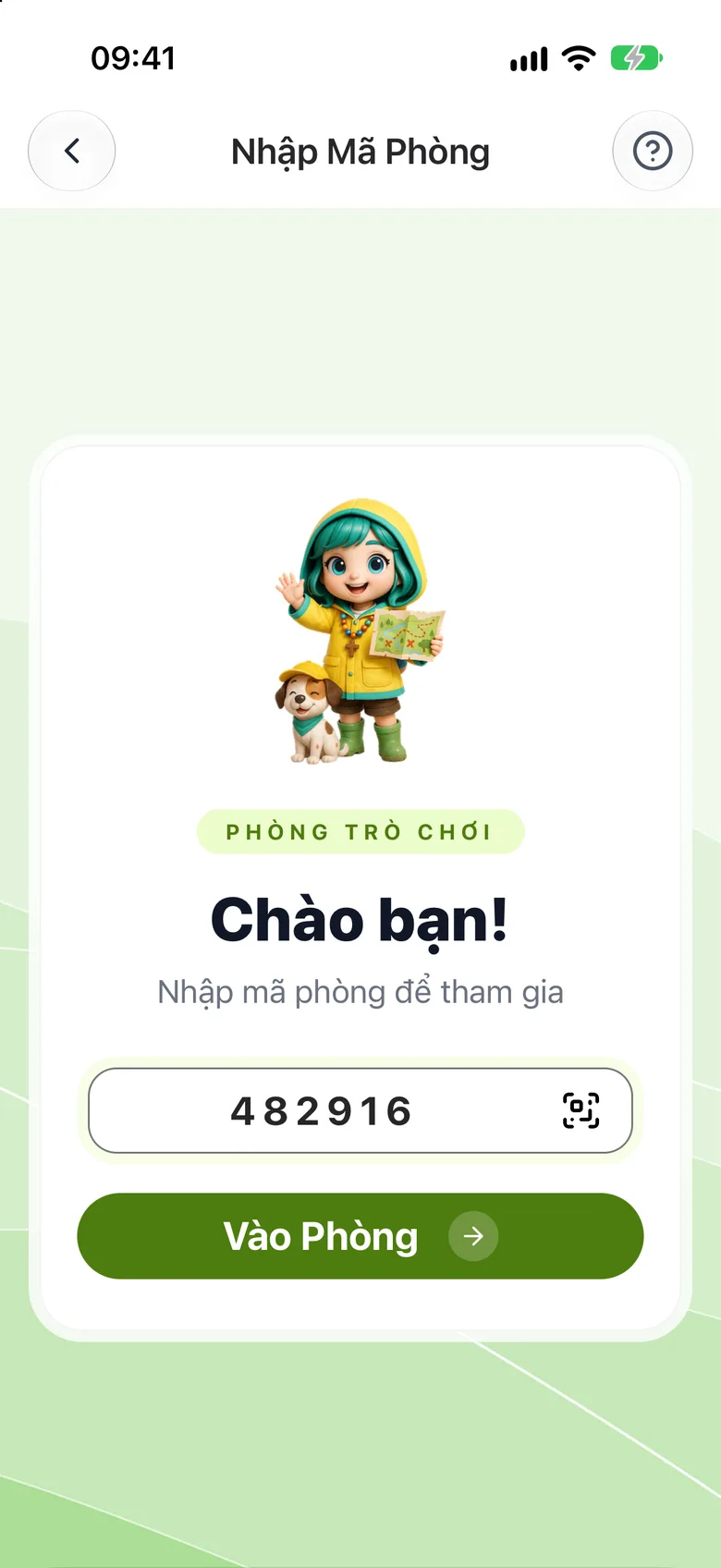
Tap the image to see it larger Enter the room code and tap «Join Room»
Type the code in Enter Room Code, or tap the QR icon to scan the room's code. Then tap Join Room.
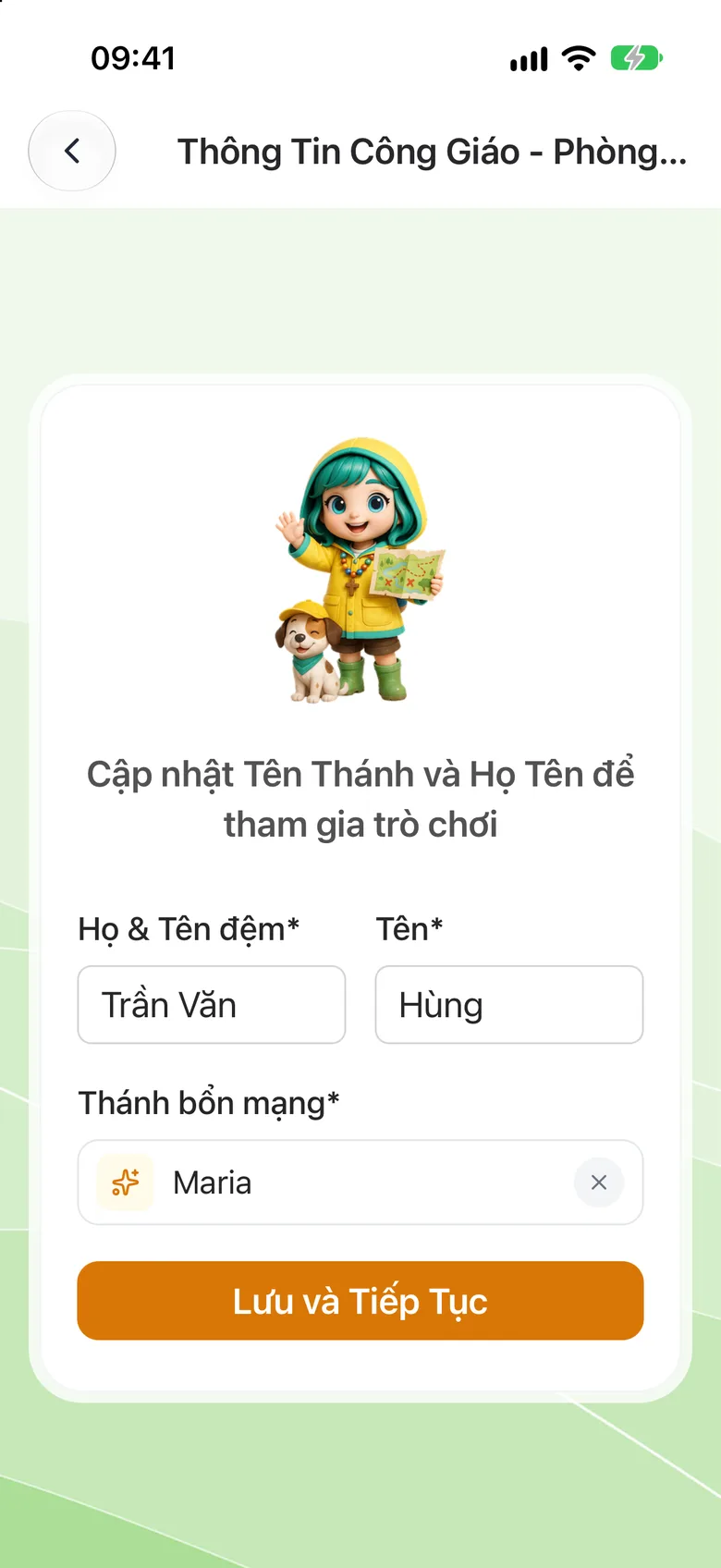
Tap the image to see it larger Fill in your name the first time
The first time, fill in your saint name and full name and tap Save and Continue.
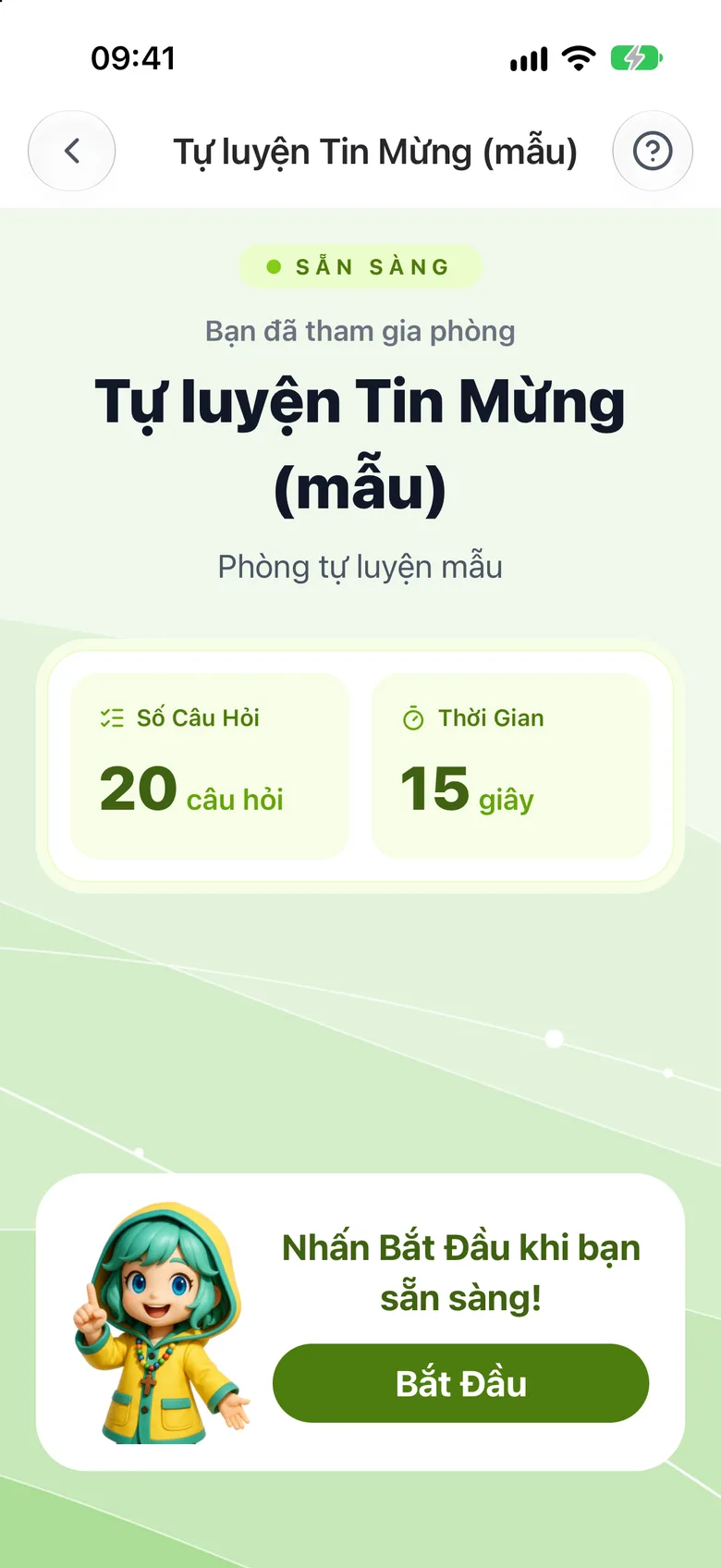
Tap the image to see it larger Wait or start playing
In a host-led room: keep the screen open and the questions appear by themselves. In a self-practice room: tap Start.
Tap the image to see it larger
Something went wrong?
It says «Room not found»
The code is wrong or the room has been deleted. Ask the catechist again.
A self-practice room will not let me play
A self-practice room is open only during the hours its creator set, and once your attempts are used up you cannot play more.