Find priest information
Who can do thisEvery signed-in account; if you are signed out, opening «Priests» takes you to the sign-in page.Phone~2 min
Done when: you can see the diocese and where the priest serves.
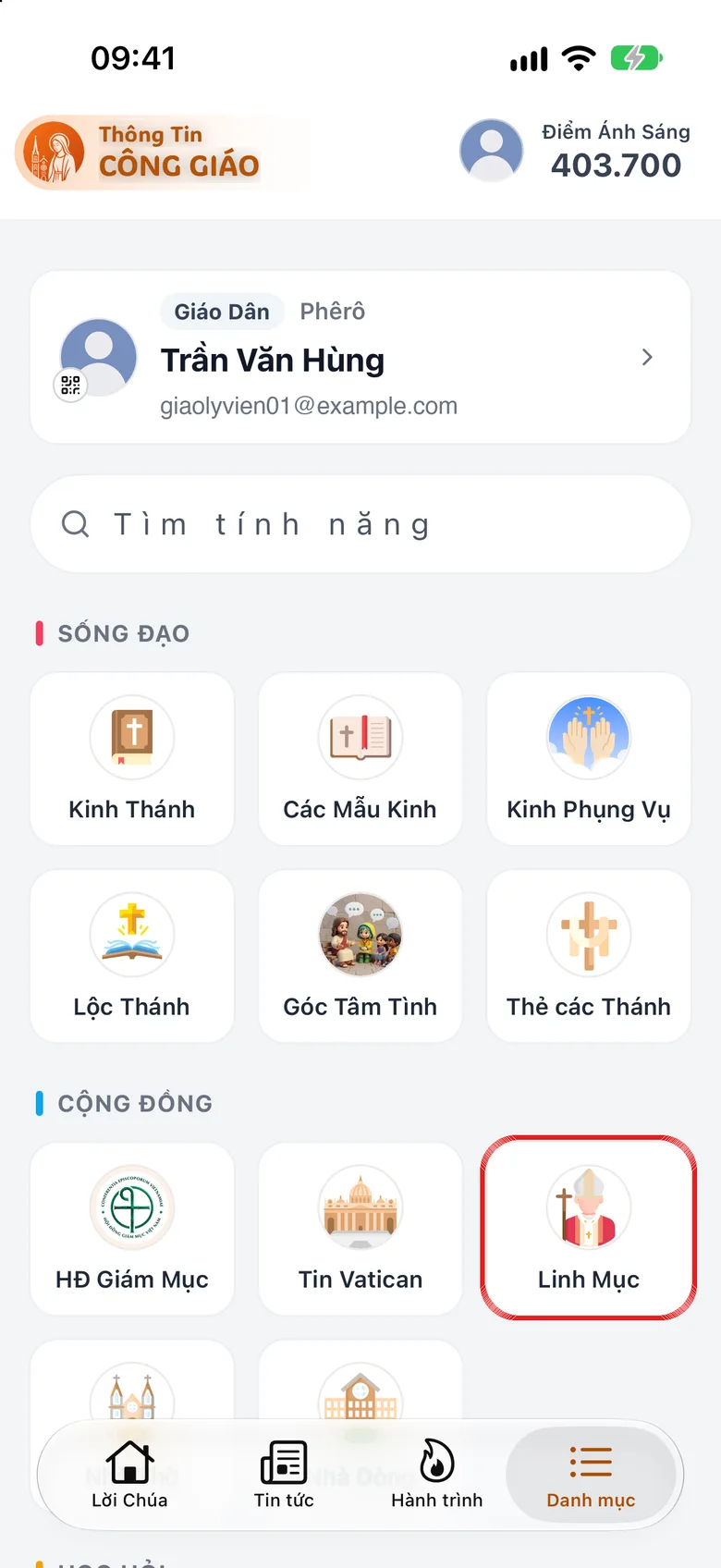
Open «Priests» in «Menu»
Tap the Menu tab, then Priests (in the «Community» group).
Tap the image to see it larger Type a name and open the priest's page
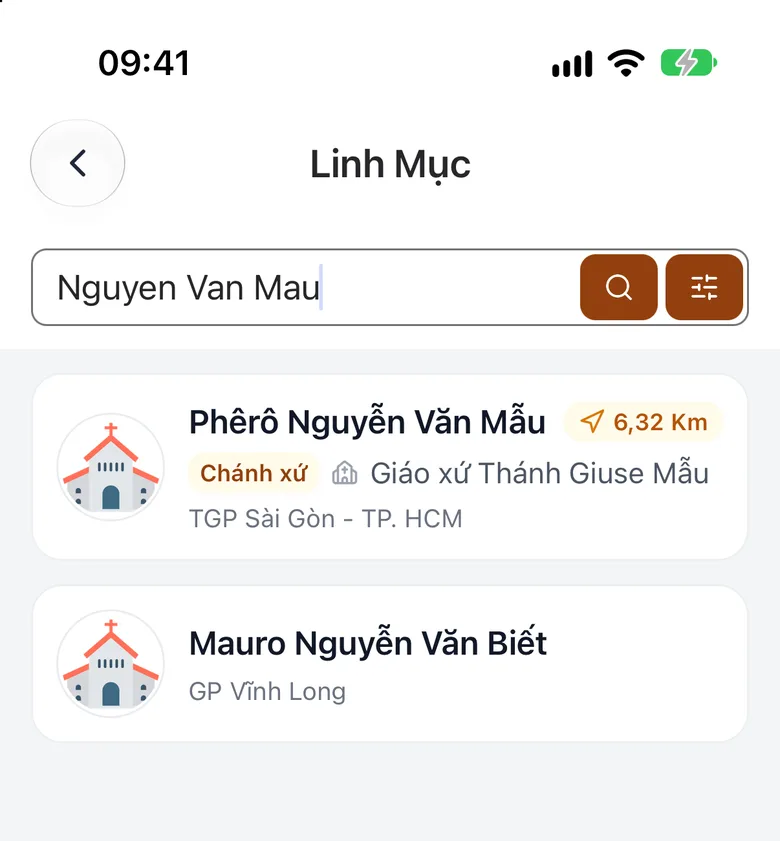
Type the priest's name in the search box, then tap the name to see his diocese and where he serves.
Tap the image to see it larger Report incorrect information
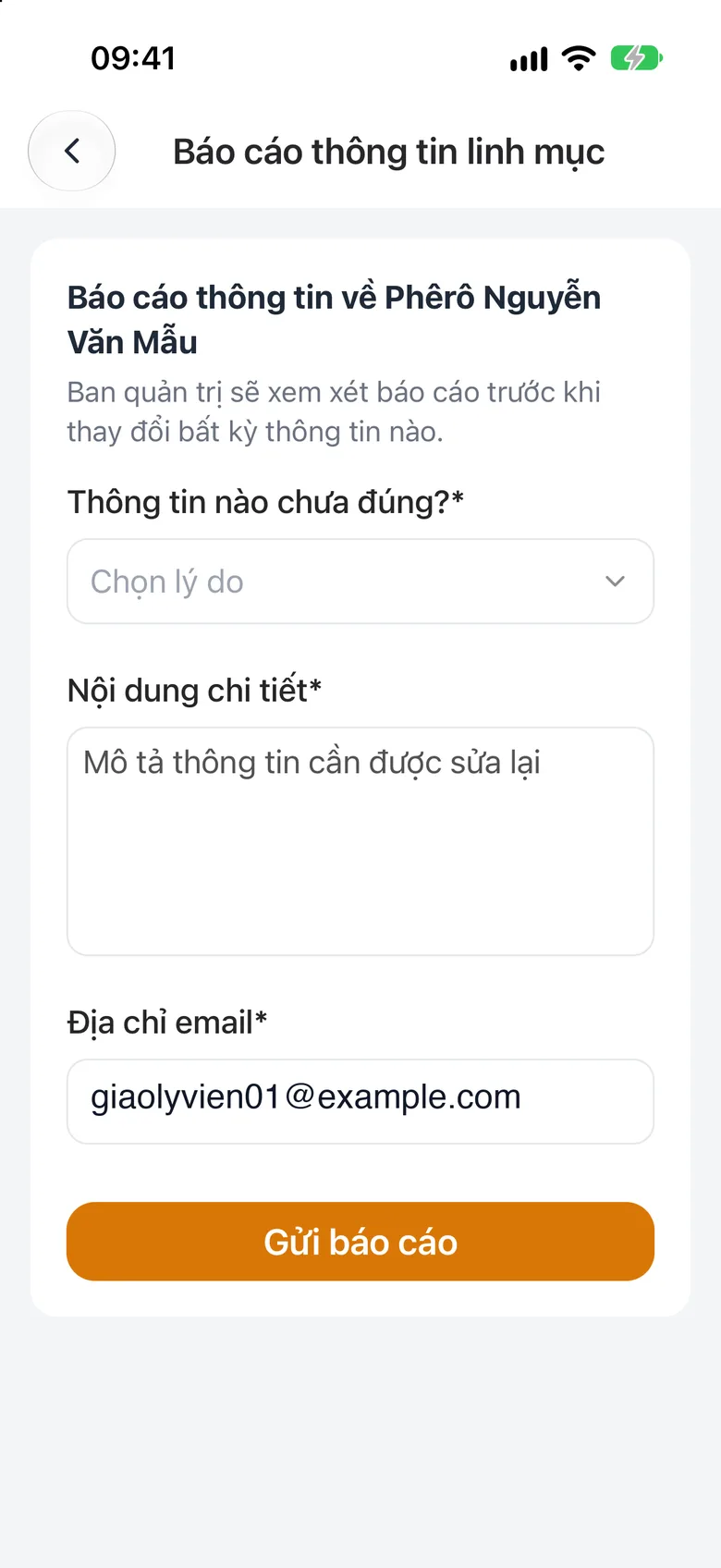
If something is wrong, tap the flag icon at the top of the priest's page, pick a reason, write the details and send the report.
Tap the image to see it larger
Something went wrong?
The information looks out of date
Information follows the lists the dioceses publish, so it can lag. You can also ask Luce, for example «where is Fr. Nguyễn Văn A».