Earn Light Points every day
Done when: your Light Points go up and your daily check-in streak is kept.
Light Points are points you earn for devotional activity in the app. With enough points you can open a Holy Card.
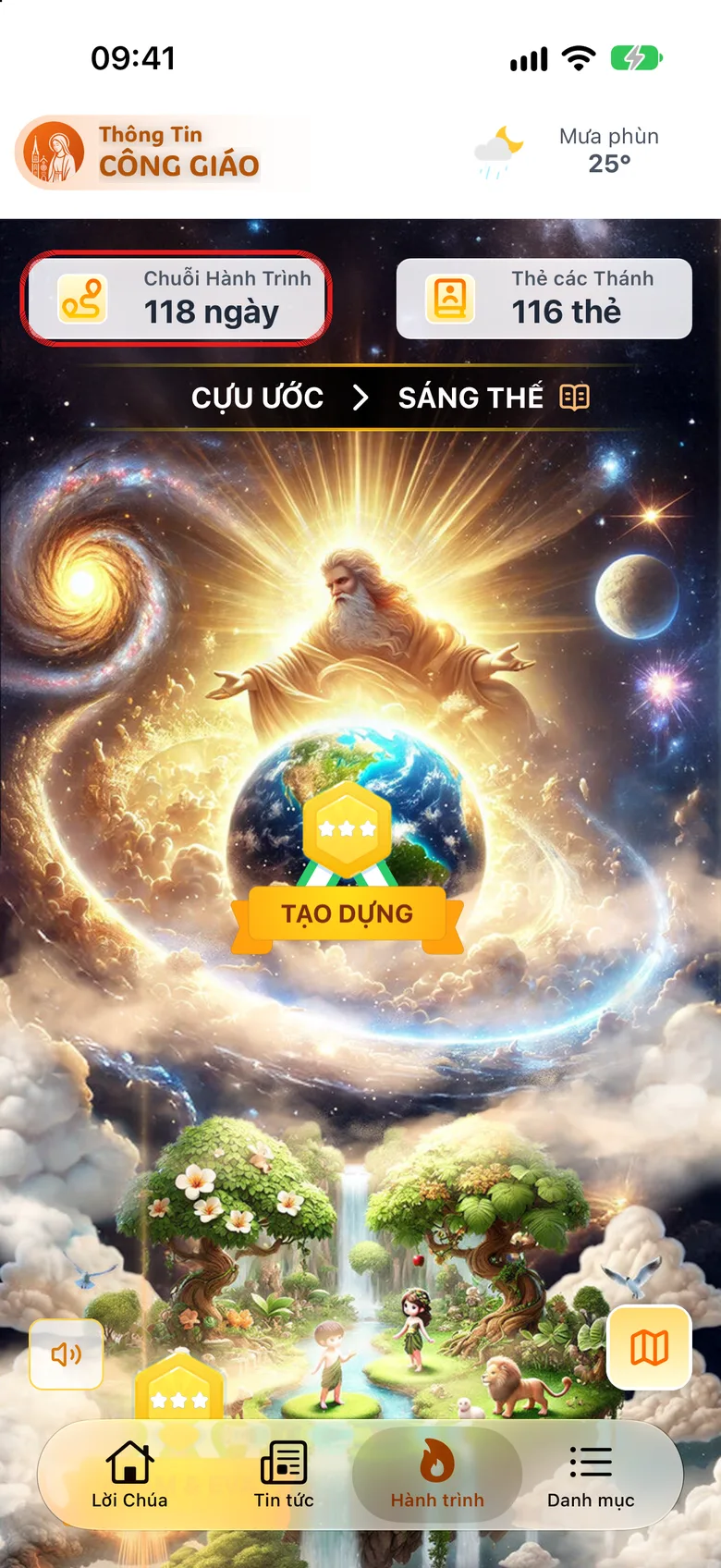
Open the «Journey Chain»
Tap the Journey tab at the bottom, then Journey Chain. When signed in, you can also tap the avatar-with-points tile at the top right of the «Word of God» tab.
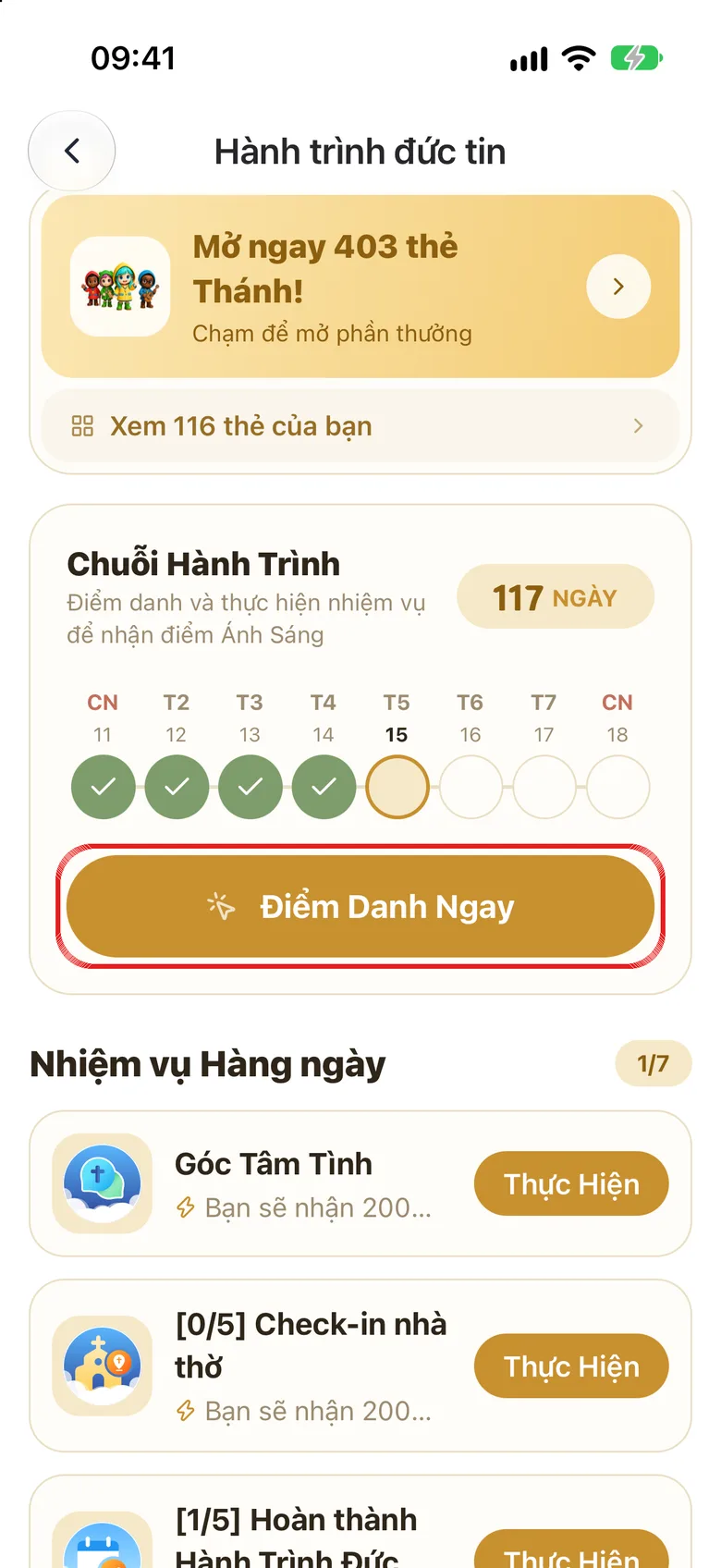
Tap the image to see it larger Tap «Check In Now»
Every day tap Check In Now to keep your streak going.
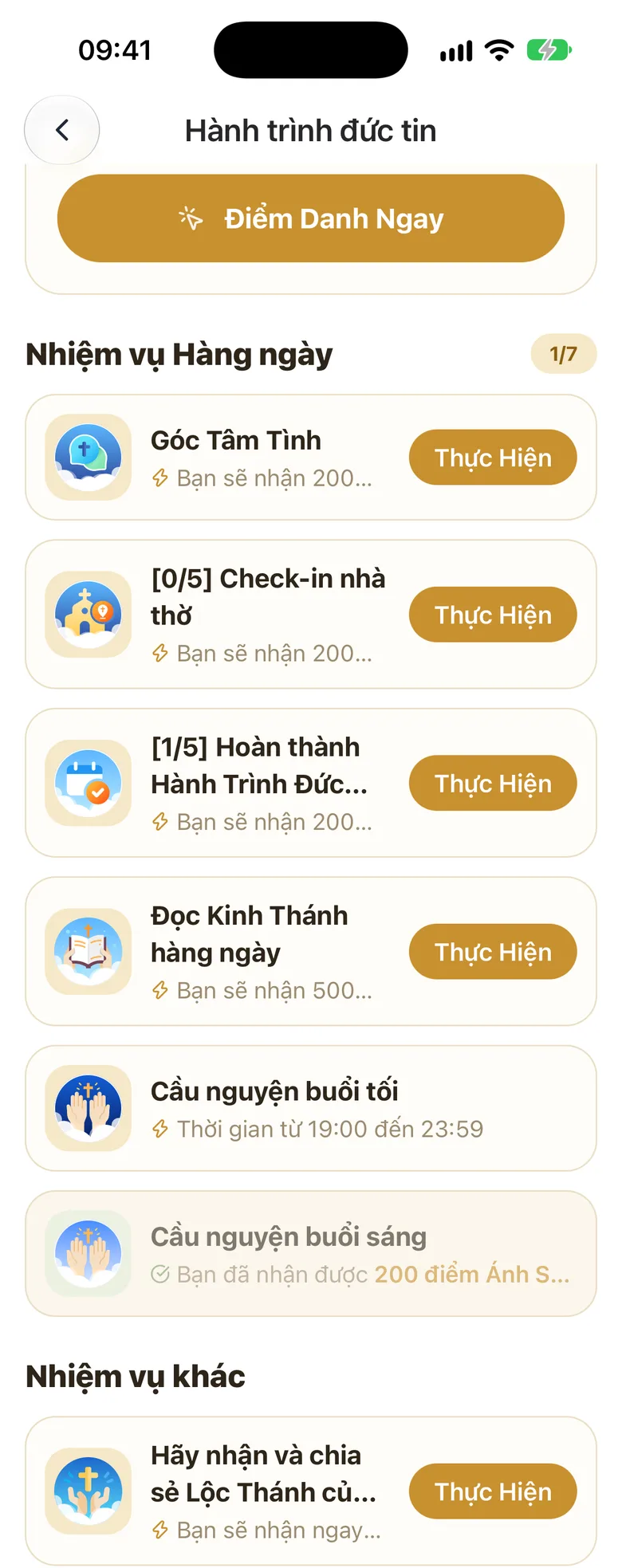
Tap the image to see it larger Do tasks to earn points
Under Daily Tasks and Other Quests, tap Perform (read the Word of God, Your Heart to God, church check-in…) and follow the steps.
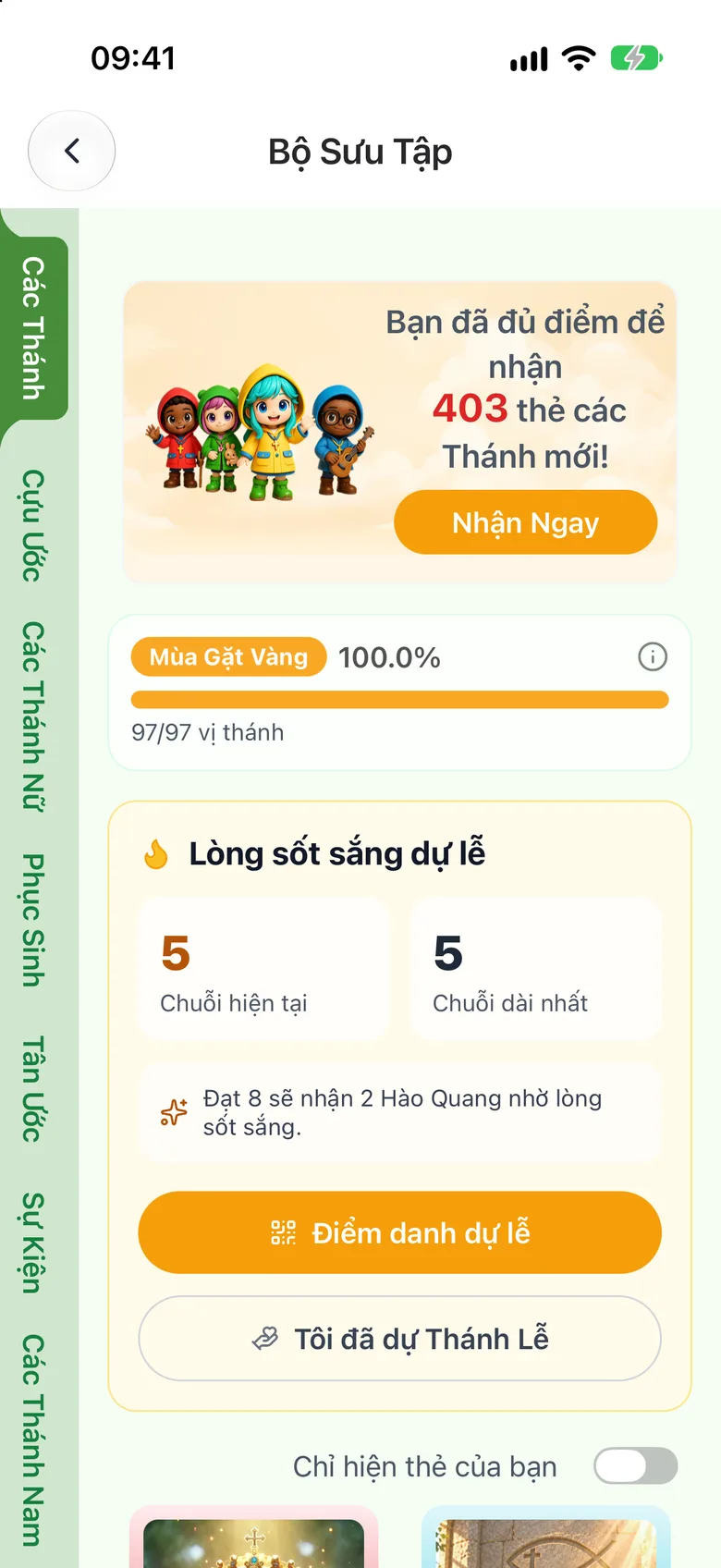
Tap the image to see it larger Claim a Holy Card when you have enough points
When you have enough points the Claim Now button lights up. Tap it to open a holy card (see Collect «Holy Cards»).
Tap the image to see it larger
Something went wrong?
Church check-in does not work
You must be within 100 metres of the church with location turned on. Each church counts once a day, up to 5 check-ins a day.
I lost my streak
Tap Restart my streak and check in again from today.