View notifications
Who can do thisEvery signed-in account.Phone~2 min
Done when: you can read your notifications and know how to switch each type on or off.
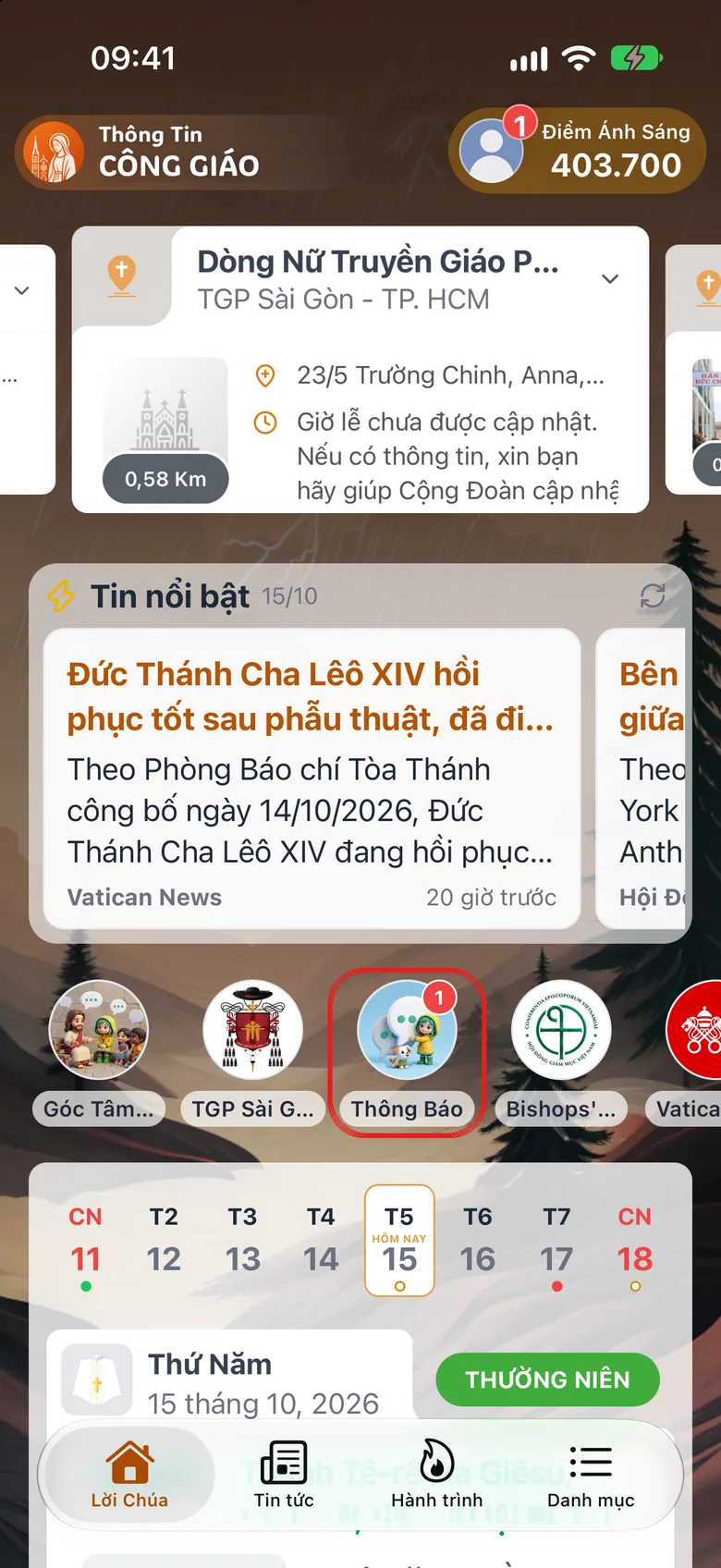
Tap «Notifications» on the «Word of God» tab
Open the Word of God tab (home screen) and tap Notifications in the shortcut row.
Tap the image to see it larger Read a notification
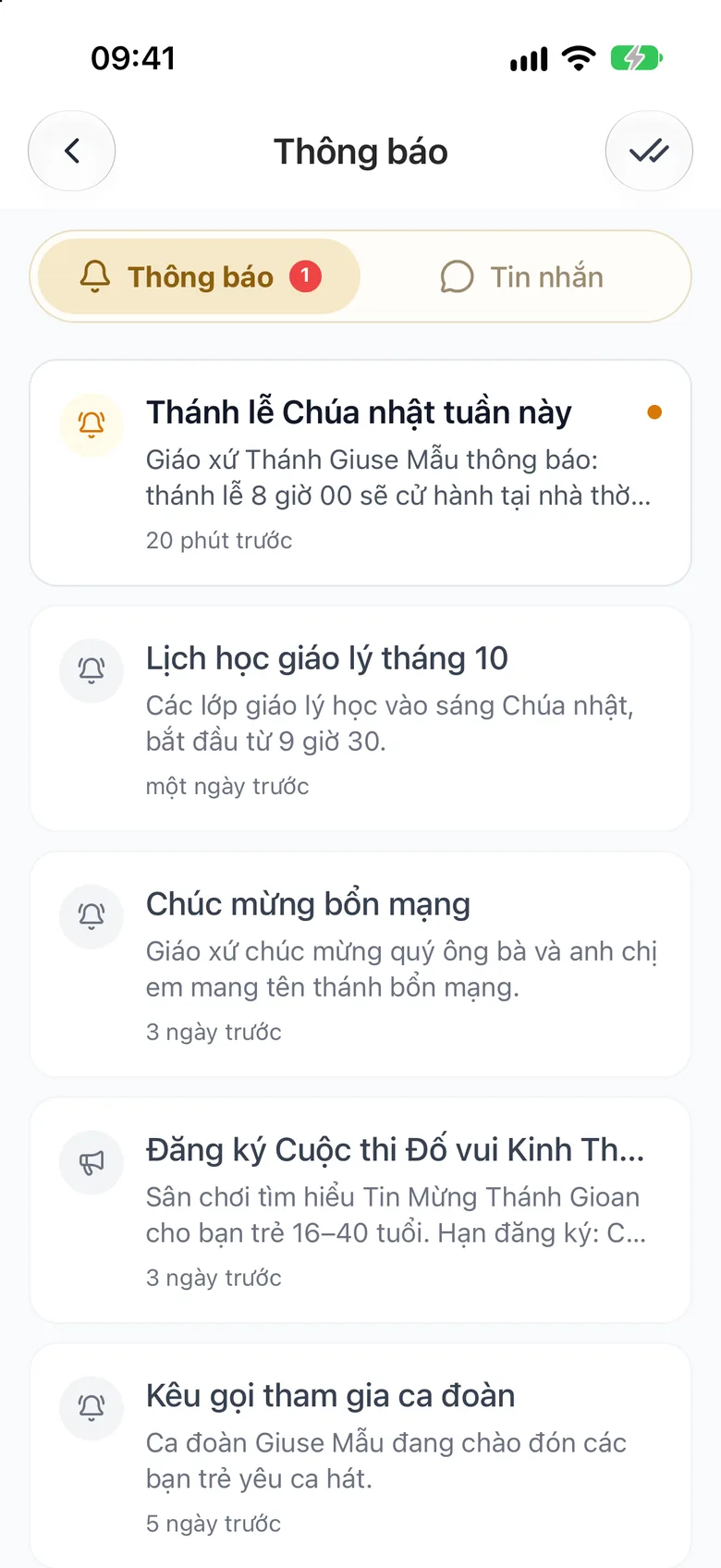
Tap a notification to see its details. While unread ones remain, a double-tick button (Mark all read) at the top right clears all unread dots. This screen has two tabs at the top: Notifications and Messages.
Tap the image to see it larger Switch types on or off in «Settings»
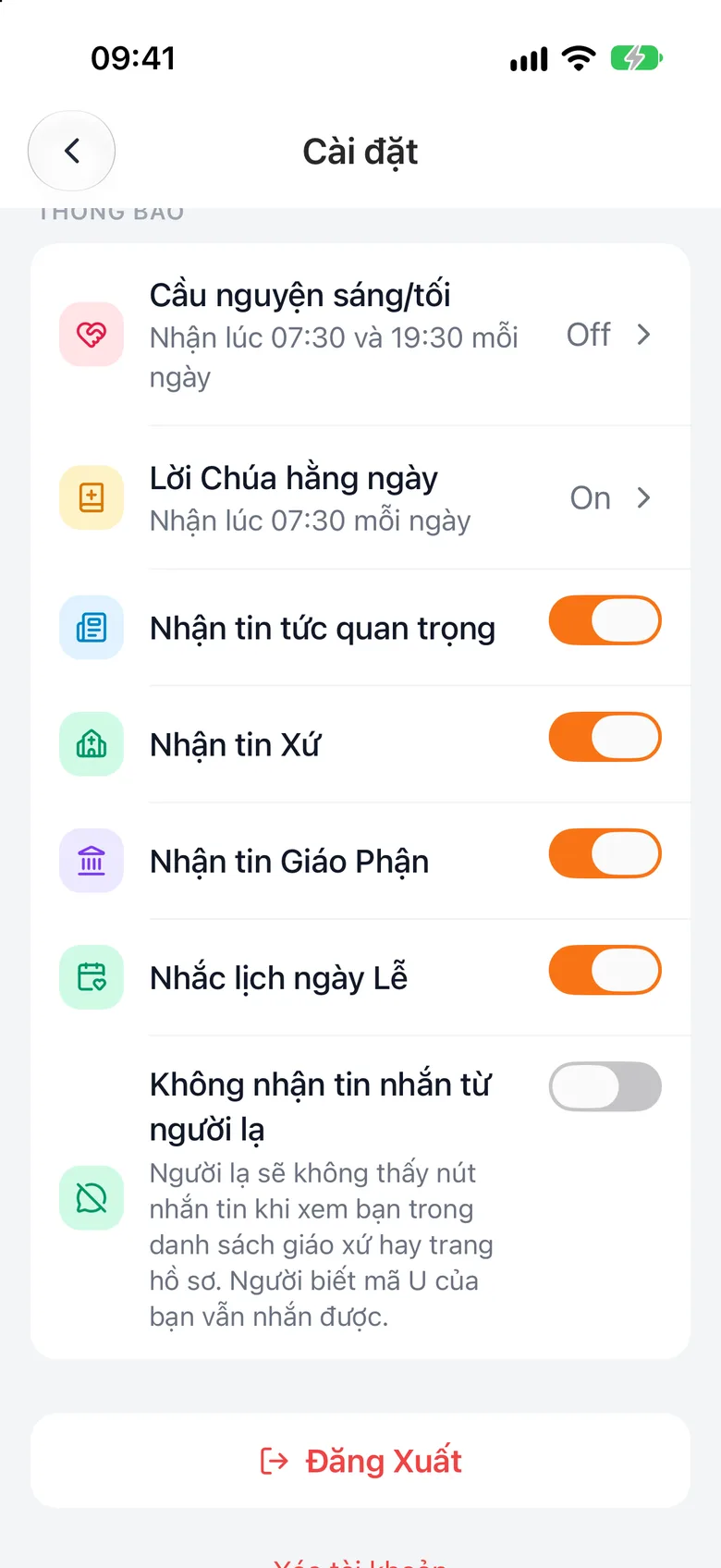
Go to Menu → Settings, then use the switches in the Notifications group. See Change language, text size, notifications.
Tap the image to see it larger
Something went wrong?
I do not receive notifications
Check that your phone allows i-Catholic to send notifications in the phone's own settings.