Add a relative to your account
Who can do thisEvery signed-in account.Phone~5 min
Done when: your relative appears in your «My household».
Open «My household» and tap «Add Relationship»
Tap Menu → tap your name → the My household section → Add Relationship. If nobody is listed yet, tap Create Family Profile.
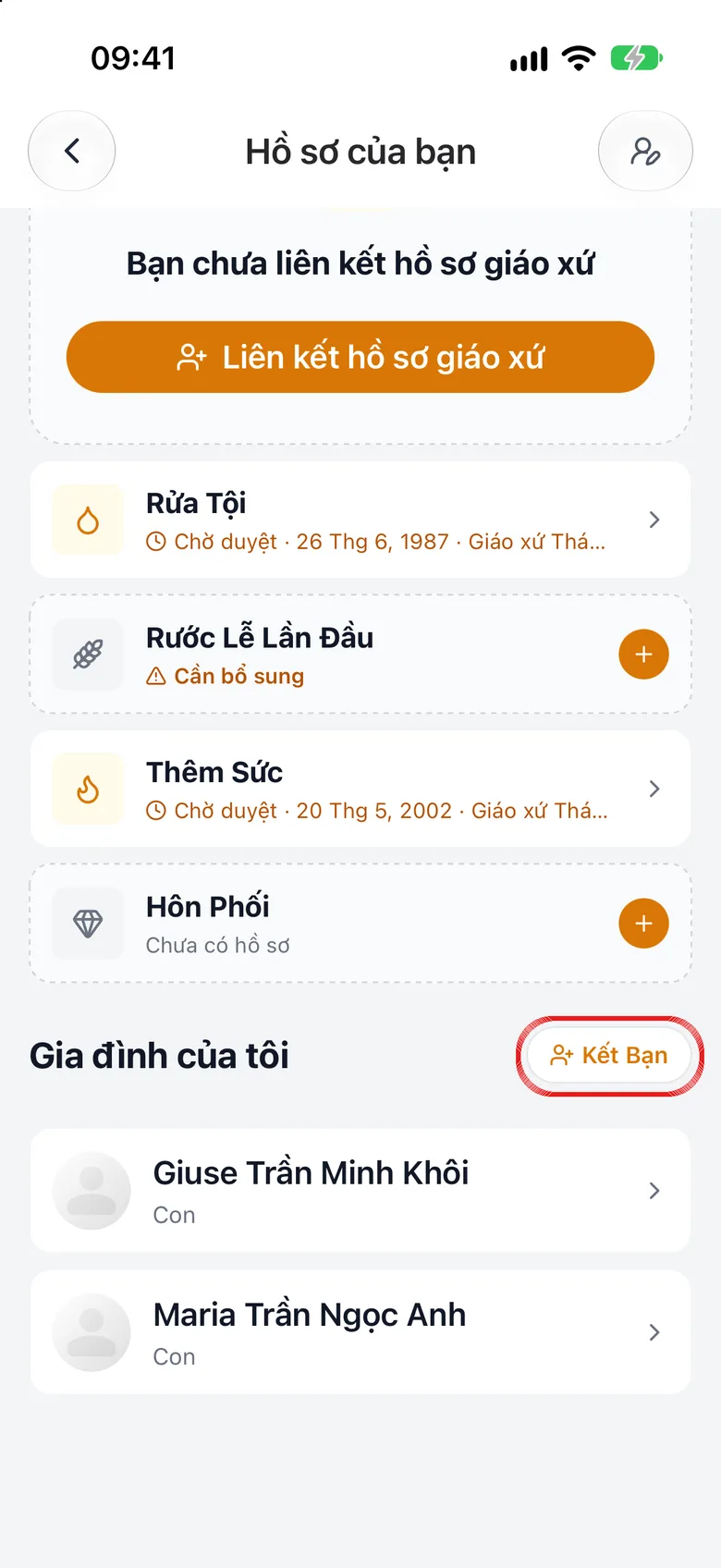
Tap the image to see it larger Relative already uses the app: scan or enter a code
Choose Scan QR code or Enter ID code for them, pick the relationship, then tap Send connection request. The relative appears in the list after they accept.
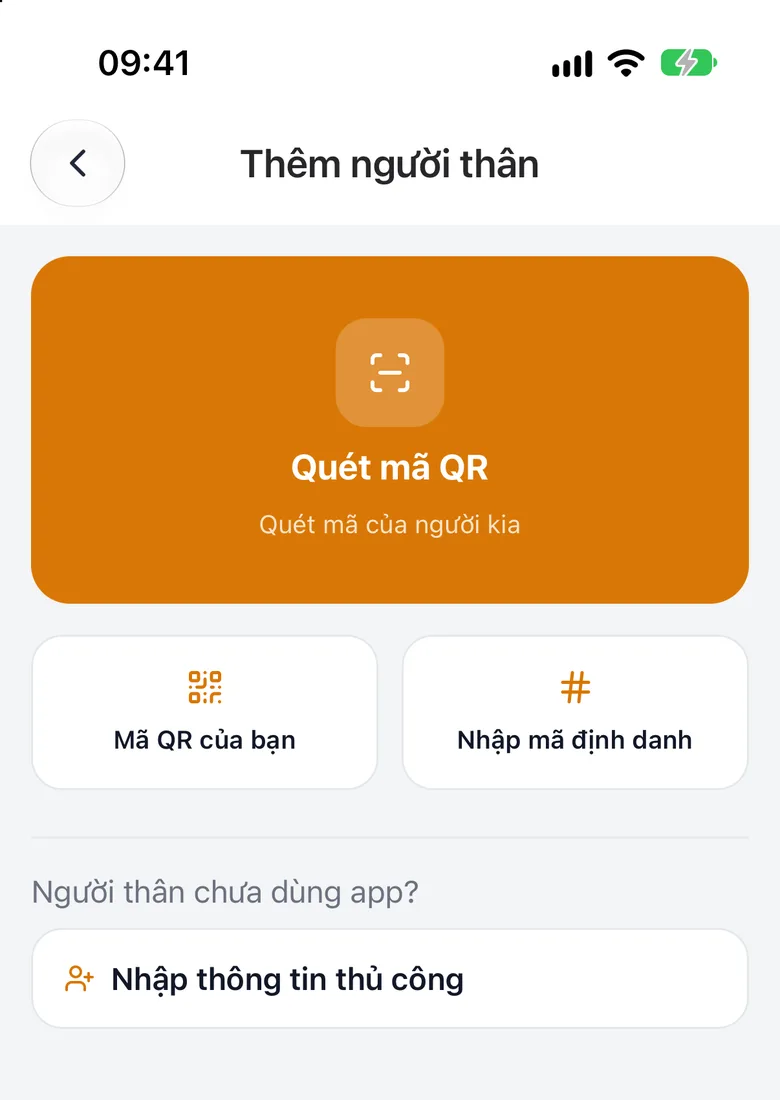
Tap the image to see it larger Relative does not use the app: enter details
Choose Enter details manually, fill in Patron Saint, Last name, First name, the relative's email (optional) and the Relationship, then tap Add Relationship. This person is added immediately.
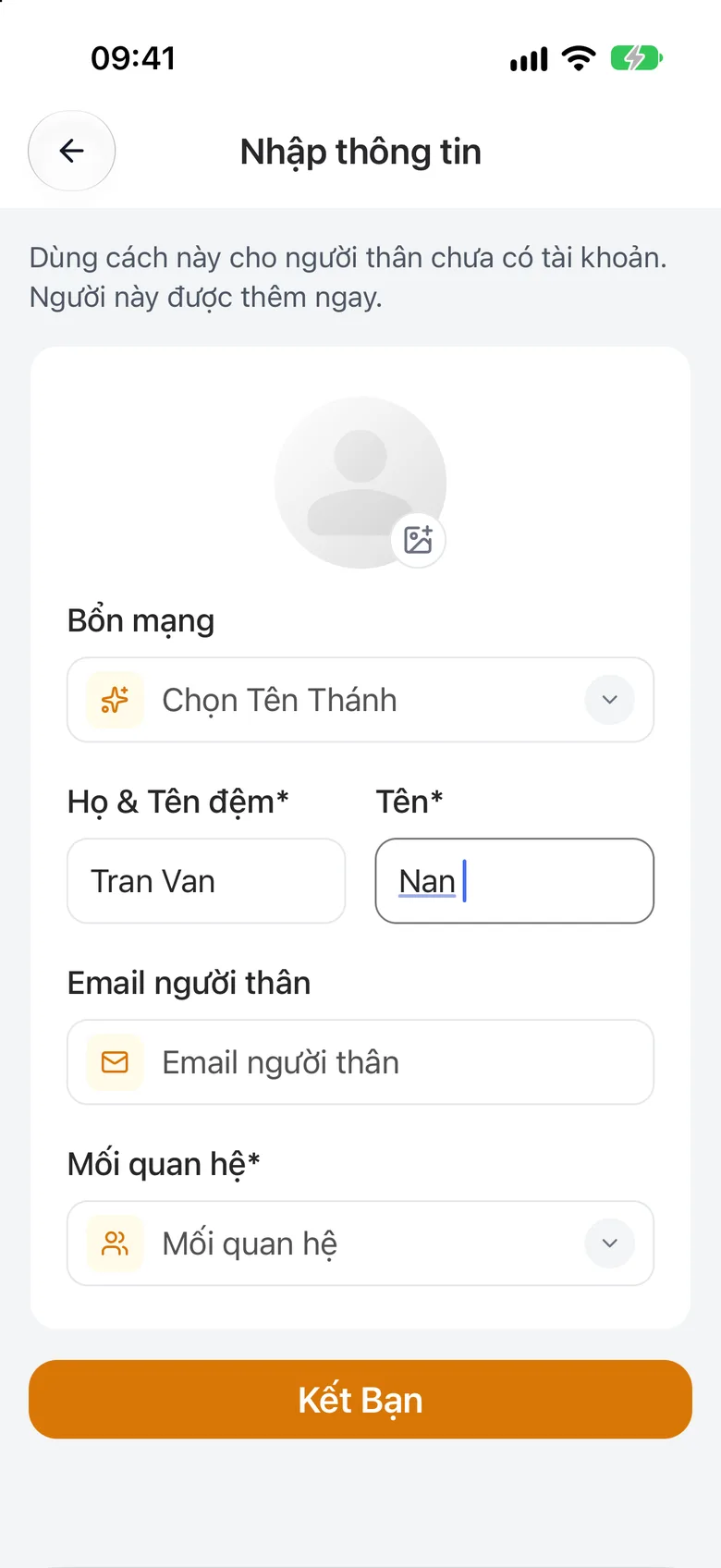
Tap the image to see it larger
Want to see your child's attendance and grades in catechism class?
Adding a relative is not enough. You need to link your child to your account. See Link your child to your account.
Something went wrong?
My relative has not seen the request
They need to open the app and accept. Until they accept they do not appear in the list.