Find and claim your parishioner record
Done when: your account is linked to your parishioner record in the parish register (or is waiting for the parish to approve).
The app searches by saint name, full name, date of birth and the parish you declared. Fill these in first.
Tap «Link my parish profile»
Tap Menu → tap your name → the Sacrament Profile section → Link my parish profile.
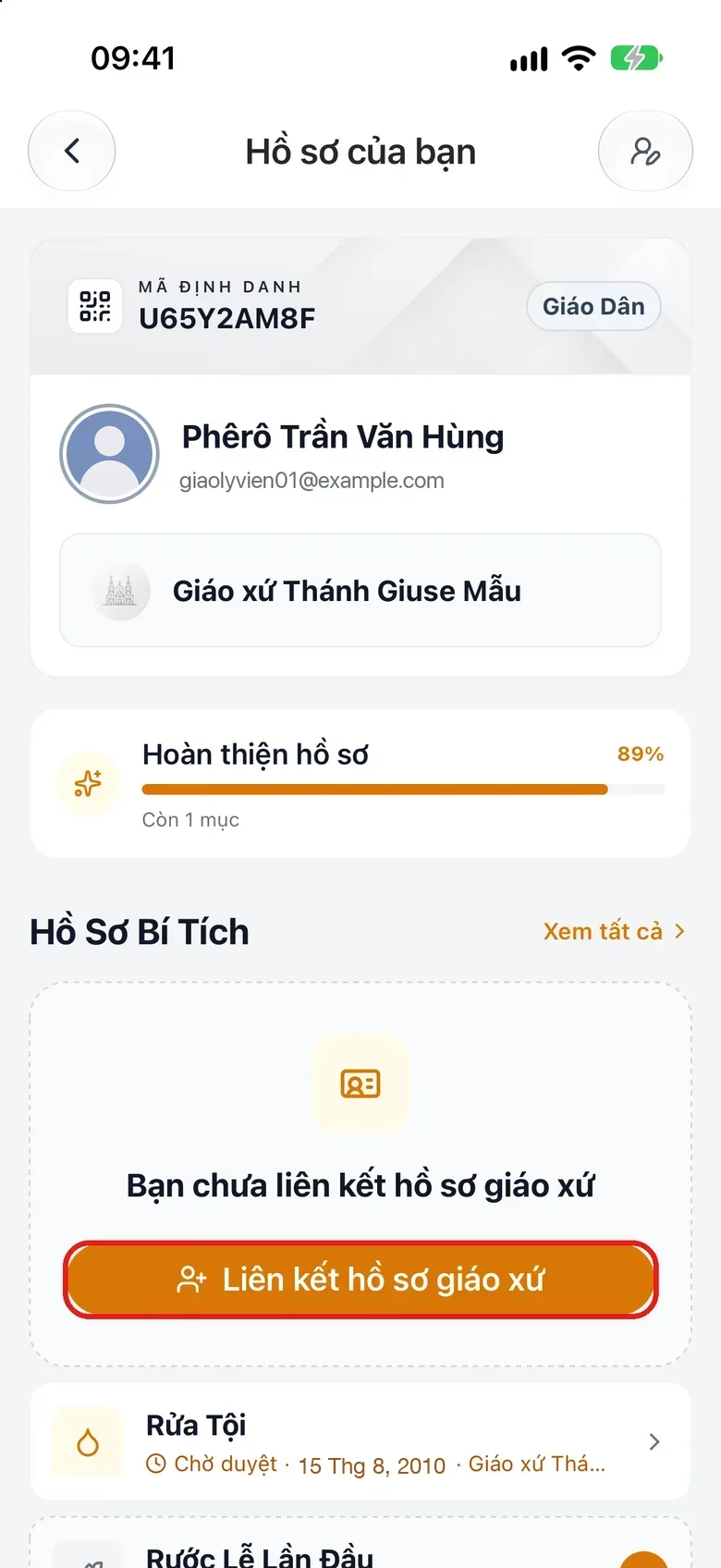
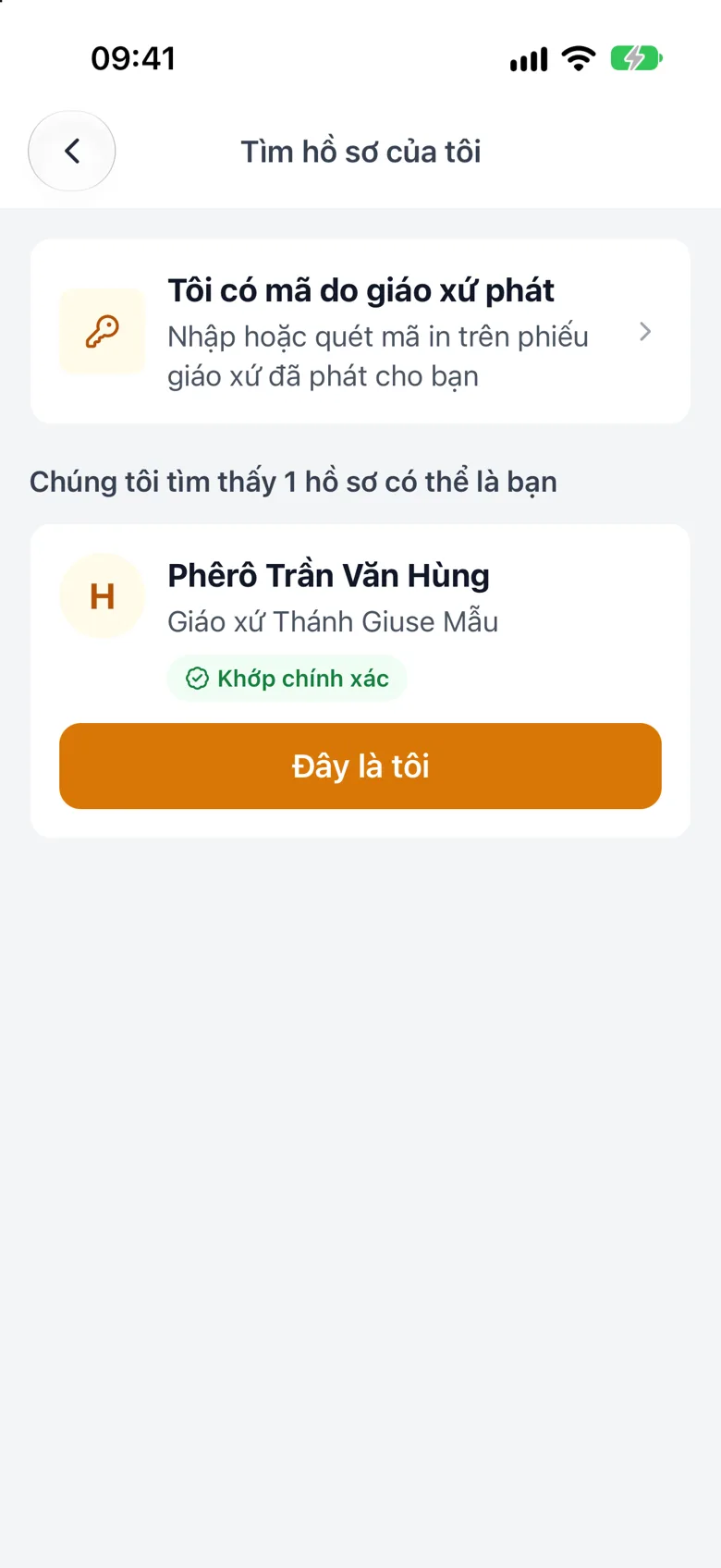
Tap the image to see it larger Pick the right record and tap «This is me»
The app searches the parish register for you. Pick your own record and tap This is me.
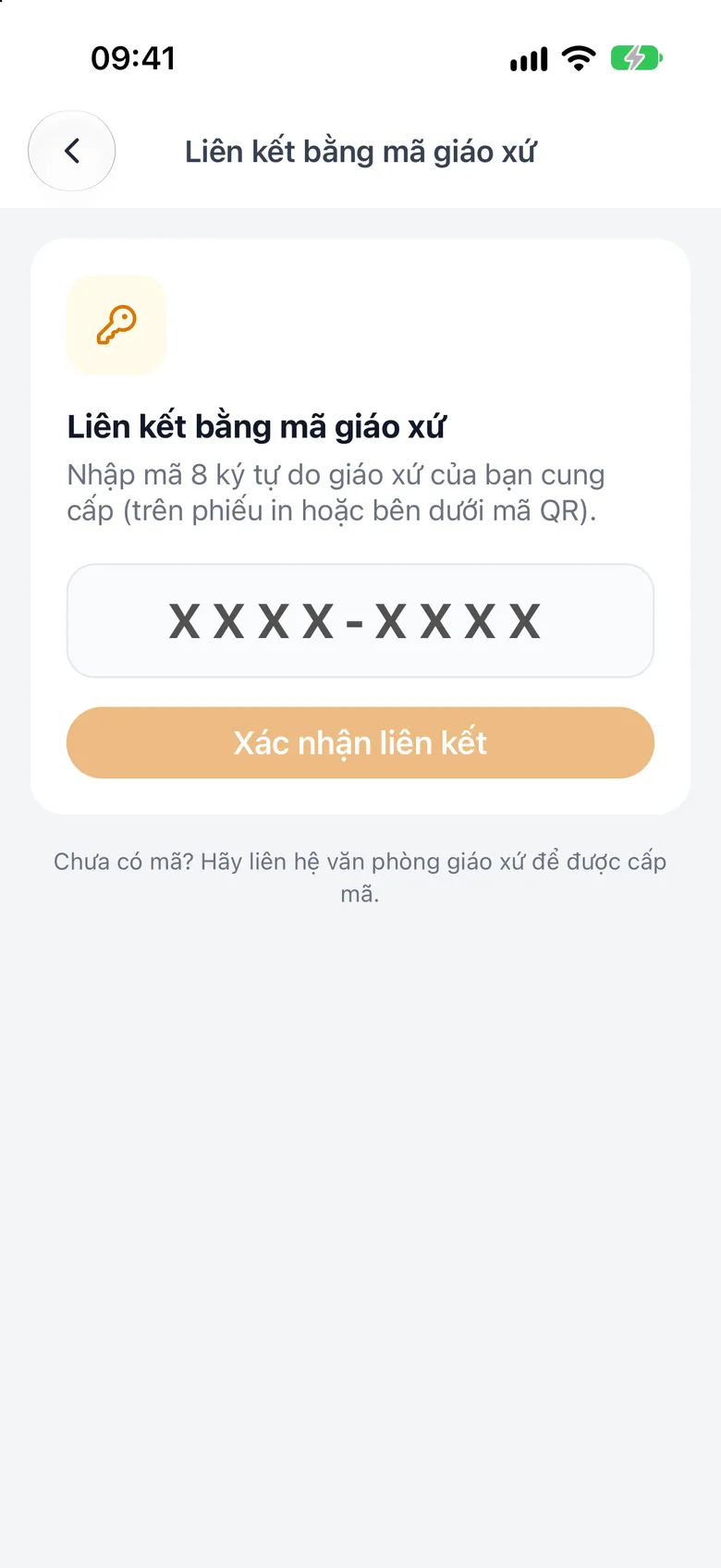
Tap the image to see it larger Or enter a code from your parish
On Find my profile, tap I have a code from my parish. The Link with parish code screen opens: type the 8-character code your parish gave you, then tap Confirm link.
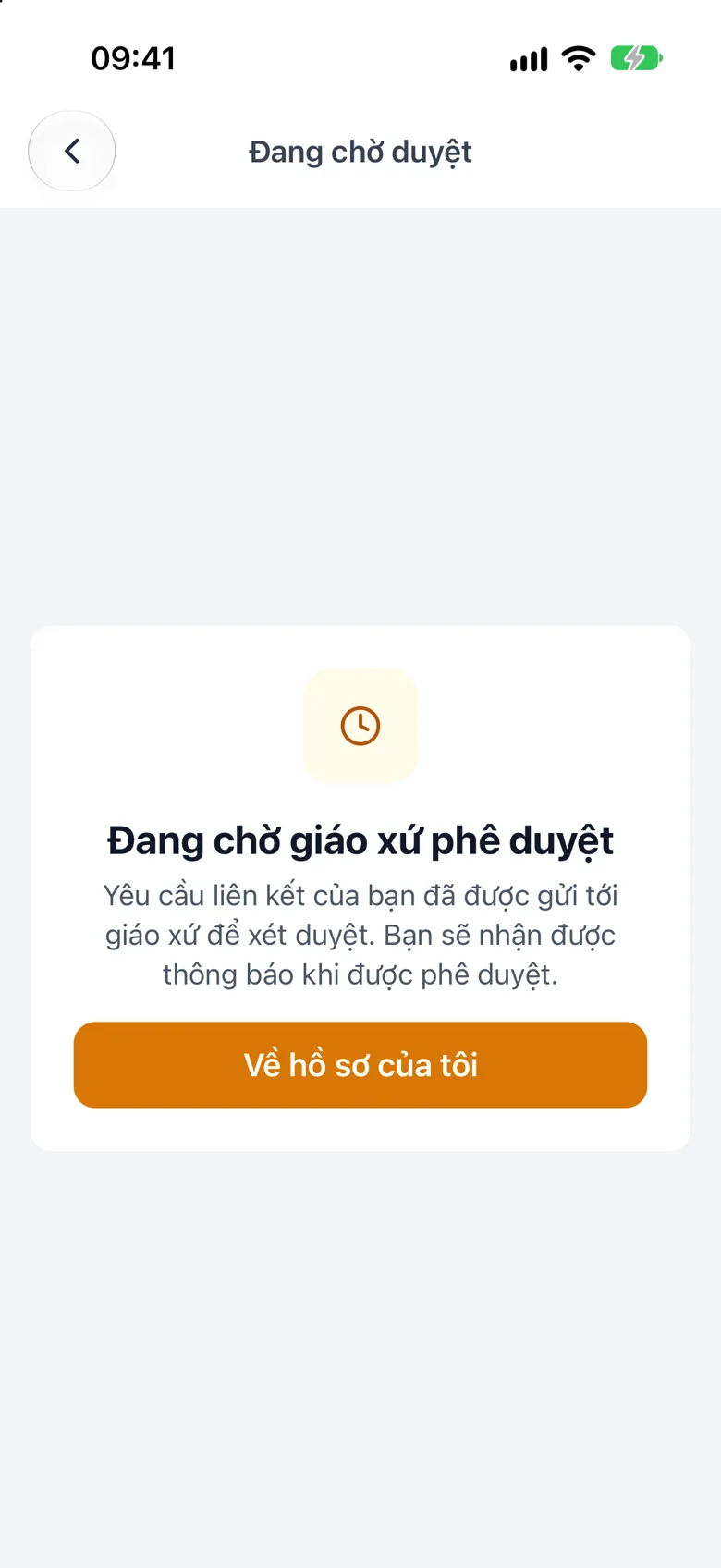
Tap the image to see it larger Wait for the parish to approve
If you see Awaiting parish approval, wait for a notification.
Tap the image to see it larger
Something went wrong?
My record is not found
Usually the parish has not entered its register into the system yet, or your name or date of birth differs from the register. Ask the parish office.