Open Mini Apps
Who can do thisEveryone, even when signed out.Phone~2 min
Done when: you have opened a Mini App and know how to pin it to the home page.
Open «Mini Apps» in «Menu»
Tap the Menu tab, then Mini Apps.
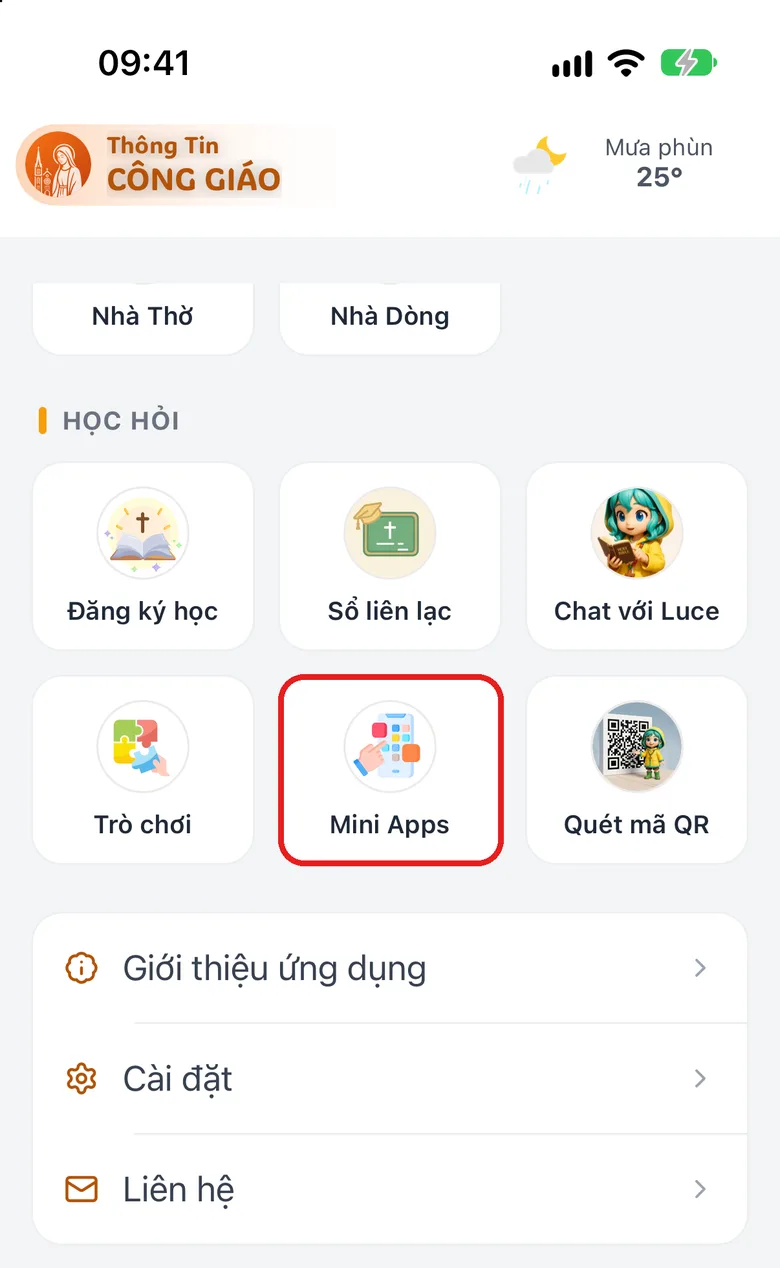
Tap the image to see it larger Search by name or by category
Type a name in the search box, or tap a category in the row below (All, Education…; only categories that currently have apps appear). Each row shows its own category, for example Games.
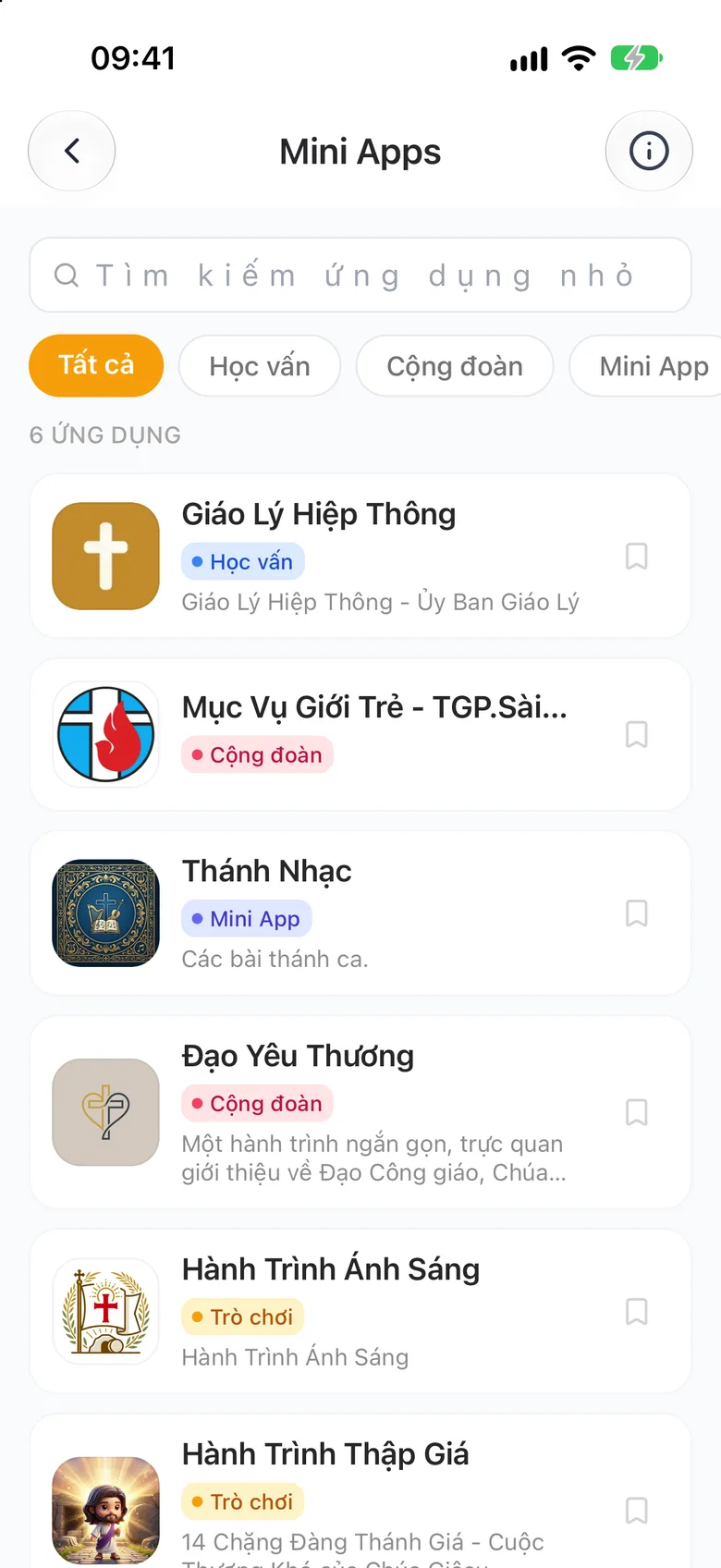
Tap the image to see it larger Tap to open, allow access if asked
Tap an app to open it. If an access request appears, choose to allow or deny.

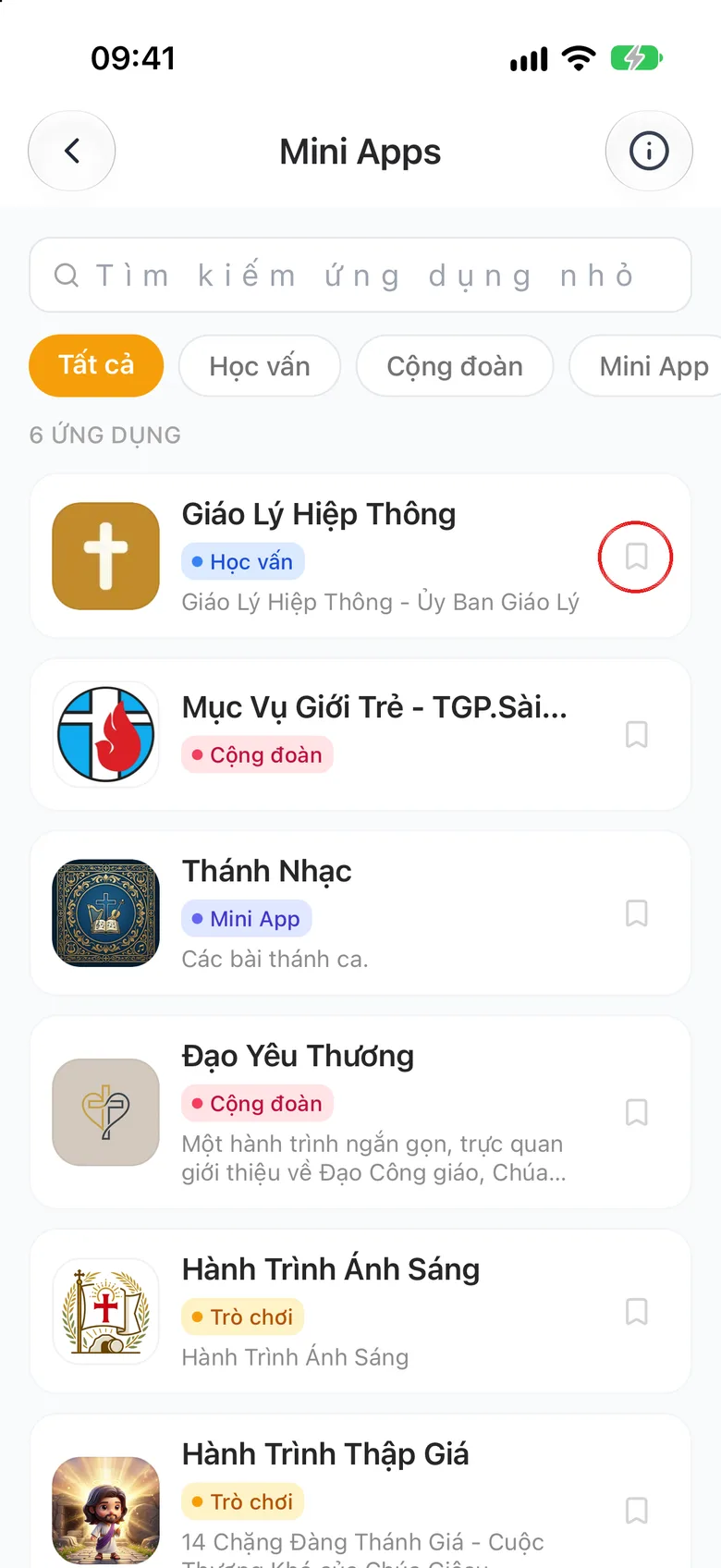
Tap the image to see it larger Pin it to the home page
Tap the bookmark icon at the end of the row to pin the app to the home page. Inside an app, the ⋮ button has Reload and the ✕ button closes it.
Tap the image to see it larger
Something went wrong?
It says the mini app cannot be opened
The link is broken or the app is temporarily locked. Try again later. A single parish's own page is not in this list.