Priests and deacons: declare your ordination
Done when: the status under the ministry field changes to «Verified» after the diocese approves.
- On the phone
- On the admin site
Open the personal information card
Tap Menu → tap your name → the personal information card.
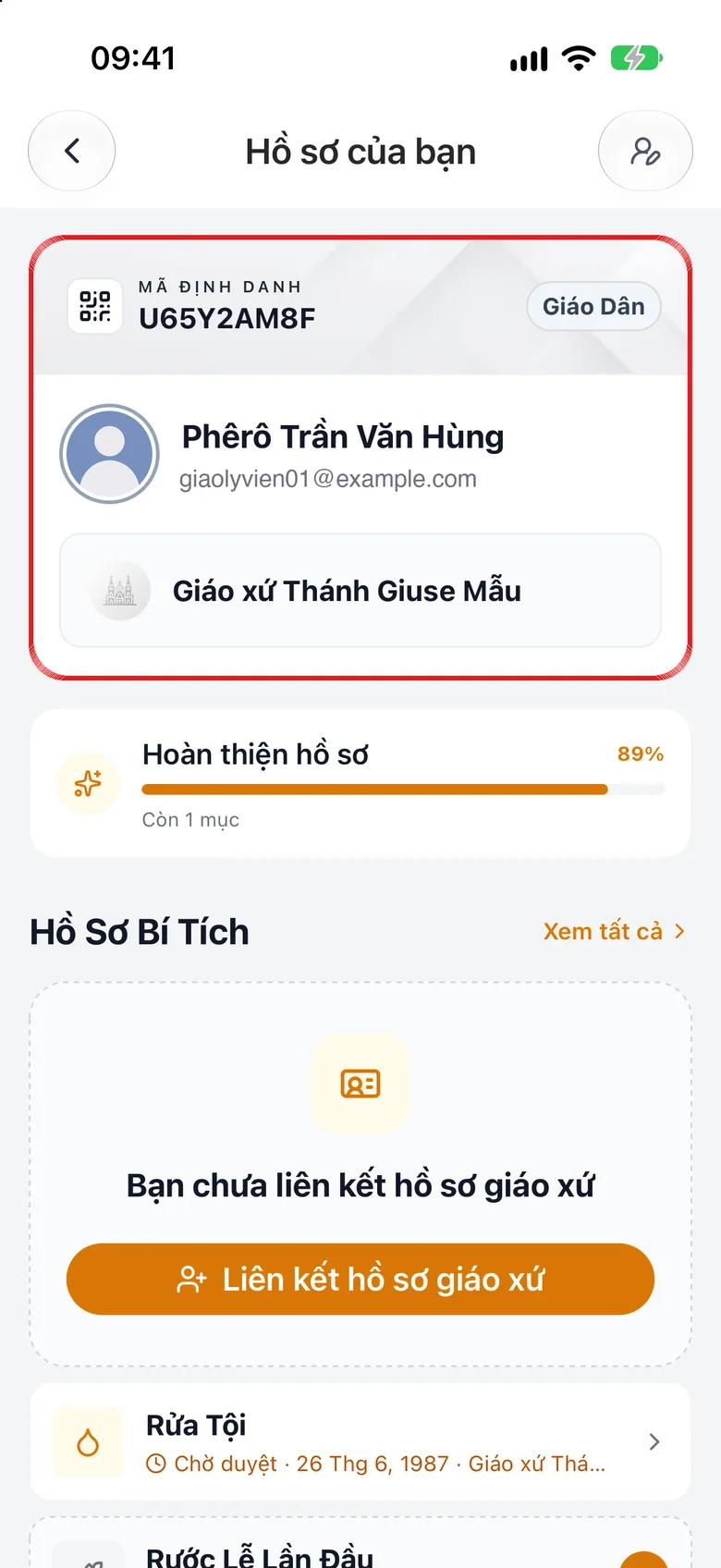
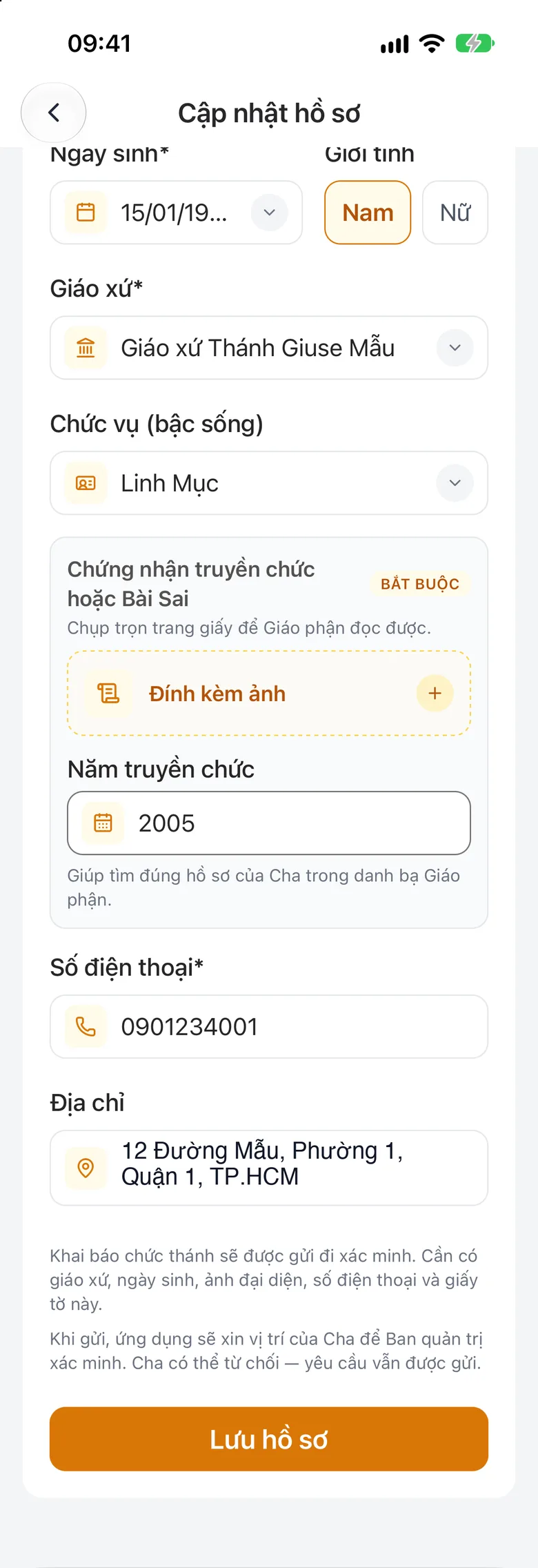
Tap the image to see it larger Declare your ministry, ordination year and certificate
In the ministry field choose Priest (or Deacon, Bishop), fill in the ordination year, attach a photo of your ordination certificate or appointment letter (required; the profile will not save without it), then save the profile.
Tap the image to see it larger Pick your line in the diocese register
If a diocese register appears, choose «Yes, this is me» or «I am not in the list».
Screenshot coming soonSS-hang-ngay-linh-muc-khai-bao-chuc-thanh-03A diocese register dialog with two buttons: «Yes, this is me» and «I am not in the list»Follow the status
The status shows right under the ministry field. It starts as Pending approval, then Verification in progress; once the diocese approves it becomes Verified.
Screenshot coming soonSS-hang-ngay-linh-muc-khai-bao-chuc-thanh-04The status shown under the ministry field, for example «Pending approval»
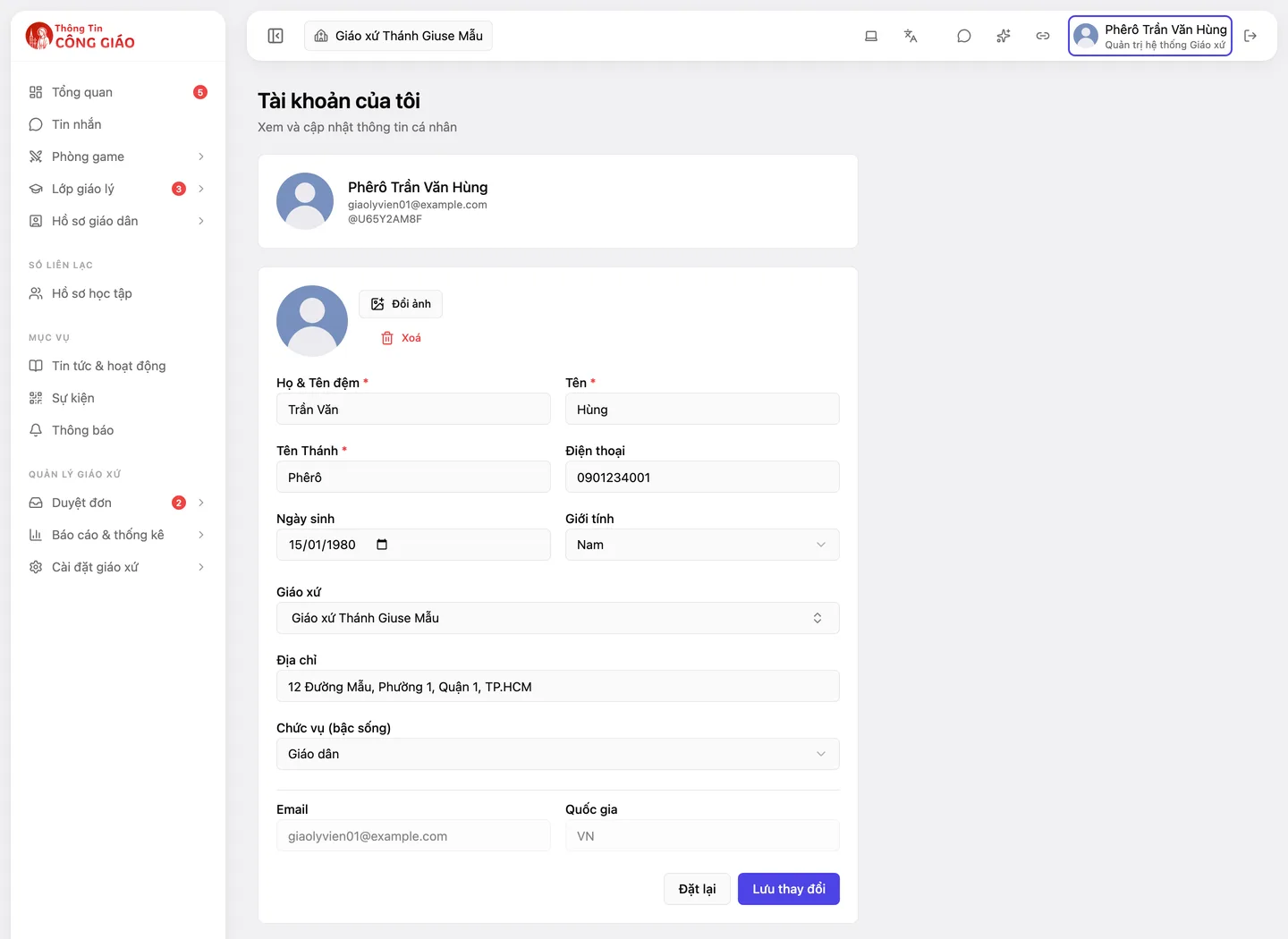
Open «My profile» and save
Click your avatar → My profile, fill in the same details, then click Save changes.
Tap the image to see it larger
Something went wrong?
My verification expired
To renew, tap «Refresh verification». If it already shows «Expired», declare again.
I am a pastor but cannot enter the priests' side of «Your Heart to God»
Until you are verified you cannot. Finish the declaration above and wait for the diocese to approve.