Play «Journey of Faith»
Who can do thisEveryone. You can play without signing in: tap «Skip» on the sign-in invitation.Phone~15 min
Done when: you pass one quiz level and receive a holy card.
Open the «Journey» tab
Tap the Journey tab at the bottom. If you see a sign-in invitation and do not want to sign in yet, tap Skip.
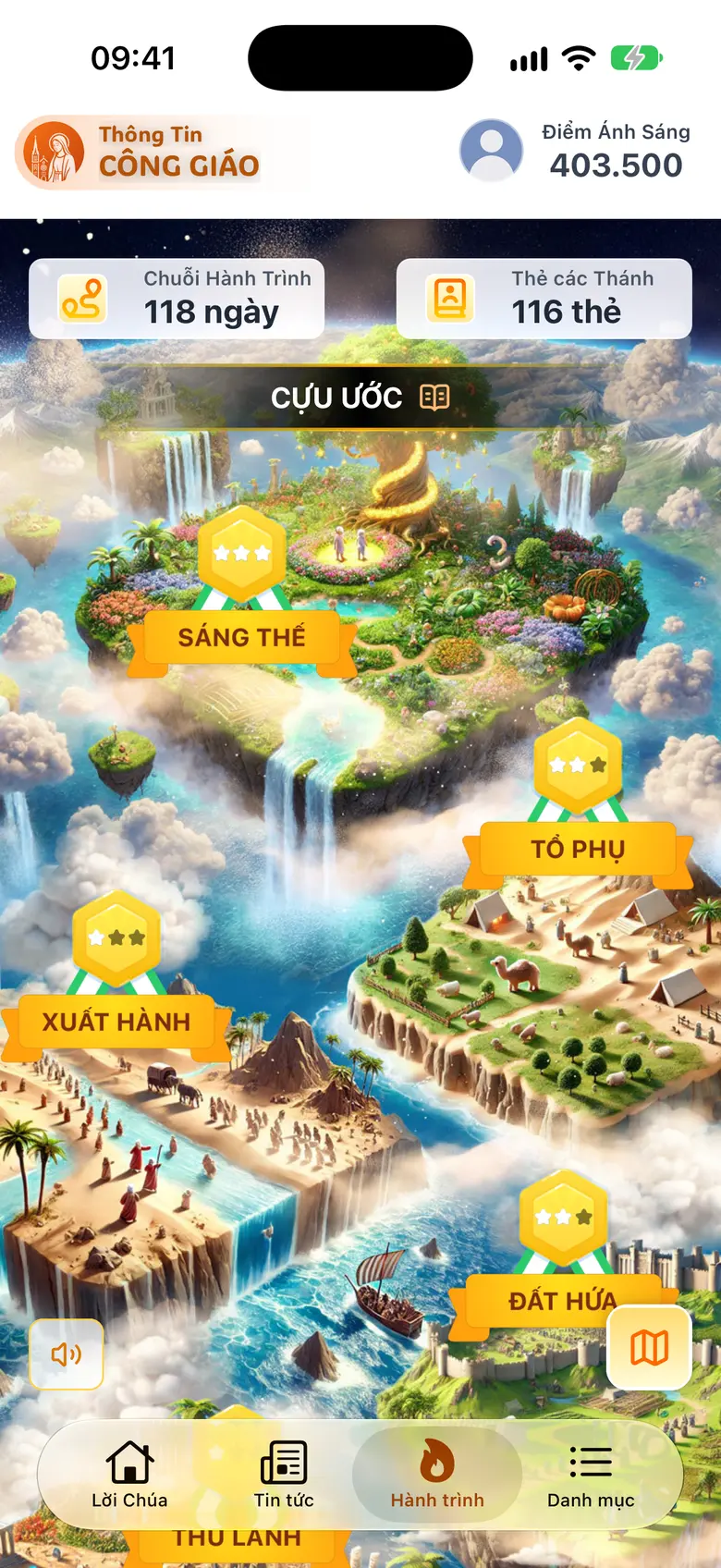
Tap the image to see it larger Change stage with the map button
Tap the map button at the bottom right to change stage: Old Testament, New Testament. Cross and Light open their own games.
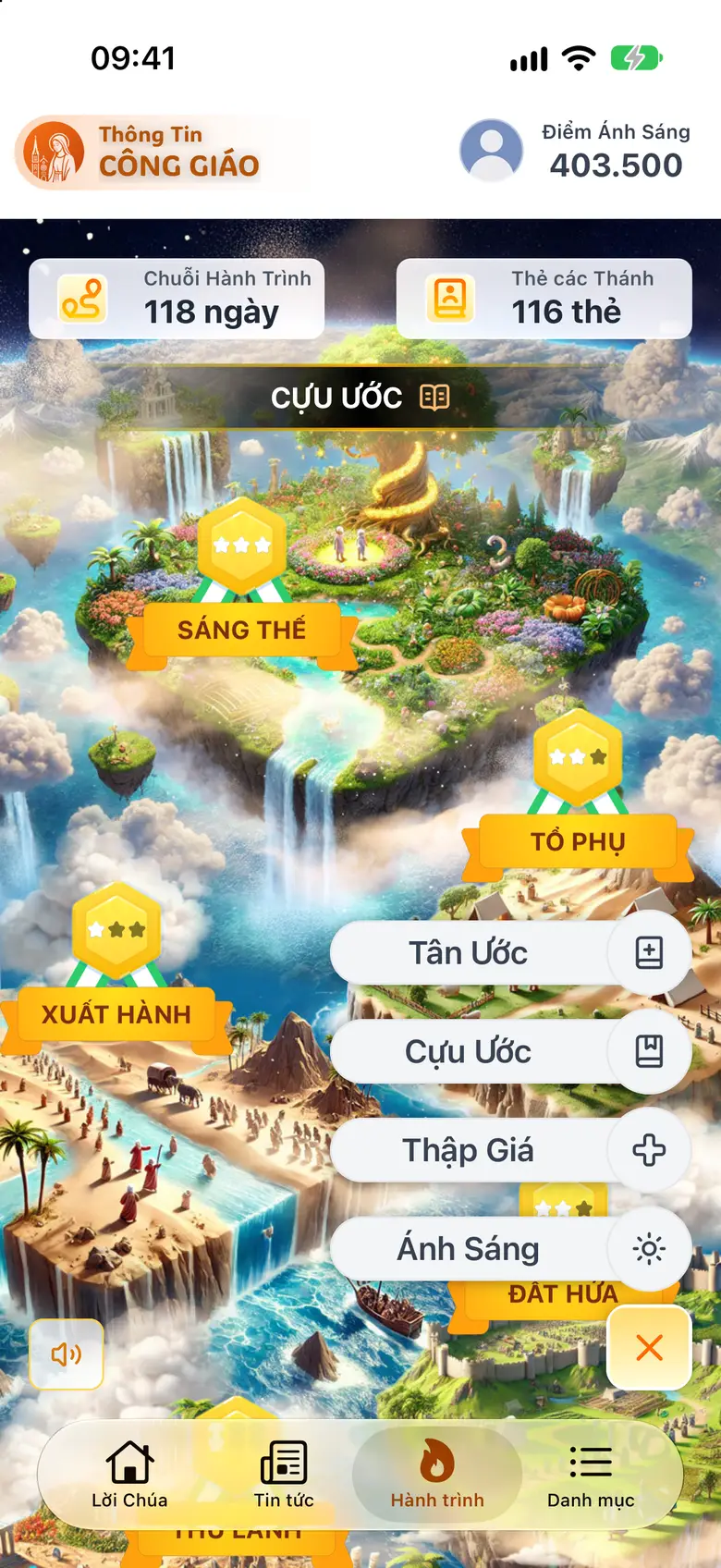
Tap the image to see it larger Tap a milestone and then «Play game to get card»
Tap a milestone on the map to read its story, then tap Play game to get card.

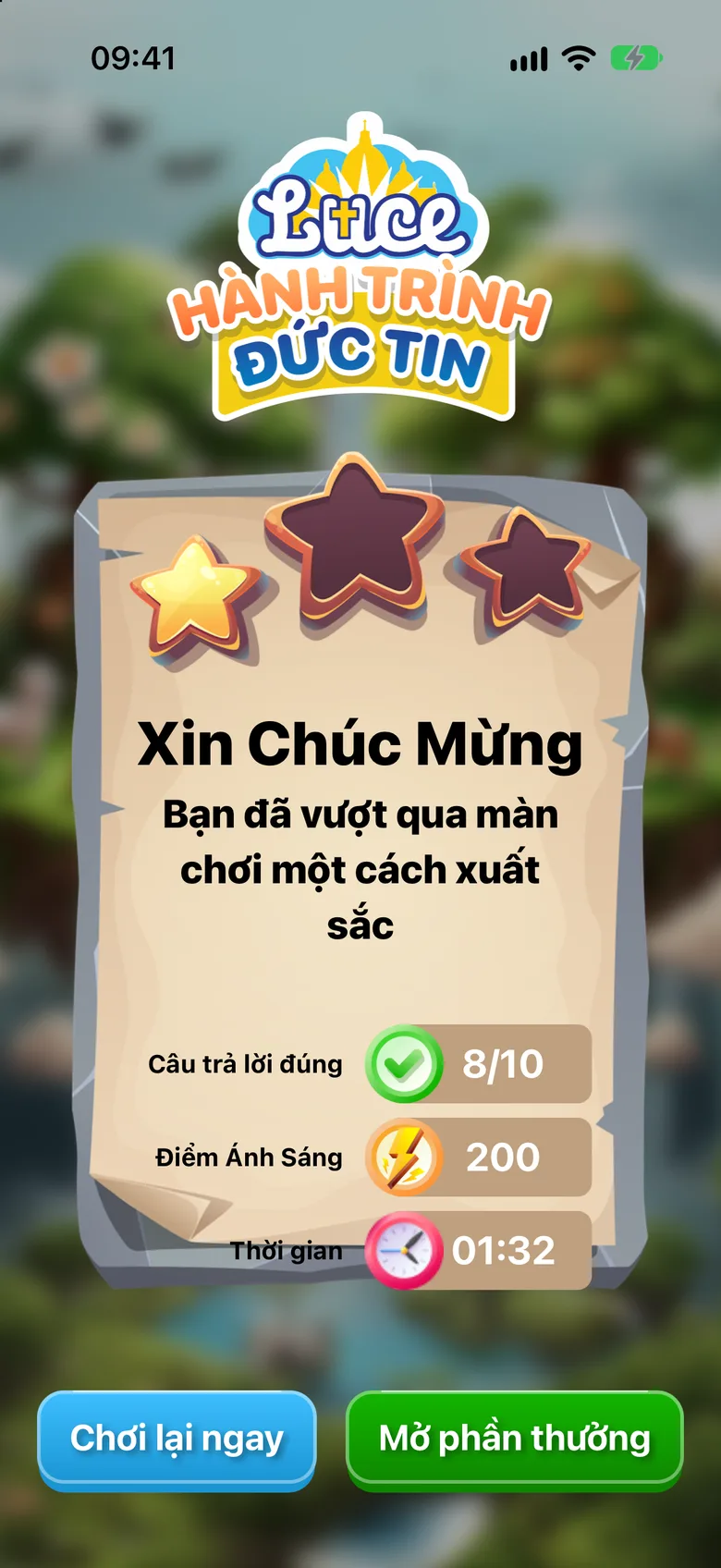
Tap the image to see it larger Answer 8 questions correctly to pass
Answer 8 questions correctly to pass the level, then tap Open Rewards to see the holy card you just received. To carry on, go back to the milestone's story and tap Next chapter.
Tap the image to see it larger
Something went wrong?
It says you must answer 8 questions correctly to pass
Tap Play Again and try once more.
It says you have finished your plays for today
You have used up today's plays. Come back tomorrow.