View and add my sacraments
Done when: the sacrament you added has been sent to your parish to be checked against the register.
The admin site has no such page; do this on the phone.
Open «Sacrament Profile»
Tap Menu → tap your name → the Sacrament Profile section → View all.
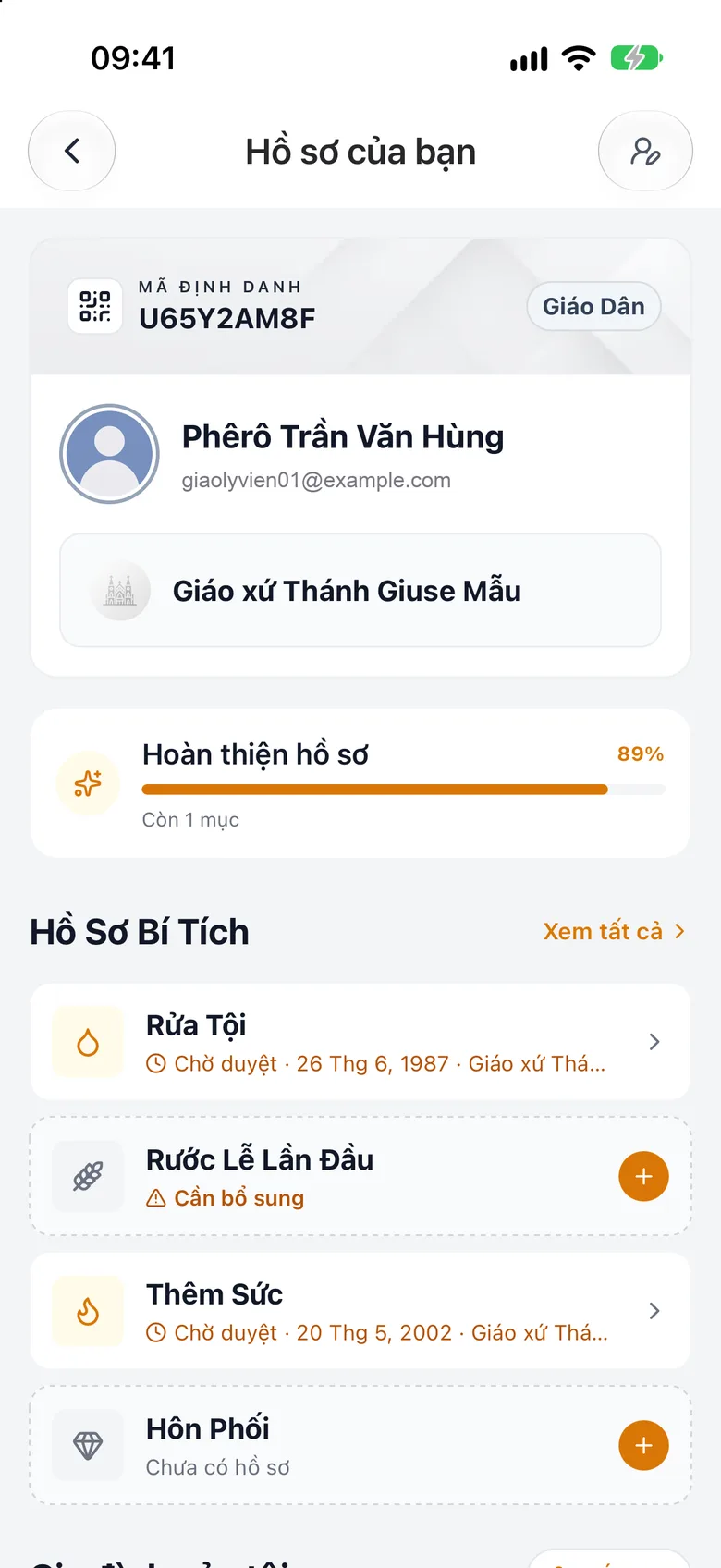
Tap the image to see it larger See the recorded sacraments
See the sacraments already recorded.
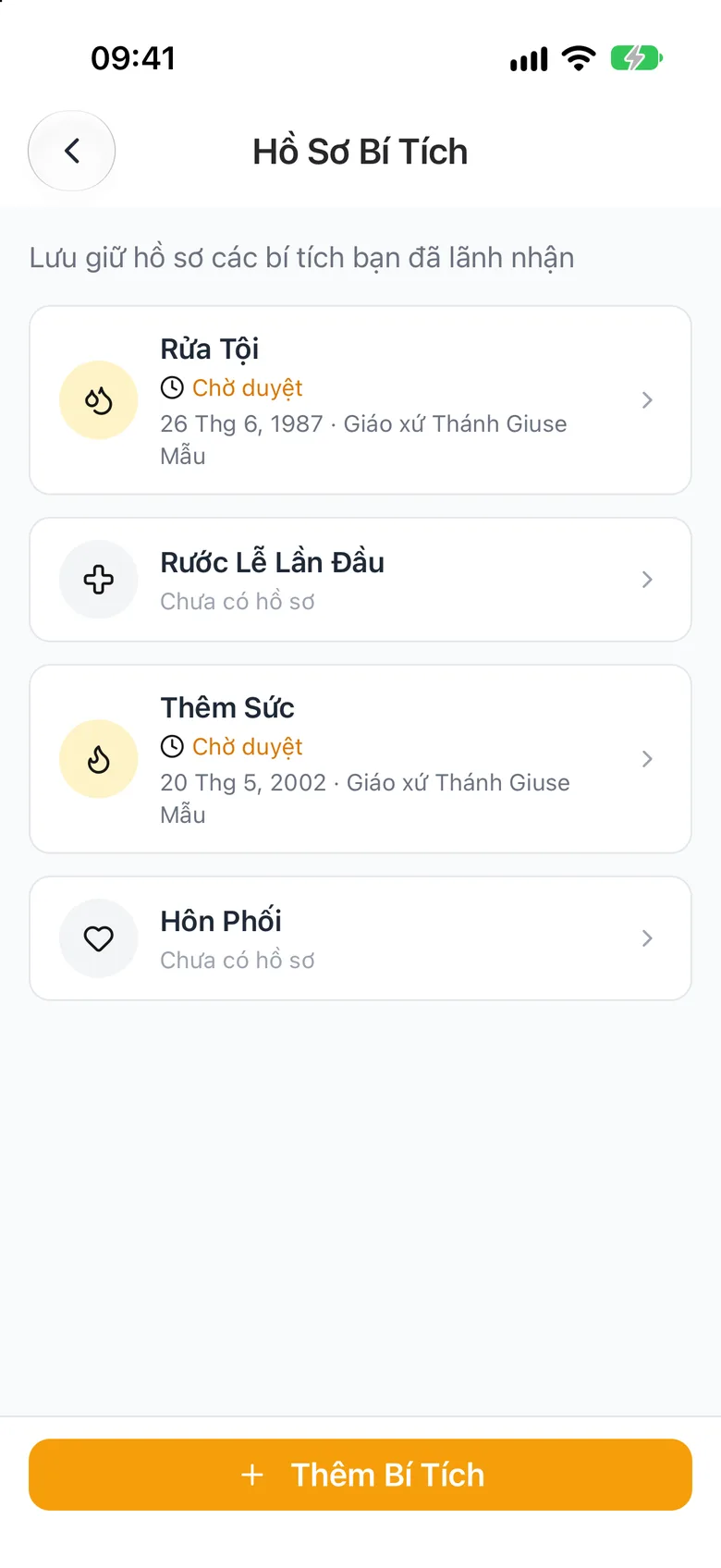
Tap the image to see it larger Tap «Add Sacrament» and photograph the certificate
Tap Add Sacrament. You can Take Photo or Choose from Gallery of the certificate so the app fills in the fields, then check each field.

Tap the image to see it larger Check and submit
Check the fields, choose the Place of celebration, then tap Submit for review so the parish checks it against its register. If your account has no parish of its own yet, the form also shows a Target parish field: choose the parish that will review and record this sacrament.
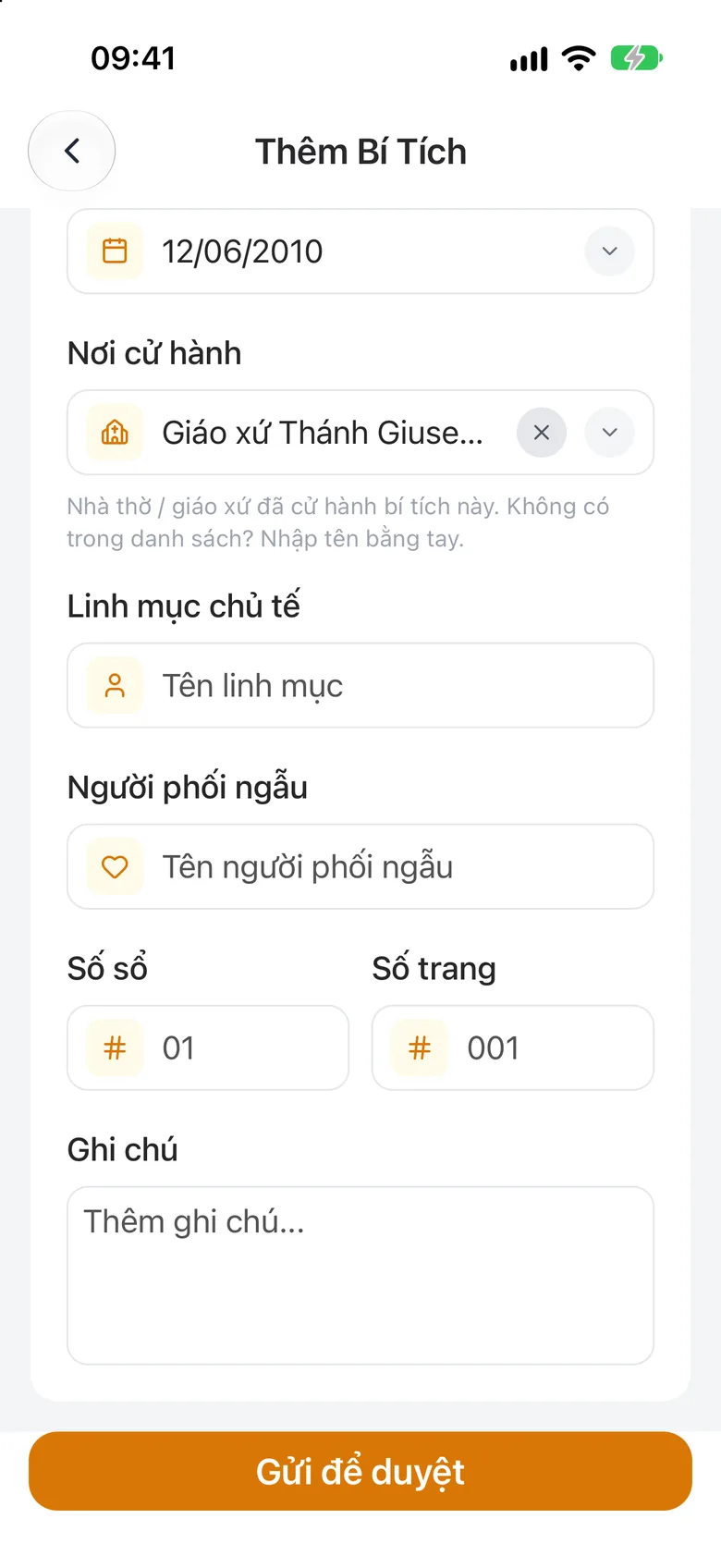
Tap the image to see it larger
Something went wrong?
I see «The parish asked for»
Open that sacrament, add the information the parish needs and submit again.
The sacrament I just declared is not recognised yet
A self-declared sacrament is recognised only after the parish confirms it.