Report wrong church information
Who can do thisEvery signed-in account.Phone~3 min
Done when: you have sent the new information; once approved, everyone will see it.
Open the church page
Tap Menu → Churches, find and open the church page.
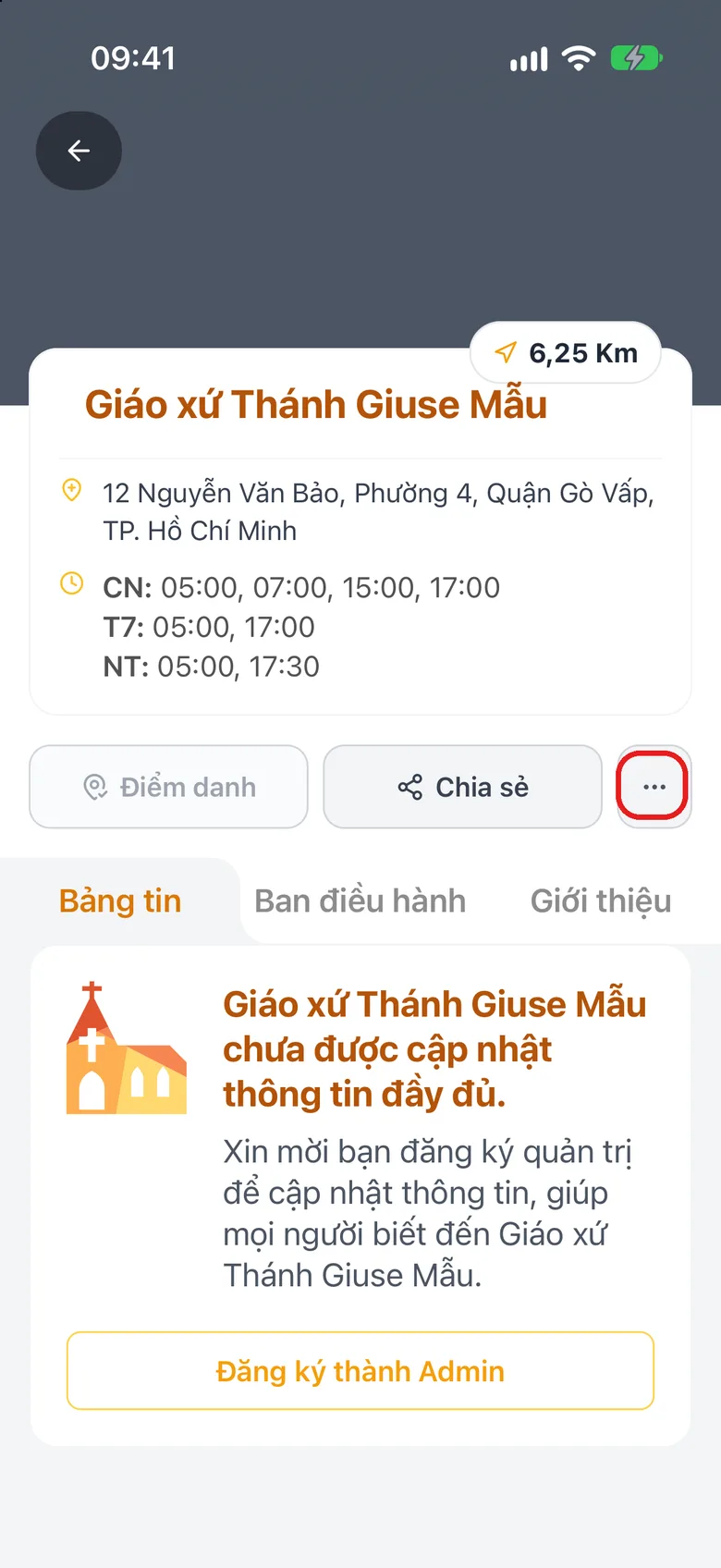
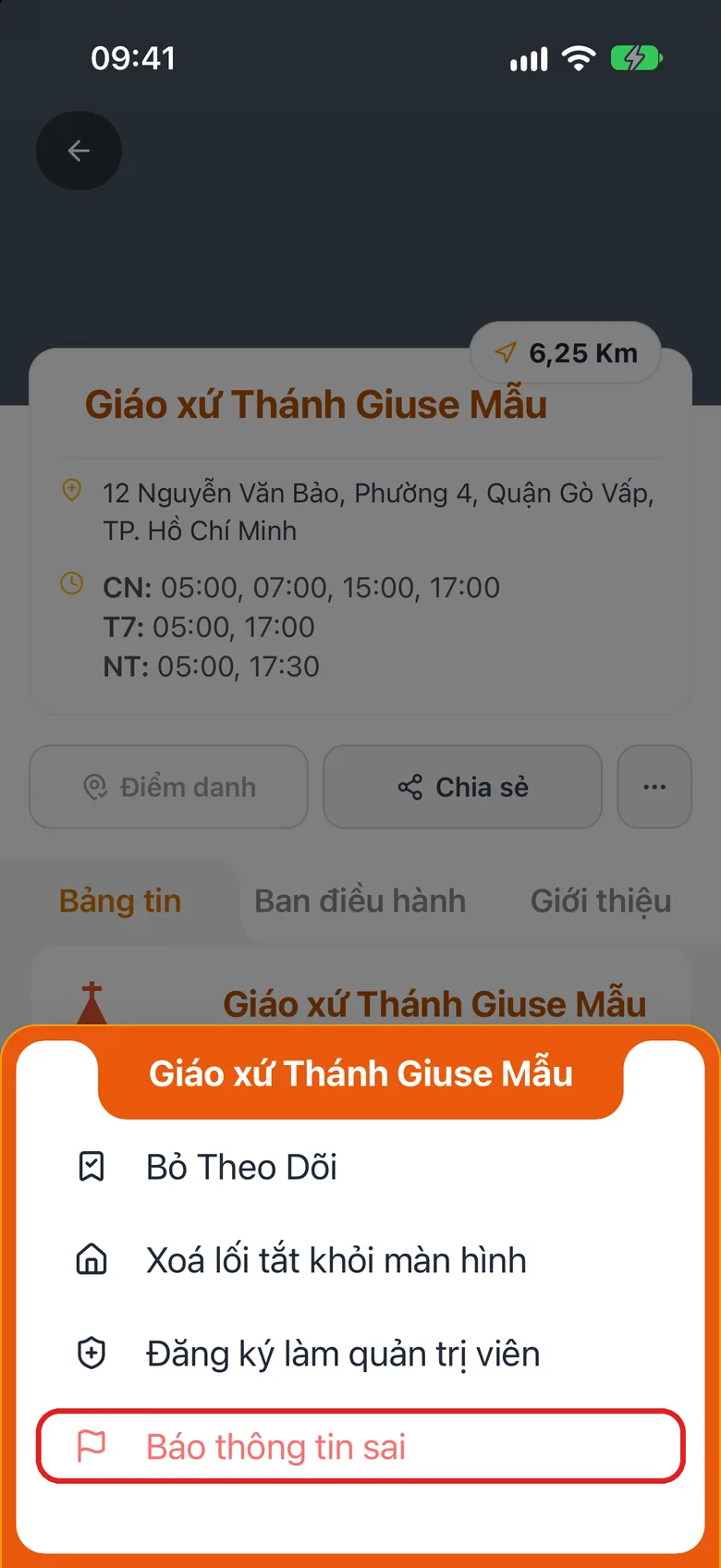
Tap the image to see it larger Tap «⋯» and then «Report incorrect info»
Tap ⋯ at the top and choose Report incorrect info.
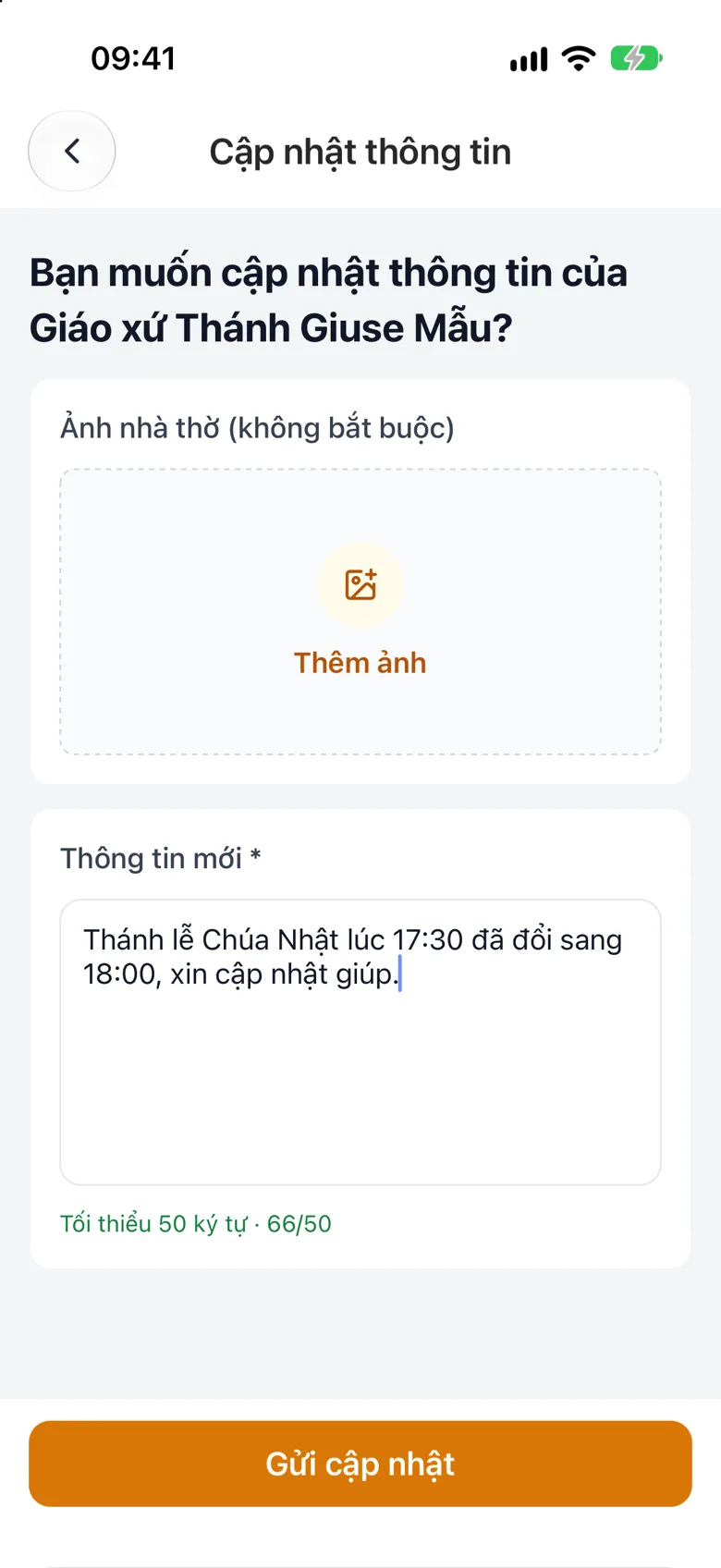
Tap the image to see it larger Write the new information and send
Write the new information (at least 50 characters), optionally attach a photo, then tap Submit Update. The line under the box counts what you typed and turns green once it is long enough. The administrator will review and approve it.
Tap the image to see it larger
Something went wrong?
I sent it but nothing changed
A change becomes visible to everyone only after it is approved.