Choose your parish and see Mass times
Who can do thisAnyone can look up churches, even when signed out; asking Luce and reporting wrong information need a signed-in account.Phone~2 min
Done when: you can see the Mass times of the church you need.
Open «Churches» in «Menu»
Tap the Menu tab, then the Churches tile (in the «Community» group).
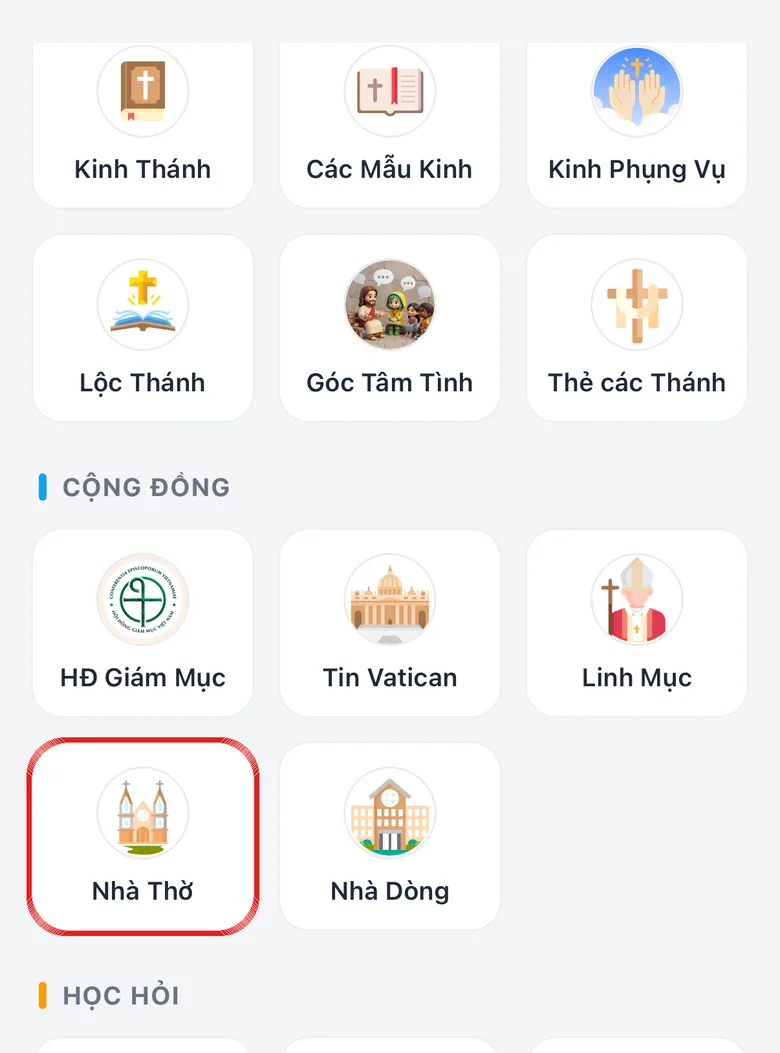
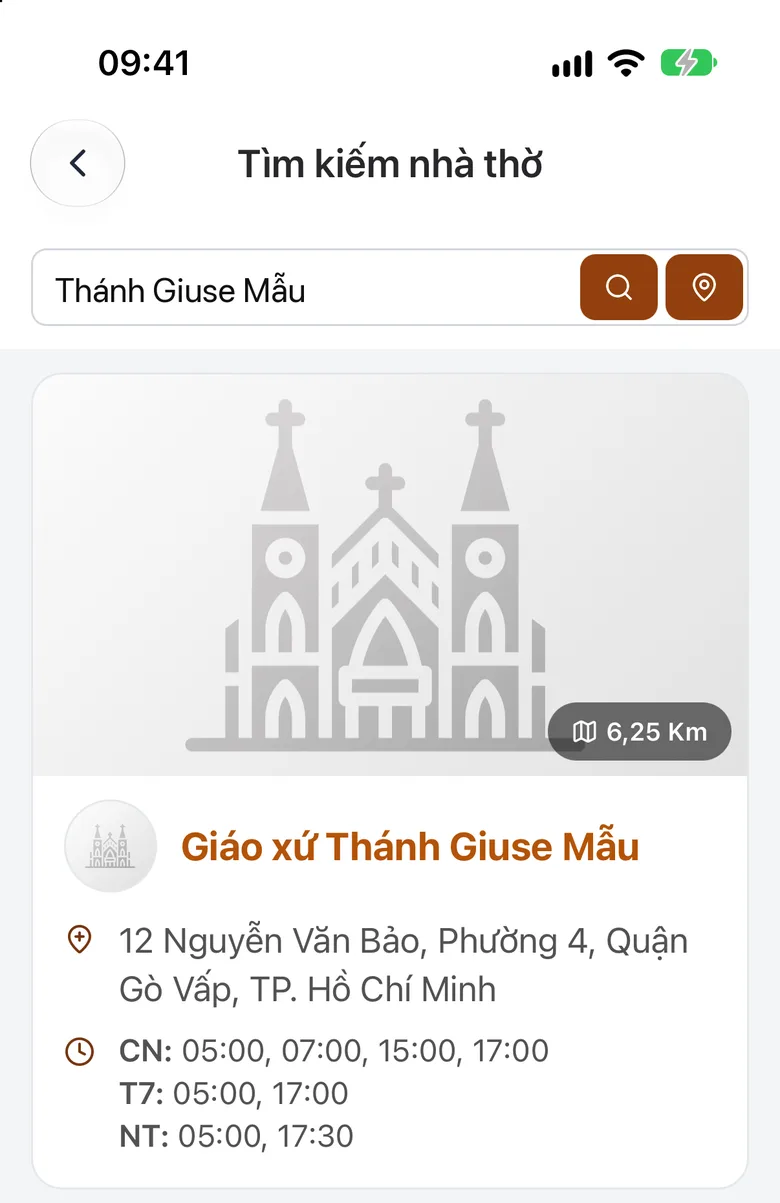
Tap the image to see it larger Search for a church or parish
Type the name of the church or parish in the search box. Or look at the list of churches near you.
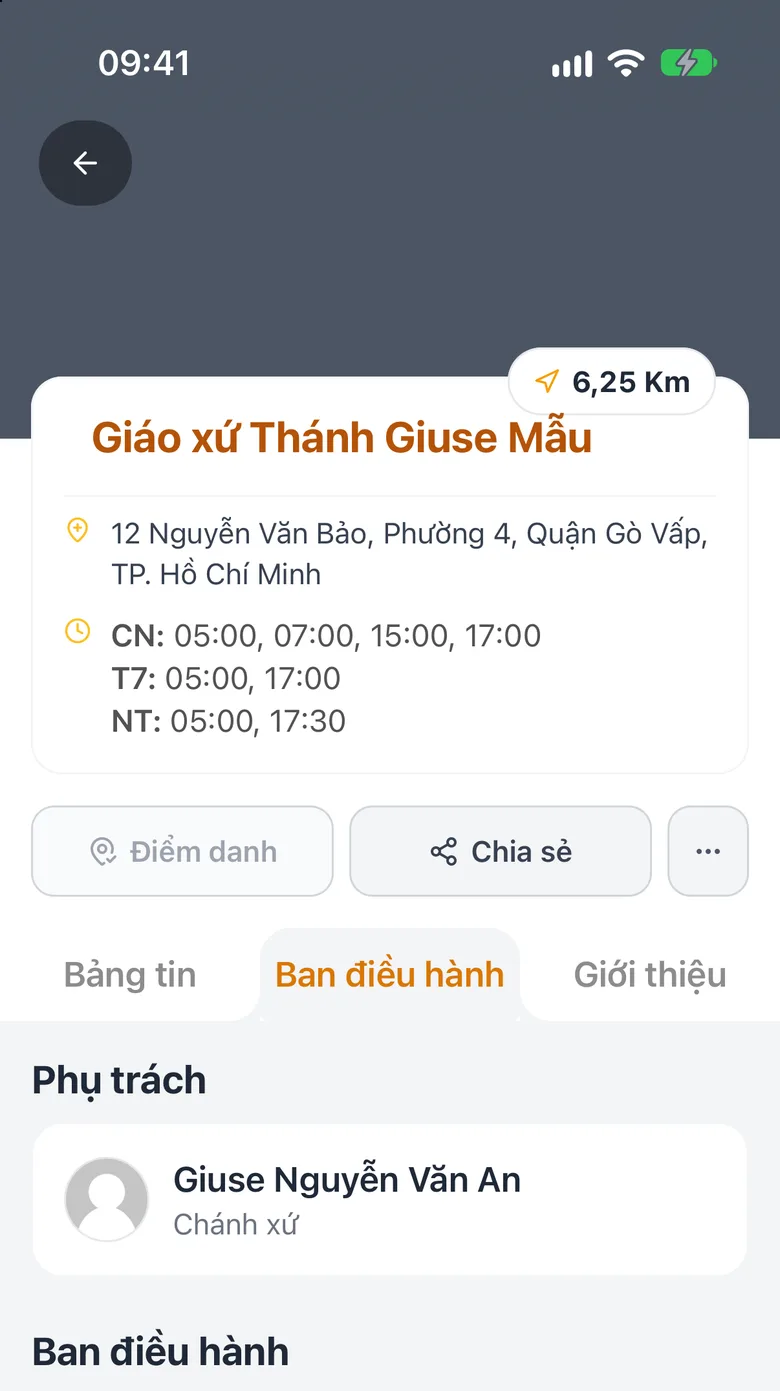
Tap the image to see it larger Open the church page to see Mass times
Tap the church. The page shows Mass times, the address and the priest in charge.
Tap the image to see it larger
Ask Luce for speed
In «Chat with Luce» you can simply type «Mass times of Tân Định church». See Chat with Luce.
Something went wrong?
Mass times are wrong or missing
Mass times are kept up to date by the parish. If you see a mistake, report it: see Report wrong church information.
I cannot find my parish
Type a shorter name, try without accents. If it is still missing, the parish may not be in the system yet: message support.